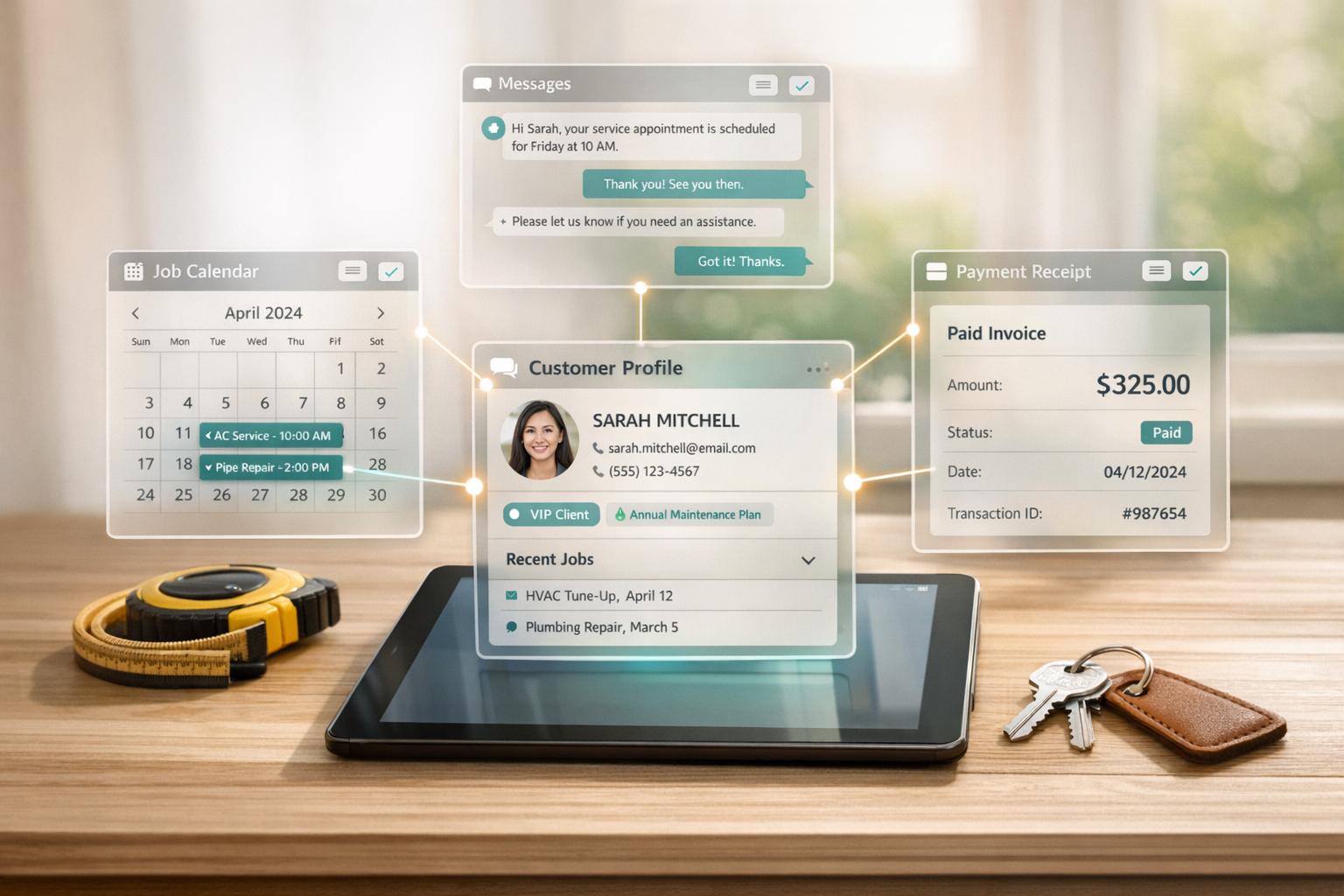
Managing a home service business can be overwhelming without the right tools. A CRM (Customer Relationship Management) system simplifies operations by centralizing customer information, automating scheduling, and streamlining payments. For industries like plumbing or HVAC, where quick responses and efficient scheduling are critical, CRMs can help you stay ahead of competitors and grow your business.
Key Takeaways:
- What is a CRM? A tool to manage customer data, streamline operations (like scheduling and invoicing), and improve customer experience.
- Why it Matters: Businesses using CRMs report a 29% increase in sales and a 34% boost in productivity.
- Top Features: Scheduling tools, customer history tracking, mobile access, payment integration, and marketing automation.
- Choosing the Right CRM: Match features to your needs, consider costs, and test usability with your team.
- Implementation Tips: Clean up your data, train your team, and use automation to save time.
CRMs aren't just for organization - they help you respond faster, reduce errors, and increase profits. Whether you're a small team or a larger operation, adopting a CRM is essential to stay competitive in today’s fast-paced home services industry.

CRM Benefits and Key Features for Home Service Businesses
Best CRM for Home Service Businesses
sbb-itb-2aa0348
Core Features of CRM Systems for Home Services
A good CRM system does more than just store customer details - it becomes the backbone of your business operations. For home service companies, the right CRM can tackle common challenges like efficient technician dispatching, instant access to customer information, and simplifying payment processes. Let’s dive into some of the key features that can transform your daily operations.
Scheduling and Dispatching Tools
A centralized dispatch board is a game-changer. With a drag-and-drop interface, it provides a real-time overview of technician availability and job requests. Instead of juggling endless phone calls, you can instantly identify the closest technician for an urgent job or assign someone with the right expertise for a tricky repair. GPS-powered route optimization further improves efficiency by suggesting the fastest routes and even nearby jobs if a technician wraps up early. Some advanced systems go a step further, using AI to evaluate thousands of scheduling scenarios and automatically assign the best technician to maximize profitability.
Your field team also benefits from mobile access. Technicians can view job details, customer histories, and update their status - like "on my way", "started", or "completed" - all from their devices, cutting down on unnecessary calls to the office. On the customer side, automated notifications via SMS or email provide appointment reminders and live tracking links, much like ride-sharing apps that let you follow your driver’s location. These tools streamline operations while enhancing the customer experience.
Customer Management and Service History Tracking
When a repeat customer reaches out, your CRM should instantly pull up their complete profile, including service history, warranty details, and any important notes. This allows your team to greet customers by name and reference previous work, creating a personalized and professional experience from the start.
Service history tracking ensures technicians arrive fully prepared. For instance, if a water heater installed 18 months ago is still under warranty, that information is readily available in the mobile app. Some CRMs even attach recorded customer calls to job files, enabling technicians to review the original request before arriving on-site.
This level of detail not only eliminates the frustration of customers having to repeat themselves but also supports proactive maintenance reminders. Automated prompts for tasks like HVAC filter replacements or annual tune-ups can help you drive repeat business and maintain steady revenue streams.
Integration with Payment and Marketing Tools
A CRM that integrates with your accounting software - like QuickBooks Online or Desktop - can save you time and reduce errors. Payments collected on-site via credit card, ACH transfer, or mobile wallets (such as Apple Pay or Google Pay) are automatically synced with your bookkeeping system, ensuring seamless financial management.
On the marketing side, integrations with online lead generation platforms allow customers to book appointments 24/7 without needing to call your office. Once a job is completed, the CRM can automatically send review requests to platforms like Google or Yelp, helping you consistently gather positive ratings.
Marketing automation tools take things further by enabling targeted campaigns. For example, you can send reminders to homeowners with older air conditioning units about preventative maintenance offers or follow up on unsold estimates within 48 hours. These integrations turn your CRM into a proactive tool that not only manages your operations but also drives growth.
How to Choose the Right CRM for Your Business
Choosing the right CRM is about finding a system that aligns with your business's unique needs - not just picking the one with the most features. A small plumbing business with two employees will have very different requirements than an HVAC company managing 30 technicians spread across several locations. The key is to match the CRM to your current challenges while considering future growth.
Evaluating Your Operational Needs and Features
To get started, pinpoint the specific operational challenges you’re facing. For example, if you're losing jobs because you can't respond to emergency calls quickly, prioritize CRMs with speed-to-lead features. These tools notify your team of new inquiries instantly and route them to the right person, ensuring you're the first to respond - a critical factor in industries like plumbing or HVAC.
If travel time is a recurring issue, look for CRMs with GPS-powered route optimization. For businesses struggling with unpaid invoices, prioritize systems that offer built-in payment processing and automated reminders. Avoid getting distracted by features that don’t apply to your operations. A CRM that your team actively uses is far more valuable than one loaded with unused tools.
Mobile access is another must-have. Your team should be able to update customer records or create invoices in real time while on the go. During your evaluation, test how quickly and efficiently the CRM handles essential tasks like pulling up service history or generating invoices on a mobile device.
Once you’ve outlined your operational needs, consider how they align with your budget and long-term growth plans.
Considering Costs and Scalability
CRM costs can vary widely based on your team size and specific needs. For smaller businesses with 1–5 employees, monthly costs typically range from $39 to $65. Larger operations with 20 or more employees might spend $398 or more per month. While it’s tempting to go for the cheapest option, think about the return on investment. Many CRMs designed for home service providers have been shown to increase revenue by 25–35% within the first year.
Pay attention to pricing structures. Some CRMs charge per user, which can become costly as your team grows. Others offer flat-rate pricing for unlimited users, making them more scalable and cost-effective for expanding businesses.
Integration capabilities are also crucial. If the CRM doesn’t work seamlessly with tools you already use - like QuickBooks or marketing platforms - you could end up wasting time on manual data entry. Use the trial period to test integrations by importing sample data and simulating real workflows.
Assessing Vendor Support and Training
Even the best CRM won’t help if it’s too complicated to use. Look for vendors that offer strong onboarding support, training resources, and 24/7 assistance through live chat, phone, or AI tools.
"Most CRMs are very intuitive to use, are full of free resources and training videos to help you learn their software, and have great customer support willing to answer your questions 24/7." - Activated Insights
Ask for customized demos tailored to your business needs, not generic presentations. References from other home service providers in your industry can also give you a sense of how responsive the vendor is when issues arise. Having a dedicated account manager who understands your goals can make the difference between a smooth rollout and a frustrating experience.
Make the most of free trials by testing the CRM in real-world scenarios. Have both your office staff and field technicians try tasks like scheduling jobs, updating customer records, or processing payments. The goal is to find a system that integrates seamlessly into your daily operations and feels like a true partner in your business success.
Implementing and Using Your CRM Effectively
You can roll out your CRM system in as little as 7–14 days if you follow a clear, step-by-step plan. Below, we’ll break down the key stages of planning, automation, and performance tracking to help you integrate and use your CRM without any hiccups.
Planning and Training for Implementation
Start by cleaning up your customer data. Fix incorrect phone numbers, eliminate duplicates, and fill in missing details like addresses. This ensures your CRM starts on solid ground.
Next, tailor the CRM to fit your workflow. Create custom fields, job statuses, and templates that align with your business processes. This upfront effort will save you from making manual adjustments later.
Training is equally important. Provide hands-on sessions for your team - dispatchers, technicians, and office staff - to ensure they understand every step, from scheduling and real-time updates to lead entry and invoicing. To maintain consistency, establish clear data entry standards, like mandatory fields and uniform naming conventions. You could even motivate your team by recognizing top CRM users and emphasizing the time-saving advantages of the system.
Using Automation to Improve Efficiency
Let automation handle repetitive tasks to free up time for more important work. For example, set up automated appointment reminders, en-route notifications, and follow-ups for unapproved estimates.
Another useful feature is missed-call text-backs. When you’re too busy to answer, the CRM can automatically text the caller, ensuring you don’t lose potential leads.
You can also use your CRM to schedule recurring maintenance reminders for seasonal services - think HVAC tune-ups or gutter cleaning. This keeps your business on your customers’ radar without extra effort.
By automating these processes, you ensure no lead slips through the cracks, while also keeping operations running smoothly.
Tracking Performance and Optimizing Usage
Once your CRM is up and running, use it to measure its impact on your business. Monitor key metrics like lead response times, conversion rates, and average job values. Pay close attention to how quickly your team engages with new inquiries and figure out which marketing efforts - whether Google Ads, social media, or local flyers - are giving you the best bang for your buck.
Your CRM’s analytics tools, like technician scorecards and customer feedback tracking, can provide valuable insights into performance. Regularly audit your database to remove duplicate or incomplete records, which can skew your reports. Define success metrics early on - such as higher conversion rates or fewer no-shows - so you can clearly see how the CRM is contributing to your bottom line.
The key to getting the most out of your CRM lies in consistent use and leveraging the data it provides to refine your processes. The more you invest in using it effectively, the greater the rewards will be.
Conclusion: Growing Your Business with the Right CRM
A well-chosen CRM system can transform how your home service business operates. By centralizing customer information, automating repetitive tasks, and keeping tabs on every lead from the initial inquiry to the final invoice, a CRM simplifies your workflow and drives growth. In fact, for every dollar spent on a CRM, businesses typically see an average return of $8.71.
To fully benefit from a CRM, you need a clear plan. Start by selecting a system that fits your business needs. Then, ensure a smooth rollout by using clean, organized data and providing thorough training for your team. Finally, keep improving by tracking performance metrics and making adjustments as needed. Whether you're running a small operation or a larger company, a CRM gives you the insights and tools to scale effectively.
With the home service industry expected to exceed $1 trillion by 2025, adopting digital management tools like a CRM is no longer optional - it’s essential to stay competitive. A CRM acts as your single source of truth, helping your team deliver consistent and personalized service while uncovering opportunities to upsell and improve your marketing ROI. Keeping your customer data accurate and up-to-date is crucial to unlocking these benefits.
Start by tackling your biggest challenges, whether that’s missed leads, chaotic scheduling, or slow payments. Use your CRM consistently and review its performance regularly. When you embrace automation, maintain clean data, and rely on performance dashboards, your CRM becomes more than just a tool - it becomes the engine driving your business toward sustainable, long-term growth.
FAQs
How does a CRM system enhance the customer experience for home service providers?
A CRM system improves how businesses interact with their customers by making communication and organization more efficient. With it, customer inquiries and requests are less likely to fall through the cracks - an absolute must for industries like plumbing or HVAC, where quick responses can make all the difference. Features like automated notifications and follow-ups ensure businesses can respond promptly, building trust and boosting customer satisfaction.
It also simplifies scheduling and dispatching, helping reduce delays and avoid overlapping service appointments. Plus, by keeping track of customer history, businesses can offer more personalized service, which makes clients feel appreciated and understood. Automated reminders and regular updates add a layer of professionalism, creating a seamless experience for customers. In essence, a CRM turns customer interactions into a smoother, more tailored process, encouraging loyalty and repeat business.
What features should a CRM have for small home service businesses?
When selecting a CRM for a small home service business, focus on tools that make daily tasks easier and improve how you manage customer relationships. Here’s what to look for:
- Centralized customer data: Keep all client details organized in one place for quick access.
- Scheduling and dispatch tools: Simplify appointment management and ensure efficient team coordination.
- Lead tracking: Stay on top of potential customers and never miss an opportunity.
- Automated follow-ups: Strengthen customer relationships by sending timely reminders or updates without extra effort.
- Mobile accessibility: Enable your team to access important information and stay connected while on the move.
- Integration with invoicing and marketing tools: Combine billing and promotional tasks to save time and increase efficiency.
These features can help streamline operations, freeing up time to focus on growing your business.
How can a CRM system improve scheduling and dispatching for home service technicians?
A CRM system takes the hassle out of scheduling and dispatching by automating appointment management. It helps avoid scheduling conflicts and ensures technicians are assigned in the most efficient way possible. Plus, it optimizes routes to cut down on travel time, leading to quicker responses and smarter use of resources.
On top of that, CRMs offer real-time updates and instant access to customer and job details. This allows dispatchers to make quick, informed adjustments when needed. The result? Streamlined operations, more productive technicians, and happier customers.
Related Blog Posts

Sign up for the newsletter and be the first to read our articles.