

Overview of Common Stains
Full overview of the most common stains, including how to identify them and treat them
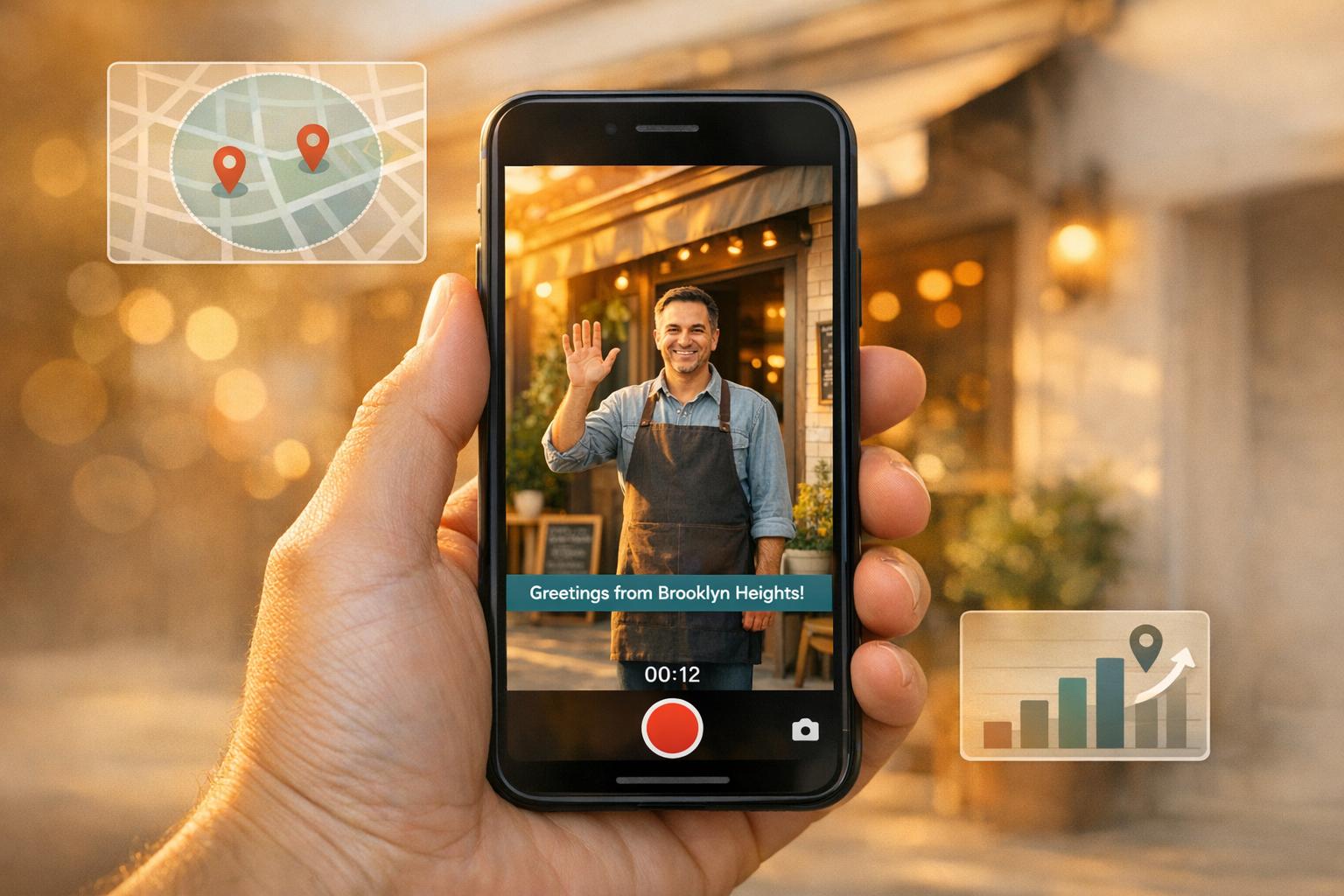
Localized video ads on Facebook are a powerful way to connect with your community and grow your business. By targeting specific neighborhoods, incorporating local references, and tailoring your content for mobile users, you can position your services as the go-to solution for local homeowners. Here's a quick breakdown:
With Meta prioritizing video content in 2026, this strategy ensures your business stays visible and top-of-mind for potential customers. Start by understanding your audience and crafting videos that highlight your connection to the community.

5-Step Process for Creating Localized Facebook Video Ads
Before you start filming, take the time to clearly define your target audience. Being specific about who you’re trying to reach can mean the difference between a successful campaign and wasted advertising dollars. A great example comes from Finnish meal kit service Ruokaboksi, which worked with marketing agency Genero in September 2025. They shifted their strategy from broad national targeting to focusing on specific postcodes and localized messaging. The results were impressive: an 82% drop in Cost Per Lead and a 62% reduction in Customer Acquisition Cost. This approach isn’t just effective in Finland - it’s a winning strategy for U.S. home service businesses too.
Once you’ve identified your audience, the next step is to configure your Facebook Ads Manager settings for precise targeting.
Facebook Ads Manager provides four location targeting options. For most home service providers, "People living in" is the most effective choice since it focuses on residents rather than tourists or visitors. The other options include:
You can refine your targeting by country, state, city, or even up to 50,000 zip codes at once. Want to zero in even more? Facebook allows you to set a minimum radius of just 1 mile around a specific address. If your business has multiple locations, use Store Sets to group your branches and set a radius around each one simultaneously. For example, if you run a plumbing business with two offices 8 miles apart, the exclusion tool can ensure your ads don’t overlap. This keeps your budget focused and avoids confusing potential customers about which location serves them.
"Geotargeting refers to delivering ads to people that meet specific targeting criteria and are inside a defined radius. The key difference with geotargeting is that it hones in on specific consumer criteria, such as demographics, behaviors, interests, and a person's location." – Rachel Solway, OneLocal
After setting your geographic boundaries, it’s time to dig deeper into your audience by analyzing local demographics.
Once you’ve defined your geographic area, use tools like Facebook Audience Insights to learn more about the people within it. This tool allows you to filter your audience by:
Keep in mind that this data is only available if your audience segment includes at least 1,000 people.
If you’re curious about who’s already interested in your services, try this: enter the names of competitors’ Facebook Pages into the "Interests" box. This will show you the age, gender, and job titles of their followers. Have a customer email list? Upload it as a Custom Audience. Facebook will match the emails to user profiles, giving you a clearer picture of who’s already buying from you.
Lastly, check the Activity tab to see if your local audience has higher-than-average ad engagement. If they do, they’re more likely to respond positively to your paid video content.
Create scripts that feel personal and tailored to your community. Content that resonates with the people in your service area can make a big impact. As Gavin Bell, a Facebook advertising expert, says, "Advertising, when you break it down, is simple: Deliver the right message to the right person at the right time". For home service providers, the "right message" often means including details that locals will immediately recognize and appreciate.
This approach can significantly improve the effectiveness of your ads. In fact, 50% of surveyed companies believe their local marketing campaigns will outperform national ones in terms of ROI. By grounding your message in local specifics, you build trust and foster a sense of connection.
Kick off your script with a hook that references a well-known local landmark or community event within the first few seconds. For example, a roofing company in Charleston, South Carolina, might say: "Is your roof ready for another hurricane season near the Battery?" This not only establishes your location but also highlights a problem your audience might face. Including familiar local sites in your marketing materials can boost engagement by up to 30%, and social media posts with these references often see 25% higher engagement rates.
You can also align your services with local events or seasonal challenges. A plumber in Minneapolis might say, "With temperatures dropping to 15°F this week, don’t let frozen pipes ruin your weekend in Uptown." Similarly, an HVAC company in Phoenix could mention, "When it’s 115°F outside in Scottsdale, your AC can’t afford to break down." These relatable details create an emotional connection by addressing real, everyday experiences. As Page One Formula emphasizes, "Local landmarks play a crucial role in visual media by creating a sense of place and connection with audiences. They serve as powerful symbols that evoke recognition and emotional responses".
Once you've established that connection, make sure your language and measurements feel familiar to your audience.
Stick to what feels natural for your U.S. audience - imperial units, standard date formats (MM/DD/YYYY), and familiar currency formatting (e.g., $1,234.56). As Simona Rahmanova from Localazy explains, "What feels familiar also feels reliable to customers".
The stats back this up: 76% of consumers prefer buying from websites that present information in their native language, and 40% won’t purchase from sites that don’t offer content in a way that feels natural to them. While your content is already in English, "native language" also includes using regional conventions and local phrasing. For instance, a landscaping company in Texas might use "y’all" in their script, while one in Boston might casually mention "the T" when talking about service areas. These small details help your brand come across as a friendly neighbor rather than a distant corporation.
With your script tailored to reflect local elements, it’s time to turn those words into visuals. Filming authentic, on-location footage is key to showcasing your genuine impact. Highlight real work, real people, and real results. This kind of content not only establishes trust but also boosts engagement. In fact, 90% of consumers research on social media like Facebook before making a purchase decision.
You don’t need a full production crew or expensive gear. A smartphone can do the job, capturing the raw, natural feel that local audiences appreciate. Whether it’s quick updates on a project, repair tips, or candid customer interactions, these moments resonate more than polished, overly produced videos.
"People love authenticity in advertising. You can shoot and edit a video from your cellphone... and produce an ad that connects in ways a still image can't" – AdEspresso
Showcase your work by filming actual projects in your area. For instance, a Tampa roofing company might document a roof replacement after hurricane damage, while a Denver landscaping business could highlight a yard makeover with recognizable local scenery in the background. These before-and-after clips offer transparency and give potential customers confidence in your work.
Customer testimonials are another powerful tool. Keep them natural and conversational - think casual interviews rather than scripted statements. Pair these testimonials with B-roll footage of the completed project to emphasize authenticity.
"If you want to connect with your audience via Facebook video ads, they need to look more native to the platform and less like commercials" – Matt Johnston, COO of Get Hyped Media
Since 85% of Facebook videos are watched without sound, captions are essential. Adding them can increase view time by 12% and shares by 15%.
Tap into local challenges by showing how your services solve weather-related or seasonal problems. For example, an HVAC company in Phoenix might film a technician working on an air conditioner during a heatwave, while a plumber in Minneapolis could demonstrate how to protect pipes from freezing in winter. These videos create a sense of urgency by addressing current, real-life concerns, reinforcing your role as a problem solver in the community. If you need help developing a custom video strategy, you can book a call with our team.
"Urgency works best when it's real and relevant: Keep the deadline tight and the offer relevant to what people actually need right now" – Mandelyn Miller, Marketing Manager at Hook Agency
Short, seasonal FAQ videos are another great idea. These one-minute clips can answer common questions like, “How do I prepare my roof for hurricane season?” or “When should I schedule a furnace tune-up?” These bite-sized videos establish you as an expert while offering immediate value. For local service ads, a 15-second or longer average watch time signals that your content is hitting the mark.
Once you’ve captured your footage, it’s time to edit and optimize it for Facebook Ads to ensure maximum impact.
Editing your video footage is where the magic happens - it’s how you turn raw clips into content that stops scrollers in their tracks and gets them to engage. With 97.4% of Facebook users accessing the platform on mobile devices, your editing choices can make or break your ad’s performance.
Text overlays are a must-have for Facebook ads. Why? Many users watch videos without sound, so your visuals need to do the talking. Adding captions can increase the chances of someone watching your video by 80% and boost the average view time by 12%. You can include captions directly in the video (hardcoded) or upload an SRT file for accessibility.
Here’s a pro tip: Show your branding and key message within the first three seconds. For instance, Finish revamped a TV ad for Facebook by simplifying it to a single story and shifting the brand mention 25 seconds earlier. The result? A 7-point bump in ad recall and a 136% increase in 10-second views. Similarly, Wells Fargo and BBDO San Francisco added text overlays and moved their brand mention earlier in their debit card ad, which led to a 3-point rise in ad recall and an 8-point increase in message association.
If you’re targeting a local audience, incorporate text overlays that highlight your area of service, phone number, or address. For example, a Chicago plumber could say, "Serving Cook County Since 2015", while an Austin landscaper might add, "Free Estimates in Travis County." Just remember to keep important text within the central 70–80% of the screen to avoid interference from Facebook’s user interface.
When it comes to calls-to-action (CTAs), keep them clear and direct. Facebook’s built-in CTA buttons like "Book Now", "Learn More", or "Shop Now" are perfect for driving immediate action. Make sure these buttons are easy to tap on mobile devices and link to relevant landing pages.
To get the best results on mobile, you need to format your videos correctly. Vertical videos, for instance, can boost click-through rates by 35%. Here’s how to optimize for different placements:
| Placement | Aspect Ratio | Resolution | Best For |
|---|---|---|---|
| Facebook Feed | 4:5 (Vertical) | 1,080 x 1,350 px | Mobile scrolling; maximizes screen space |
| Stories & Reels | 9:16 (Full Portrait) | 1,080 x 1,920 px | Full-screen native experience |
| Marketplace | 1:1 (Square) | 1,080 x 1,080 px | High-intent buyers browsing listings |
Stick to videos between 15 and 30 seconds long. This range hits the sweet spot, delivering conversion rates around 8.78% and completion rates of 65%. Also, keep your file size under 4GB and export in MP4 or MOV format using H.264 compression. Since nearly half (47%) of your video’s impact happens in the first three seconds, make those moments count with eye-catching visuals or a strong opening message.
Facebook’s Ads Manager offers automatic cropping tools that convert a single video into multiple aspect ratios. This ensures your content looks polished across Feed, Stories, and Reels. Once your video is optimized, you’re ready to launch your campaign and track how it performs locally.
After crafting a localized creative strategy, the next step is to launch and monitor your campaign. This ensures your message reaches the right audience and provides measurable results. Setting up your campaign properly in Facebook Ads Manager is key to achieving your goals and tracking success effectively.
Facebook Ads Manager simplifies campaign objectives into six categories: Awareness, Traffic, Engagement, Leads, App Promotion, and Sales. Your choice should align with the specific outcome you’re targeting.
"Your ad objective is the outcome you and your business would find the most valuable. It's important to know what you want to achieve before choosing an objective."
Here’s a quick guide to match your local goals with the right campaign objective:
| Goal for Localized Video | Recommended Objective | Performance Goal / Setting |
|---|---|---|
| Maximize local brand recall | Awareness | Ad recall lift |
| Reach maximum local residents | Awareness | Reach or Impressions |
| Drive views of a local story | Engagement | Video views (on your ad) |
| Drive traffic to a local branch site | Traffic | Link clicks or Landing page views |
| Collect local sign-ups/inquiries | Leads | Instant forms or Website conversions |
To find what works best, test two campaigns with different objectives over the course of a week. Meta suggests aiming for at least 50 conversions per week for optimal algorithm performance. For smaller local areas where conversions might be limited, objectives like Traffic could yield better results than Sales or Leads.
Once your objective is set, shift your focus to tracking and refining your campaign based on performance metrics.
After your campaign is live, it’s essential to track key metrics to understand how your audience is responding. Focus on data points like ThruPlays (views of 15 seconds or full completion), Video Average Play Time, and milestone completions (25%, 50%, 75%, and 100%) to identify where viewers might lose interest. In Ads Manager, go to "Columns" > "Video engagement" to access these insights.
For businesses like home service providers, local action metrics are particularly valuable. Pay attention to metrics such as Store Visit Actions, Find Locations (when users search for your store online), and Check-ins to your Facebook Page. These indicators help you measure how your campaign translates into real-world outcomes. Additionally, keeping tabs on Cost per Result and Return on Ad Spend (ROAS) ensures your campaign remains financially effective. Break down performance by neighborhood or ZIP code to identify high-performing areas and adjust your budget accordingly.
"Localized video ads that showcase your business or events in action can be highly impactful... videos can create a stronger emotional connection with your audience, driving more interaction."
- Brittany Rohr, Founder and CEO, Rohring Results
Don’t forget to monitor your Frequency metric as well. If frequency increases and engagement starts to drop, it’s time to rotate your creative. For small, targeted audiences, this can happen quickly, so always have backup videos ready. Alternatively, use Facebook’s dynamic creative tools to test different combinations of headlines, text, and video assets. These tools can help you identify the most effective localized version for your audience without additional manual effort.
Localized Facebook video ads give you the chance to connect with your community on a personal level. By using precise geo-targeting, crafting scripts that mention familiar landmarks or seasonal topics, including genuine footage from job sites, and optimizing for mobile viewing, you can establish trust with potential customers - often before they even reach out. This thoughtful strategy helps turn video views into actual customer calls.
The true strength of localized video ads lies in their ability to create demand. As Hook Agency explains, "Facebook creates demand instead of just capturing it... It keeps your name top of mind so that when they need a contractor, you're the one they remember". This approach not only builds awareness but also drives more service calls in your area. Pair this with retargeting strategies - like focusing on viewers who watched at least 25% of your video - and you can guide potential customers seamlessly through your sales funnel.
To make the most of your efforts, track performance by location. This allows you to allocate your budget effectively, zeroing in on the neighborhoods that respond best to your message. Don’t forget to optimize for mobile screens with clear text overlays and captions, ensuring your videos are accessible and engaging. Fine-tuning these details is essential before scaling up with professional support.
For home service providers aiming to expand their localized video campaigns, Estatehub offers tailored solutions designed specifically for your industry. With expertise rooted in home service experience, Estatehub focuses on generating leads and boosting revenue through data-driven campaigns. As they put it, "Estatehub is not a normal agency, we know 'clicks' don't get you sales. Let us show you how lead gen experts do it". Whether you’re launching your first campaign or refining an existing one, partnering with professionals who understand local markets can help you turn video views into scheduled bookings.
Pinpointing where your audience is located is essential for tailoring your ads effectively. Start by analyzing the geographic areas that align with your business objectives. Facebook's location targeting tools make this process straightforward.
You can use these tools to set precise ZIP codes or even define a specific radius around key addresses. This level of targeting ensures your ads are shown to the right local audience, improving the chances of connecting with potential customers in areas most relevant to your business.
By narrowing your focus to strategic locations, you can maximize your ad performance and avoid wasting resources on areas outside your target reach.
If filming at famous landmarks isn’t feasible, focus on other local elements to give your videos a genuine feel. Capture shots of neighborhood streets, nearby businesses, parks, or notable architecture. Featuring community events or sharing customer testimonials can also add a personal touch. By showcasing everyday scenes or telling stories about local residents, you create a stronger connection with your audience and emphasize your business’s roots in the area.
Creating individual videos for each neighborhood can often yield better results. Why? Because localized Facebook ads allow you to zero in on specific geographic areas. This means you can tailor your message to connect with local audiences, making your ads feel more relevant and engaging to potential customers in each community.
Sign up for the newsletter and be the first to read our articles.


Every single person on our agency team has spent a lot of time in the field either running their own business or working for larger marketing agencies. We have all put in the time responding to leads, helping customers, scheduling and doing services. This gives us a massive advantage when making decisions.
One thing that has always been very special to us, is the fact that (excluding spam / people that never used our services) we do not have any bad reviews. This absolutely does not mean we have never had unhappy clients, but if it happens, we make it right, and stand behind our promises.
We have seen, time and time again, other agencies using strategies and structuring campaigns the way that they are technically supposed to. Most of these "best practices" that are taught in our industry, simply do not transfer into local lead gen. This is partially because we do have a much different target audience, and are typically spending less, however optimizing for website traffic does not work here.
We have been there, jumping into starting a home service business, struggling, and doing everything wrong. It's humbling. Our team has all felt the highs and lows, which is why we get so excited for our clients to win, we know how good it feels.

Estatehub is not a normal agency, we know "clicks" don't get you sales. Let us show you how lead gen experts do it.

