


Overview of Common Stains
Full overview of the most common stains, including how to identify them and treat them
Geo-targeted SEO is essential for lawn care businesses to attract local customers searching for services like "lawn care near me" or "lawn mowing in Tampa." This strategy involves optimizing your online presence to rank higher in local search results by focusing on:
With the right approach, lawn care businesses can see significant increases in website traffic, leads, and conversions. For example, an Orlando-based company boosted traffic by 58% and conversions by 22% within three months by targeting specific neighborhoods. Local SEO isn’t just about rankings - it’s about connecting with the right customers in your service area.

5-Step Geo-Targeted SEO Strategy for Lawn Care Businesses
The first step to finding local keywords for home services is understanding how your customers search. Did you know that about 46% of Google searches are local in nature? That means a significant portion of users are looking for services nearby.
A great place to start is Google Autocomplete. Type your service and city into the search bar - something like "lawn care Tampa" - and see what suggestions pop up. You might find phrases like "lawn care Tampa cost", "lawn care Tampa reviews", or even "organic lawn care Tampa." These variations give you insight into how people are searching.
Local keywords generally fall into two types: explicit and implicit. Explicit keywords include the location right in the phrase, such as "lawn mowing in Orlando." Implicit keywords, like "lawn care near me", depend on the searcher’s location signals, such as their IP address or GPS. If you want to rank for implicit terms, having a well-optimized Google Business Profile is key, as it helps search engines connect your business to the user's location.
Strong local keywords often combine three components: a core service, a modifier (like "best", "affordable", or "emergency"), and a location. For instance, "affordable sod installation in Lakewood Ranch" targets a specific area, which can reduce competition and attract more relevant traffic.
"Local keyword research isn't just about more traffic. It's about the right traffic - people in your service area who are ready to buy." – MicroEstimates
You can also gather keyword ideas by paying attention to how your customers describe your services. Listen to their wording during calls or review the phrases they use in contact forms. Additionally, check your Google Business Profile insights to see which search terms brought people to your listing.
Once you’ve gathered your geo-keywords, organize them by service areas to target your audience more effectively.
After compiling your keyword list, it’s time to organize it geographically. Start broad with your primary city, then narrow it down into neighborhoods, subdivisions, and even zip codes.
For example:
This method prevents keyword cannibalization, where multiple pages on your site compete for the same term, diluting your SEO efforts.
Hyperlocal keywords, such as those targeting specific neighborhoods or subdivisions, often perform better than broader city terms. To prioritize, focus on profitability. Which services bring in the most revenue? Combine that with search volume and competition to identify the best keywords to target. As Eldar Cohen, Founder of Local Dominator, explains:
"For local businesses, relevance and intent are far more important than raw search volume. A keyword with only 10 searches a month can be extremely valuable if the user intent is high."
Once your keywords are grouped by location, it’s time to refine your strategy for seasonal trends.
To take your keyword strategy a step further, factor in seasonal trends. Lawn care demand changes with the seasons, so your keywords should reflect that. For example, homeowners may search for "fall aeration" as early as August or "spring fertilization" in February.
Timing matters. Search engines often take 60–90 days to index new pages. If you wait until March to publish a page for "spring lawn cleanup Orlando", you might miss the peak demand. Instead, aim to publish seasonal content early - like in January for spring services.
"The landscaping companies that rank year-round are not lucky. They are thinking 60 to 90 days ahead of the season and building their Google presence before the demand arrives." – Curbside Search
Combining seasonal with hyperlocal keywords can give you an edge. For instance, "fall leaf removal in Dunedin" not only targets seasonal demand but also highlights your local expertise, which often faces less competition than broader terms.
Don’t let slower seasons go to waste. Use the downtime to create new location pages, write guides (like "landscape design tips"), and optimize your existing content. Updating your Google Business Profile with seasonal services - like adding "snow removal contracts" in early fall - can also help you attract early planners and stay visible before the peak season hits.
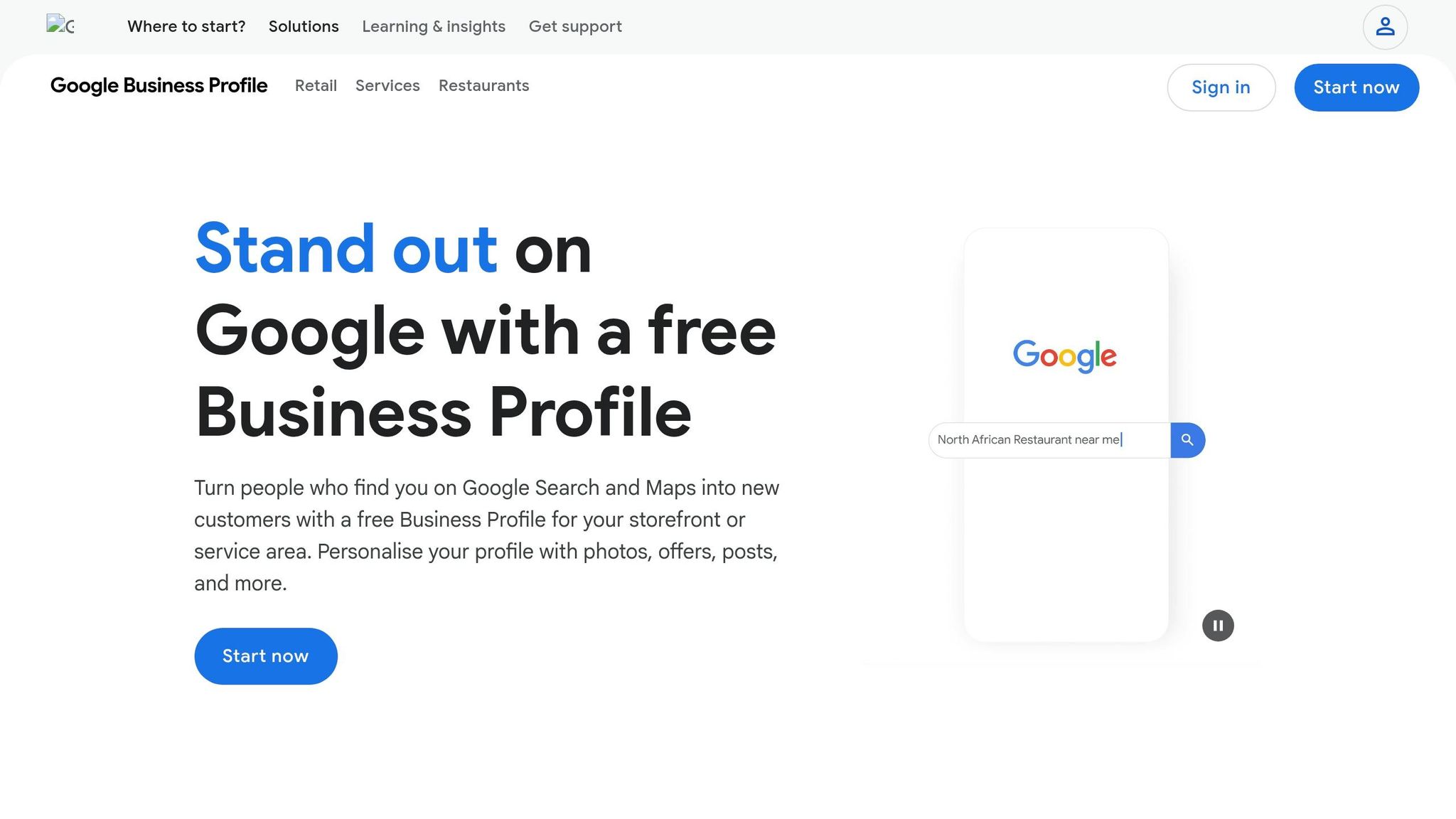
Once you've nailed down your local keyword strategy, the next step is optimizing your Google Business Profile. This free tool can be a game-changer for lawn care businesses. With over 60% of consumers using Google Maps to call local businesses and 72% relying on Google to find local business info, having a well-maintained profile is crucial. If you neglect your profile, you're essentially handing potential customers over to your competitors.
To get started, head to google.com/business, log in with your Gmail account, and search for your business. From there, click "Claim this business" or "Create a Business Profile".
Set up your business as a Service Area Business (SAB) to hide your exact address while highlighting the areas you serve. For instance, you could list service areas like "Tampa, FL" or "Carrollwood, FL" instead of your residential street address.
Google offers several ways to verify your business:
| Verification Method | Typical Timeline | Requirements |
|---|---|---|
| Postcard | 5–14 Days | A physical mailing address (no PO Boxes allowed). |
| Video Recording | Instant to 5 Days | Continuous footage of branded vehicles, equipment, and proof of ownership (e.g., unlocking a branded truck). |
| Phone/Email | Instant | Available only for pre-vetted businesses. |
If you're going the video route, make sure to practice beforehand. Capture clear footage of street signs, landmarks, and your branded equipment to meet Google's requirements. Also, set your account as the "Primary Owner" to ensure you have full control over your listing.
Once your profile is verified, fill out every section. Select one primary category, like "Lawn Care Service", and up to nine secondary categories, such as "Tree Trimming" or "Irrigation". Add your standard and holiday hours, and craft a concise (75–150 word) business description that highlights your strengths - whether that's eco-friendly practices, specialized tools, or years of expertise. Naturally weave in the local keywords you identified earlier.
Consistency is key when it comes to your NAP (Name, Address, Phone number). Ensure this information matches exactly across your website, social media, and Google Business Profile. Even small discrepancies, like "St." versus "Street", can confuse search engines and hurt your rankings.
Surprisingly, nearly 30% of landscapers miss out on a major ranking boost by not linking their profiles to a website. Don't make that mistake. Use UTM parameters (e.g., ?utm_source=google&utm_medium=organic&utm_campaign=gbp) to track leads generated from your profile.
While a well-filled profile improves your visibility, customer reviews build trust and credibility. With 98% of users reading online reviews before choosing a local business and 83% relying on Google for reviews, this step is non-negotiable. Timing matters - ask for reviews right after completing a job, when the customer is most satisfied.
Send a direct link to your Google review page via text or email immediately after finishing the work. Make it as easy as possible by providing a URL that takes them directly to the review form. Waiting too long reduces the chances of customers leaving feedback.
Encourage customers to mention specific locations in their reviews. For example, a review like "Great lawn mowing service in South Tampa" or "Excellent aeration in Carrollwood" strengthens your relevance in those areas. You can gently prompt this by saying, "If you're happy with how your lawn in [neighborhood] looks, would you mind mentioning that in your review?"
"A mix of positive and negative reviews can actually make your business more trustworthy." – Patrick Hoffman, Lightspeed Social Agency
Always respond to reviews, whether they're glowing or critical. Thank customers for their feedback and address any concerns professionally. This shows potential clients that you're committed to quality and willing to resolve issues.
Engaging with Local Guides - Google users who frequently leave reviews - can also boost your profile's credibility. Their reviews carry more weight in Google's algorithm.
Geo-tagged photos are another way to boost your profile's visibility. These photos include GPS coordinates embedded in their EXIF data, signaling to Google where the image was taken.
To enable this, turn on GPS tagging in your camera settings. If your photos don't already include location data, tools like GeoImgr can help you add it manually.
A recent 10-week study of 27 lawn care businesses showed that uploading geotagged images improved local rankings for "near me" searches 70% of the time. From late September to early December 2024, Jake Hundley of Evergrow Marketing uploaded two geotagged images per week for his clients, resulting in an average ranking increase of 16 positions for targeted queries.
"When you upload properly geotagged photos, you're giving Google crystal-clear signals about your exact location, which can be the difference between dominating local search and watching customers walk to your competitors." – Brandon Leuangpaseuth, SEO Growth Marketer
Before uploading, rename your image files to include location-specific keywords. For instance, use "lawn-mowing-service-franklin-tn.jpg" instead of generic names like "IMG_1234.jpg". Add descriptive alt text that combines the service and neighborhood, doubling down on location signals.
Aim to upload at least 10 high-quality photos, including your logo, team members in uniform, branded vehicles, and before-and-after shots of your work. Encourage customers to include photos in their reviews as well - reviews with images tend to carry more weight in Google's algorithm.
Finally, add "LocalBusiness" structured data (schema markup) to your website. This helps search engines verify your business details and ensures consistency across platforms. Regularly post updates through "Google Posts", such as seasonal promotions or project highlights, to signal activity and keep your profile fresh.
Your Google Business Profile might help people find you locally, but it’s your website content that turns those visitors into paying customers. Well-designed landing pages can significantly improve conversion rates, pushing them from a typical 1–3% to an impressive 5–15%.
For every city or neighborhood you serve, create a dedicated page. Structuring these pages logically - like yourdomain.com/locations/tampa - makes it easier for search engines to understand your service areas. But don’t just copy and paste templates. Each page should have unique, engaging content. Highlight local features like landmarks, neighborhood characteristics, or even seasonal challenges. For example, if you serve coastal areas, you could discuss how humidity impacts lawns. In colder regions, emphasize winterization services.
Take inspiration from an Orlando lawn care company that created neighborhood-specific pages for Winter Park, Baldwin Park, and College Park. Within three months, they saw a 58% boost in local organic traffic and a 22% increase in conversions on those pages.
Adding authentic local photos can also make a big difference. Show your team working at recognizable landmarks or include before-and-after shots of your projects. Embedding Google Reviews from customers in the area builds even more trust. Remember, users form their first impression of a website in just 50 milliseconds - so visuals matter.
Don’t forget the technical side. Use LocalBusiness schema markup (via JSON-LD) to include essential details like your business name, address, phone number (NAP data), operating hours, and service areas. If you’re running local ads, ensure your landing page headline matches the promise in the ad. This alignment can reduce bounce rates and improve conversions.
Static pages are foundational, but blog posts can set you apart as a local authority. Use highly specific titles like “Best Grass Types for Lawns in Tampa” or “How to Prepare Your Lawn for Hurricane Season in Hillsborough County.” Address common local concerns, whether it’s HOA requirements or regional weather challenges. Mentioning specific neighborhoods or subdivisions - like "Lawn Mowing in Carrollwood" - and even using local nicknames (e.g., "The Valley" or "Uptown") can help your content rank better for "near me" searches, which have surged by over 150% in recent years.
Formatting blog posts as Q&A can also optimize them for voice search. For instance, questions like “What’s the Best Time to Aerate Lawns in [City]?” or “How Often Should I Water My Lawn in [Region]?” are particularly effective. This strategy is becoming even more relevant as AI tools are expected to handle 25% of all search traffic by 2026.
Show your community involvement through blog posts. Write about local charity events, sponsorships, or festivals you’ve participated in. Case studies of projects in specific neighborhoods, complete with mentions of local landmarks, help build trust and reinforce your presence. Considering that 88% of consumers call or visit a local business within 24 hours of finding it online - and 61% make a purchase after reading a blog post - this effort is well worth it.
To strengthen local relevance, link your blog posts directly to their corresponding location pages. This interconnected structure not only improves user experience but also boosts SEO.
Creating geo-targeted content takes effort, but tools like Estatehub can simplify the process. Their Growth and Premium plans cover everything from keyword research to content creation, technical SEO, and CRM integration, making it easier to track and refine your local lead generation efforts.
With Estatehub’s CRM integration, you can monitor how each location page and blog post performs. This lets you tweak your content to attract more local customers and convert them into paying clients more effectively.
Backlinks and citations play a critical role in helping search engines confirm your business's presence and relevance in your local area. By building local backlinks and maintaining consistent citations, you strengthen your local SEO and establish your business as a trusted authority. Citations alone account for nearly 11% of local pack ranking signals, while inconsistent NAP (Name, Address, Phone number) details cause 41% of missed local search opportunities - making this a key factor in local SEO success.
For lawn care businesses, local backlinks - like those from community blogs or regional newspapers - are more impactful than links from national websites. In local searches, geographic relevance outweighs domain authority. These backlinks essentially act as endorsements, signaling to Google that your business is essential to the local community.
A good starting point? Your local Chamber of Commerce. Membership often includes a directory listing, which is a strong signal of local authority. You can also sponsor local events such as youth sports teams, school programs, or charity fundraisers. These organizations usually recognize sponsors on their websites, providing valuable local backlinks. Partnering with complementary businesses - like nurseries, real estate agents, or pest control services - can also open doors for cross-promotion and mutual backlinks.
"Think of backlinks as votes of confidence from other websites to yours. The more relevant and high-quality these backlinks are, the more 'powerful' your website appears to Google." - Tyler Krause, Owner, Lawn Marketing Edge
These strategies require some financial commitment. If you’re handling it yourself, expect to spend $300–$1,000 per month. Managed services cost more, ranging from $1,000–$3,000 monthly, and highly competitive markets may demand a budget of $3,000–$7,000.
Once you’ve built these local backlinks, the next step is to ensure your citations remain accurate and consistent across all platforms.
With 98% of US consumers searching online for local businesses, having accurate citations is non-negotiable. However, a study of 100 home services listings found that 85% were incomplete, incorrect, or missing altogether. Even minor formatting inconsistencies can confuse search engines and weaken your ranking signals.
To avoid this, create a master spreadsheet with your business’s official Name, Address, Phone number, and Website (NAPW). Use this document as your single source of truth, copying and pasting directly for every submission to ensure uniformity. Avoid using call-tracking numbers in citations - stick to your main business line to prevent inconsistencies.
"One wrong phone number can tank a client's visibility." - Eldar Cohen, Founder, Local Dominator
Focus on three key areas for citation building:
Additionally, submit your information to data aggregators like Data Axle, Neustar Localeze, and Foursquare to ensure widespread distribution.
Before adding new citations, conduct an audit of your existing ones. Incorrect citations dilute authority and confuse search engines. Schedule quarterly audits to catch duplicates or outdated information, as data changes or gets overwritten over time. Businesses with listings on 40+ local platforms see up to 58% more clicks from local search results.
Once your local content and citation consistency are in place, it's time to measure how well your strategies are working. Without proper tracking, you risk missing out on identifying high-performing neighborhoods or spotting campaigns that aren’t delivering results.
One key indicator is your local traffic percentage, which shows whether your geo-targeting efforts are effective. For a lawn care website, at least 40% of traffic should come from your local service area. If that number drops below 25%, it’s a sign your geo-targeted SEO needs immediate attention.
"Stop obsessing about ranking on the first page of search results. That is meaningless unless you actually have people in your local service area visiting your website." – Chad Diller, CEO of Landscape Leadership
For local lawn care campaigns, focus on four metric categories:
Here’s a breakdown of key metrics and tools to help you track them:
| Metric Category | Specific KPIs to Track | Tools Used |
|---|---|---|
| Visibility | Map Pack Rankings, Local Organic Rankings, Impressions | Google Search Console, BrightLocal, Whitespark |
| Engagement | Direction Requests, Website Clicks, Bounce Rate | GBP Insights, Google Analytics |
| Conversion | Phone Calls, Form Submissions, Quote Requests | CRM, GBP Insights, GA4 |
| Authority | Review Velocity, Brand Searches, Local Backlinks | GBP, Google Search Console, Ahrefs |
Set up geo-specific views in Google Analytics to filter traffic by city or county. This allows you to compare visitor behavior in different areas, like Winter Park versus Baldwin Park. Use Google Search Console to analyze rankings for queries that include your city name or "near me" searches. For instance, an Orlando-based lawn care company created neighborhood-specific landing pages and saw a 58% increase in local organic traffic and a 22% boost in conversion rates, which led to over 40 new form submissions.
Tracking metrics isn’t just about gathering data - it’s about using that data to drive revenue. Estatehub’s CRM, included in Premium plans, helps you track leads and attribute them to specific geo-targeted campaigns. This moves the focus from vanity metrics like rankings to actionable insights tied to revenue.
For example, if your "/lawn-care-winter-park" page generates twice as many quote requests as your "/lawn-care-college-park" page, you know where to concentrate your efforts.
"We leverage data from our other marketing efforts to inform your SEO strategy. This means we don't just optimize in a vacuum - we incorporate lessons from paid ads, website analytics, and client feedback to fine-tune your SEO." – Chris Putnam, Co-Founder of Estatehub
Keep an eye on revenue-related metrics like call volume, direction requests, and quote submissions from the Map Pack. These indicators help you determine if your geo-targeting is attracting serious customers or just casual browsers. With 87% of consumers checking online reviews before contacting a local business, your CRM data can also highlight which areas need more reviews to build trust.
Staying ahead in local markets requires consistent monitoring and adaptation. Geo-targeted SEO is not a "set it and forget it" strategy. Markets evolve, competitors improve, and seasonal trends shift. Review metrics like keyword rankings, call volumes, and direction requests monthly to spot early changes.
Compare performance before and after significant updates, such as launching new city pages or optimizing your Google Business Profile (GBP). For example, pages with high impressions but low click-through rates may need better meta titles and descriptions. High bounce rates? Add local visuals like recognizable landmarks or address common local questions to make the page more relevant.
Plan content updates 60 to 90 days before peak demand. For instance, publish fall cleanup content in August so Google has time to index it before search volume spikes in October. Use slower months, like winter, to create new location pages, improve technical SEO, and build a content library for the busier spring season.
Regularly review your directory listings to ensure your NAP (Name, Address, Phone number) data stays accurate across platforms like Yelp, Houzz, and the Better Business Bureau. Keep tabs on competitors who outrank you - check if they’ve added new local backlinks, refreshed city-specific content, or increased their review velocity. Adjust your strategies as needed to stay competitive.
"Local SEO is not about quick wins. Building brand equity in a community takes consistency - continuously updating your directory listings, refining local content, engaging in local events, and capturing feedback." – Rank and Scale
Geo-targeted SEO provides lawn care businesses with a clear strategy to dominate local search results and attract customers ready to hire. By focusing on five key areas - hyperlocal keywords, Google Business Profile (GBP) optimization, location-specific content, local backlinks and citations, and performance tracking - businesses can effectively position themselves in front of their target audience.
Unlike paid ads, SEO keeps driving leads long after the initial setup. The stats speak for themselves: over 97% of consumers search online for local businesses, and 88% take action within 24 hours of finding one. For example, an Orlando lawn care company saw a 58% increase in local organic traffic and a 22% boost in conversions in just three months. These results show that with the right approach, the potential for growth is undeniable.
Want to take the first step toward local market dominance? Start by claiming your Google Business Profile and ensuring your NAP (Name, Address, Phone) information is consistent across platforms. Create a single, well-optimized location page, upload professional photos, encourage timely customer reviews, and post updates every two weeks. These simple actions can help you secure a top spot in the Map Pack within 60–90 days. Just look at the Nashville-based lawn care business that increased its lead volume by 83% after optimizing its profile and service area.
For those looking to scale faster, Estatehub (https://estatehub.io) offers tailored SEO strategies designed specifically for home service providers. Their team uses data from paid ads, website analytics, and CRM tools to refine your local search presence, ensuring every move contributes to measurable business growth. Whether you manage SEO on your own or work with experts, staying ahead requires regular updates, fresh content, and strategic seasonal planning.
To improve your local search visibility, zero in on hyper-local keywords that align with the areas you serve. For example, use phrases like "lawn mowing in Carrollwood Tampa" to target specific neighborhoods. Focus on places where you already have a strong presence or where demand is particularly high.
Take it a step further by creating dedicated landing pages for these locations and weaving the area names naturally into your site content. Also, make sure your Google Business Profile is up-to-date with accurate service areas and customer reviews - this can make a big difference in how easily potential clients can find you in local searches.
If your business doesn’t have a physical storefront, you can still make the most of local SEO by concentrating on your service areas. Start by adding these service areas to your Google Business Profile. Then, create location-specific pages on your website that target the neighborhoods or cities you serve. This strategy helps your business show up in local searches, even without a brick-and-mortar location, by highlighting your service areas and incorporating relevant keywords.
Local SEO often begins delivering results, like generating calls, within 1 to 3 months. However, this timeline can vary based on factors such as the specific strategies implemented and the level of competition in your area. By maintaining consistent efforts and focusing on optimizations that are specifically designed for your business, you can potentially see quicker progress.
Sign up for the newsletter and be the first to read our articles.


Every single person on our agency team has spent a lot of time in the field either running their own business or working for larger marketing agencies. We have all put in the time responding to leads, helping customers, scheduling and doing services. This gives us a massive advantage when making decisions.
One thing that has always been very special to us, is the fact that (excluding spam / people that never used our services) we do not have any bad reviews. This absolutely does not mean we have never had unhappy clients, but if it happens, we make it right, and stand behind our promises.
We have seen, time and time again, other agencies using strategies and structuring campaigns the way that they are technically supposed to. Most of these "best practices" that are taught in our industry, simply do not transfer into local lead gen. This is partially because we do have a much different target audience, and are typically spending less, however optimizing for website traffic does not work here.
We have been there, jumping into starting a home service business, struggling, and doing everything wrong. It's humbling. Our team has all felt the highs and lows, which is why we get so excited for our clients to win, we know how good it feels.

Estatehub is not a normal agency, we know "clicks" don't get you sales. Let us show you how lead gen experts do it.

