

Overview of Common Stains
Full overview of the most common stains, including how to identify them and treat them
Did you know that keeping customers is 5–7 times cheaper than getting new ones? Plus, boosting retention by just 5% can increase profits by more than 25%. The secret? Feedback.
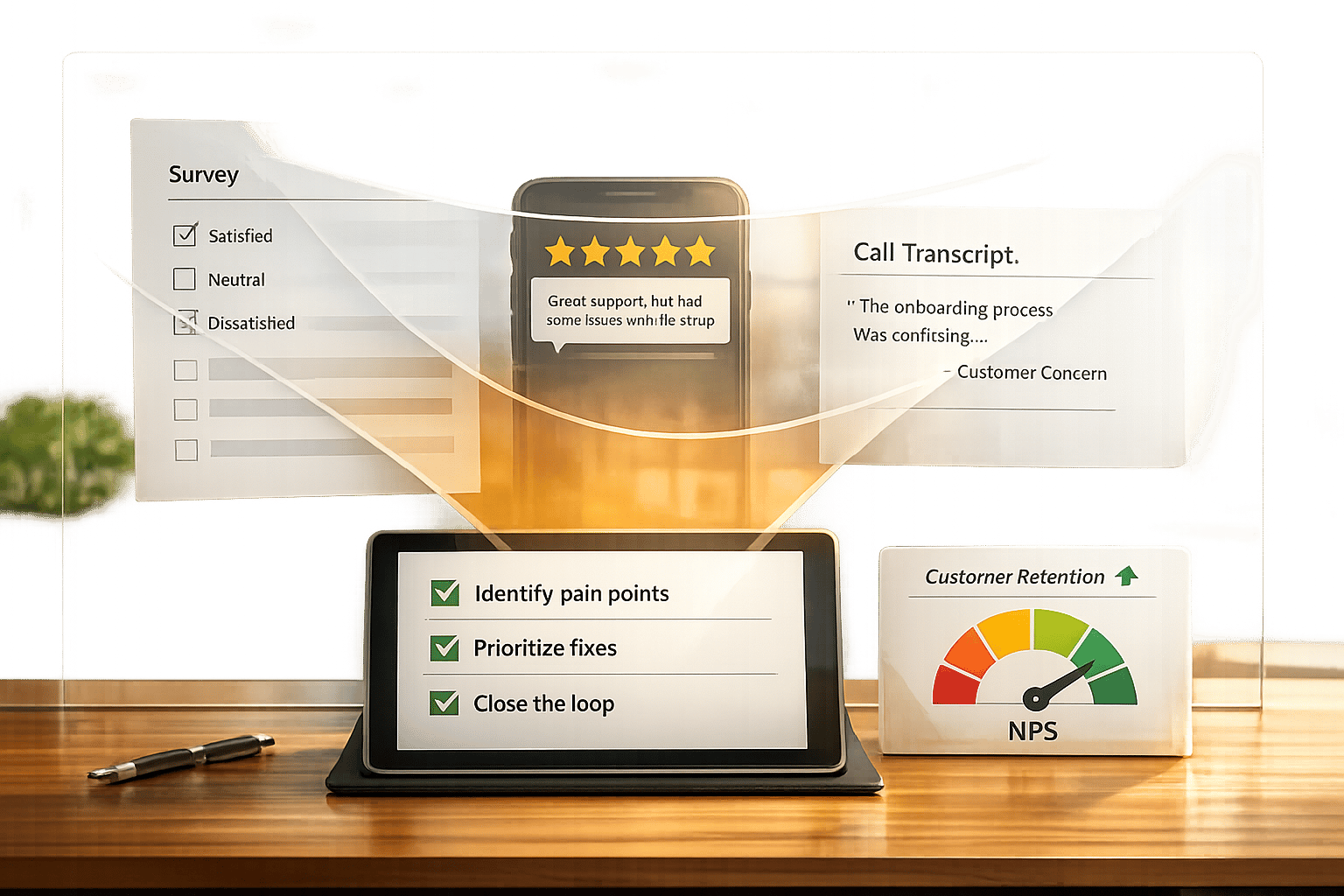
Feedback helps you spot issues early, stay on customers’ minds, and show them you care. By acting on feedback quickly - especially after a bad experience - you can win back up to 95% of unhappy customers. Start by collecting feedback through surveys, calls, and reviews, then analyze it for patterns. Fix urgent issues first, communicate changes to customers, and track retention metrics like Net Promoter Score (NPS) to measure success.
Here’s how to turn feedback into better retention:
Retention matters: Repeat customers spend more, refer others, and cost less to serve. Start small - like improving post-service surveys - and scale your process over time.

5-Step Process to Use Customer Feedback for Retention
Getting customer feedback from a variety of channels is key. People prefer different ways to share their opinions, so sticking to just one method might mean missing out on important insights.
One effective way to gather feedback is through post-service surveys sent via SMS or email right after the job is done. These work best when kept short - around 5–10 questions that take less than five minutes to complete.
Personal follow-up calls can provide deeper insights compared to digital surveys. A quick call 2–3 days after the service shows you care and often uncovers details that surveys miss. Similarly, online review platforms like Google and Yelp are essential. With 93% of consumers reading reviews before choosing a service provider, maintaining at least a 4-star rating builds trust.
Adding feedback widgets to your website is another convenient option. Simple forms on contact pages or pop-ups after bookings allow customers to share their thoughts on their own time. You can also learn a lot from customer service interactions - analyzing transcripts from chats, emails, or phone calls can reveal patterns and recurring issues. Lastly, creating direct technician feedback loops by giving field staff real-time access to their ratings through mobile apps can encourage immediate improvements.
Once you've identified the best channels, timing your feedback requests correctly is the next step.
The timing of your feedback request can significantly impact the response rate. For example, sending post-service surveys within 48 hours of completing a job ensures you get timely and accurate feedback. As Jerome Collomb from HubSpot says:
"To survey accurately, you need to survey immediately".
For bigger projects, like HVAC installations, ask for feedback after major milestones - such as when ductwork is done or during the final walkthrough. If your business offers recurring services like pest control or lawn care, quarterly or bi-annual check-ins can help measure satisfaction over time. However, to avoid overwhelming customers, limit your requests to no more than once every 30 days.
With the right timing in place, modern tools can simplify the feedback collection process even further.
Technology can make gathering feedback much easier. For instance, CRM and field service software can automatically send surveys as soon as a job is marked complete. These tools can also consolidate feedback from multiple sources - email, SMS, WhatsApp, in-app widgets, and review sites - into one dashboard.
AI-powered sentiment analysis is another game-changer. It scans call recordings and chat logs to pick up on customer emotions, flagging urgent issues without requiring customers to fill out a form. Real-time alerts can notify managers of low ratings immediately, giving them a chance to address problems before a bad review is posted publicly. Companies that use AI to improve retention have reported reducing customer churn by as much as 25%.
Once you've gathered feedback from multiple channels, the next step is turning that raw data into actionable insights. This means identifying signals that could indicate potential churn and addressing them before they become bigger problems.
Start by organizing feedback into broad categories like service quality, pricing, and staff behavior, then break these down into more specific subcategories. For instance, under "staff behavior", you might track issues like tardiness or professionalism.
Another useful approach is journey-based segmentation. This involves grouping feedback based on when it was given - whether during the booking process, while the technician was on-site, or after the invoice was issued. This method helps you zero in on the exact stage where customer satisfaction dips.
Demographics and service type also play a role. For example, a plumbing customer in a rural area might have different expectations than an HVAC client in a city. Segmenting feedback by location, service type, or customer value can highlight which groups are at a higher risk of churn. Additionally, using sentiment tagging - labeling feedback as positive, neutral, or negative - can help you quickly identify urgent issues, especially from high-value customers.
Once feedback is segmented, you can start spotting patterns and addressing pain points.
Look for recurring themes in the feedback. If "technician was late" shows up repeatedly across different channels, it's likely a systemic issue that needs attention.
"Your most unhappy customers are your greatest source of learning."
- Bill Gates, Founder, Microsoft
Go beyond written comments and analyze behavioral data, like abandoned bookings or incomplete forms, to uncover hidden issues. For example, Yokel Local, a digital marketing agency, used screen recording software to study how customers interacted with their website. They discovered a bug that made checkboxes unclickable on certain devices - a problem that wasn't reported but significantly hurt conversions. Fixing this issue brought their conversion rates back to normal.
Combining direct feedback with behavioral signals gives you a clearer picture. Poor customer experiences put an estimated $3.7 trillion in sales at risk each year, and 32% of customers may leave after just one bad experience.
From here, you can quantify these insights using specific metrics to better understand retention risks.
Metrics like Net Promoter Score (NPS), Customer Satisfaction (CSAT), and Customer Effort Score (CES) are essential for tracking trends and identifying areas for improvement.
| Metric | What It Measures | Best Use Case |
|---|---|---|
| NPS | Long-term loyalty and likelihood to recommend | Gauging overall brand health and growth potential |
| CSAT | Satisfaction with a specific service interaction | Assessing quality after a service event |
| CES | The ease of resolving an issue | Detecting friction in booking or support processes |
Companies with top NPS scores in their industry often grow at twice the rate of their competitors. Even a small retention improvement - just 5% - can increase profits by 25% to 95%. To get the most out of these metrics, track them over time and segment the data by factors like service type, location, or customer value. For example, in 2025, CityGo, a mobility company, achieved a 96% Internal Quality Score by monitoring customer service interactions and providing targeted staff training to address problems before they impacted retention.
Set benchmarks based on industry trends. For instance, the average NPS for general B2B services climbed to 45 in 2024. Use tools like AI-powered sentiment analysis to monitor shifts in customer sentiment and flag negative trends before they lead to churn.
Collecting feedback is only half the battle - acting on it is where many service providers falter. To truly improve retention, you need to turn insights into action.
Not all feedback carries the same weight. Use a Value vs. Effort matrix to pinpoint changes that require minimal effort but have a big impact. These "quick wins" can immediately improve how customers view your business while you tackle more complex issues.
A priority scoring model can also help you decide what to address first. The formula? Priority = (Frequency + Impact + Revenue Risk) - Effort. For example, if customers frequently complain about late technician arrivals, and fixing it requires minimal effort, that issue should be at the top of your list.
Tools like RICE (Reach, Impact, Confidence, Effort) or the Eisenhower Matrix can further refine your prioritization process. These frameworks help you separate urgent operational problems - like billing errors - from less pressing issues, such as minor website design tweaks.
| Criterion | Prioritization Question | Score (1–5) |
|---|---|---|
| Frequency | How often does this issue occur? | 1 = rare, 5 = constant |
| Impact | How disruptive is this issue for the customer? | 1 = mild, 5 = severe |
| Revenue Risk | Does this increase churn risk? | 1 = no, 5 = high |
| Effort | How difficult is it to resolve? | 1 = easy, 5 = hard |
Why is this so critical? Because 32% of customers will leave a brand they love after just one bad experience. Addressing high-priority issues quickly can prevent this. Businesses that prioritize customer satisfaction see 41% faster revenue growth and better retention rates.
Quick fixes are great, but they won't eliminate recurring problems. For issues like consistent technician delays or a confusing booking process, you’ll need to dig deeper and develop structural solutions.
Start by identifying the root cause. Don’t stop at the surface level (e.g., "customers find booking confusing"); instead, investigate the "why." Use tools like session replays or analytics to pinpoint where customers get stuck in the booking process. Behavioral data combined with feedback will give you a clearer picture.
Organize feedback into themes such as usability gaps, recurring bugs, or feature requests. These themes should guide your product updates and operational changes. For example, if multiple customers mention difficulty rescheduling appointments, consider integrating better self-service tools or automated reminders.
Before rolling out major changes, test them first. A/B testing or small pilot programs can confirm whether your solution addresses the issue effectively. This approach ensures that your resources are spent wisely and that the changes make a measurable difference.
The effort is worth it: 70% of customers will return to a business if their complaint is resolved in their favor, and resolving a complaint immediately boosts that likelihood to 95%. Investing in long-term fixes can directly impact customer loyalty and revenue.
Even the best plans fail without proper execution. Assign specific owners to each type of feedback to ensure nothing falls through the cracks.
Here’s a simple ownership breakdown:
Set Service Level Agreements (SLAs) to define response and resolution timelines based on the severity of the issue:
| Feedback Severity | First Response Target | Resolution/Plan Target |
|---|---|---|
| High Severity (e.g., billing errors) | 2–4 hours | 1 business day |
| Operational Issues (e.g., late arrivals) | 24 hours | 1–3 business days |
| Usability Issues (e.g., booking friction) | 2 business days | 5–10 business days |
| Feature Requests | 2–5 business days | Monthly roadmap update |
If an immediate fix isn’t possible, keep customers informed. A simple update like, "We’re working on this and will provide an update by Friday", can go a long way in maintaining trust. In fact, 53% of customers expect a response to a negative review within a week.
"The fastest way to lose trust is to ask customers for feedback and then ignore it."
- Karol Koronowicz, Human Experience Specialist, Responsly
To streamline execution, integrate your feedback system with existing workflows. For example, route bugs directly to your project management tools or automatically assign UX issues to your design team. This ensures deadlines are met and no feedback gets overlooked.
Collecting feedback is only half the battle - what happens next is what truly matters. While 95% of companies gather customer feedback, only 5% inform customers about changes made based on their input. This lack of communication creates a "black hole" effect, leaving customers feeling ignored and disengaged.
Closing the feedback loop shifts the dynamic from a one-way interaction to a meaningful, two-way conversation. When customers see their suggestions put into action, they feel valued and become active participants in your business. The results speak for themselves: customers who receive follow-ups about their feedback are three times more likely to stay loyal to your brand. Here's how to make that happen.
A generic "thank you" email won’t cut it. Instead, send personalized messages that directly address the feedback provided. Mention the specific issue, explain the changes made, and ask if the solution meets their expectations. For instance, if Mrs. Johnson complained about late technician arrivals, you could follow up with: "Hi Mrs. Johnson, we’ve added GPS tracking and automated arrival alerts based on your feedback. You’ll now get a text 30 minutes before your technician arrives."
Tailor your updates based on the type of feedback. Bug fixes should be communicated to those who reported them, while new features should be shared with those who requested them. For industries like home services, SMS or WhatsApp often work better than email for quick, conversational follow-ups.
When done right, closing the feedback loop can boost customer loyalty by 10% to 30%.
When you can’t implement a suggestion, silence isn’t the answer. Be upfront and explain why. Maybe it’s due to technical limitations, conflicts with your roadmap, or because it doesn’t align with your business goals.
Always acknowledge the customer’s effort and thank them for their input, even if their idea isn’t feasible. For instance, if a feature request isn’t part of your current plans, let them know when you’ll review it again: "We review these requests monthly and will update you by April 15th".
Here’s how to handle different types of feedback:
| Feedback Type | Recommended Action | Goal |
|---|---|---|
| Feature Request | Explain roadmap conflicts or technical constraints | Manage expectations without losing their interest |
| Major Strategy Change | Reiterate your mission and audience focus | Maintain clarity and consistency |
| Urgent Issue (Unfixable) | Offer a workaround or temporary compensation | Rebuild trust and reduce frustration |
| Niche Request | Highlight focus on high-impact features | Show data-driven prioritization |
For public negative feedback that you can’t resolve, respond publicly to show you’re listening, then move the conversation to a private channel like email or phone. Keep in mind: 53% of customers expect a response to negative feedback within a week.
This level of transparency demonstrates your commitment to customer satisfaction and opens the door for future improvements.
Following up isn’t just about resolving issues - it’s an opportunity to build lasting relationships. Simply following up on complaints can improve customer retention and satisfaction by up to 50%. Turning a negative experience into a positive one sets you apart from the majority of businesses that collect feedback but never respond.
Communicate through the customer’s preferred channel or the one they originally used to contact you. For local services, a text message often feels more personal and relatable than a formal email. In fact, 76% of consumers expect personalized responses rather than generic ones.
Even if you don’t have an immediate solution, acknowledge their feedback within 24–48 hours. Setting clear expectations is always better than leaving them in the dark. End every follow-up by inviting further engagement, such as asking if the change met their needs or if they’d like to share ideas for future improvements.
"Closing the feedback loop is what turns that frustrating one-way street into a productive, two-way dialogue."
- Johannes, Co-Founder and CEO, Formbricks
To ensure your team is completing the entire process, track your "closed-loop rate" - the percentage of feedback items that are resolved and followed up on. This ensures you’re not just collecting data but actively using it to improve customer experiences.
Once you've collected, analyzed, and acted on feedback, the next step is to measure the impact and refine your system. This is where you prove your feedback strategy delivers results. Did you know that existing customers spend 67% more on average than new ones? This makes tracking the right metrics and continuously improving your approach to feedback a smart investment.
Start by measuring your Customer Retention Rate (CRR). Use this formula: [(E-N)/S] x 100, where E is the number of customers at the end of a period, N represents newly acquired customers, and S is the starting number of customers. Compare your retention rates before and after implementing feedback-based improvements. For instance, if you enhanced technician arrival notifications based on customer input, track whether your CRR rose from 85% to 90% over six months.
Pair quantitative metrics with sentiment data. Metrics like Net Promoter Score (NPS) - the percentage of promoters minus detractors - reveal whether customers would recommend your service. Meanwhile, Customer Satisfaction Score (CSAT) measures immediate satisfaction after a transaction. For home service providers, automated SMS surveys sent within 48 hours of a service call can capture fresh, actionable insights.
Don’t overlook your Churn Rate, calculated as [(Start - End) / Start] x 100. Even small retention gains can have a big financial impact - a 5% increase in retention can boost profits by 25% to 95%. Use keyword triggers in reviews, like "expensive" or "ignored", to activate retention workflows. Keep in mind, 61% of consumers will leave for a competitor after just one bad experience.
"Time and awareness are the two most important factors when it comes to risk mitigation - the more of each you have, the stronger your ability to impact customer retention."
- Marley Wagner, Head of Customer Success Programs, EverHealth
Armed with these metrics, you can fine-tune your feedback collection process to sustain and expand improvements.
A feedback system should evolve over time. Timing is key - capture insights immediately after significant service moments. For example, in-app surveys typically see response rates of 20–30%, compared to 15–25% for email surveys. Home service providers might find SMS surveys more effective due to their immediacy and personal touch. Keep surveys concise - 5 to 10 questions that take under five minutes to complete.
To make feedback actionable, connect qualitative input with behavioral data, such as website interactions or service usage patterns. Centralize all feedback in one system, like a CRM or a dedicated platform, so your team gets a unified view.
Once your process is optimized, leverage advanced tools to scale your efforts. Businesses using organized feedback systems make product decisions 40% faster than those relying on manual tracking. AI-powered tools can analyze sentiment, flag duplicate complaints, and identify trends across thousands of responses.
Integrating feedback with your CRM can automate retention workflows. For instance, if a customer mentions "too expensive" in a review, your system could instantly offer a discount or payment plan to prevent churn. Estatehub, for example, allows home service providers to integrate feedback collection directly into their CRM, enabling personalized retention strategies. Each piece of feedback links to a customer record, making it easier to spot patterns and respond quickly. Dedicated systems like this can improve retention by 25–30%.
Set clear response SLAs (service-level agreements). Aim to respond to high-priority issues, like billing errors or service failures, within 2–4 hours, and general feedback within 48 hours. Since 79% of consumers expect a quick response when contacting a brand, speed is essential.
Use real-time dashboards to monitor your progress. Track metrics like time to resolution (how long it takes to address feedback) and recovery CSAT (satisfaction after resolving an issue) to gauge effectiveness. As feedback volume grows, predictive analytics can help you identify at-risk customers before they even reach out, using sentiment shifts and usage data to flag potential churn risks.
Customer feedback isn't just a nice-to-have - it's essential for reducing churn and building loyalty. Consider this: 86% of buyers are willing to pay more for a better experience, yet 42% of companies fail to collect feedback. That’s a big missed opportunity, especially when boosting retention by just 5% can increase profits by 25% to 95%.
The five-step process in this guide - collecting feedback from various channels, analyzing it for retention risks, addressing pain points, closing the loop with customers, and tracking results - creates a system that improves over time. Implementing feedback loops, particularly within cancellation flows, can cut churn by up to 46%. Even better, customers who feel valued can become your biggest advocates. For example, promoters have a lifetime value 600% to 1,400% higher than detractors, and 93% of customers are likely to make repeat purchases with businesses that deliver excellent service.
These numbers aren’t just statistics - they’re a call to action.
Start small. Choose one feedback channel, like a post-service SMS survey, and set up automated alerts to ensure you respond to customer concerns within 48 hours. Build a system to quickly address high-priority issues.
Focus on easy wins first. Use an impact-effort matrix to prioritize changes that deliver fast results with minimal effort. For example, you might update arrival notifications, make pricing clearer upfront, or improve how technicians communicate during service calls. Once you see success with one channel, expand to other touchpoints and integrate more advanced tools. Remember, acquiring a new customer costs five to seven times more than keeping an existing one. Every day without a feedback system is money left on the table.
At Estatehub, we’re here to help home service providers turn customer feedback into meaningful growth. Let’s make it happen.
Surveys and direct communication are excellent starting points for gathering feedback. These methods give you a clear understanding of customer satisfaction and highlight any challenges they’re facing. Plus, by actively seeking their input, you show customers that their opinions matter. This approach not only helps you gain firsthand insights into their experiences but also strengthens relationships, which can lead to better retention.
To spot churn risk early, keep an eye on patterns like fewer logins, a drop in feature usage, or noticeable changes in how customers engage. Even subtle signs, like fewer support tickets or a sudden lack of communication, can hint at dissatisfaction. By analyzing these behaviors and gathering feedback ahead of time, you can tackle potential issues before they lead to cancellations. Using tools designed to track behavioral changes can make this process smoother and help you step in at the right moment to boost retention.
When it’s not possible to act on a customer’s suggestion, it’s crucial to acknowledge their effort and be upfront about the situation. Start by thanking them for their input, then explain why the suggestion can’t be implemented at the moment. For example, you could say: "Thank you for sharing your suggestion. Unfortunately, we’re unable to make that change right now because [specific reason]. However, we truly appreciate your feedback and will consider it for future updates."
This approach shows customers that their opinions matter, even when immediate action isn’t feasible, helping to maintain trust and respect in the relationship.
Sign up for the newsletter and be the first to read our articles.


Every single person on our agency team has spent a lot of time in the field either running their own business or working for larger marketing agencies. We have all put in the time responding to leads, helping customers, scheduling and doing services. This gives us a massive advantage when making decisions.
One thing that has always been very special to us, is the fact that (excluding spam / people that never used our services) we do not have any bad reviews. This absolutely does not mean we have never had unhappy clients, but if it happens, we make it right, and stand behind our promises.
We have seen, time and time again, other agencies using strategies and structuring campaigns the way that they are technically supposed to. Most of these "best practices" that are taught in our industry, simply do not transfer into local lead gen. This is partially because we do have a much different target audience, and are typically spending less, however optimizing for website traffic does not work here.
We have been there, jumping into starting a home service business, struggling, and doing everything wrong. It's humbling. Our team has all felt the highs and lows, which is why we get so excited for our clients to win, we know how good it feels.

Estatehub is not a normal agency, we know "clicks" don't get you sales. Let us show you how lead gen experts do it.

