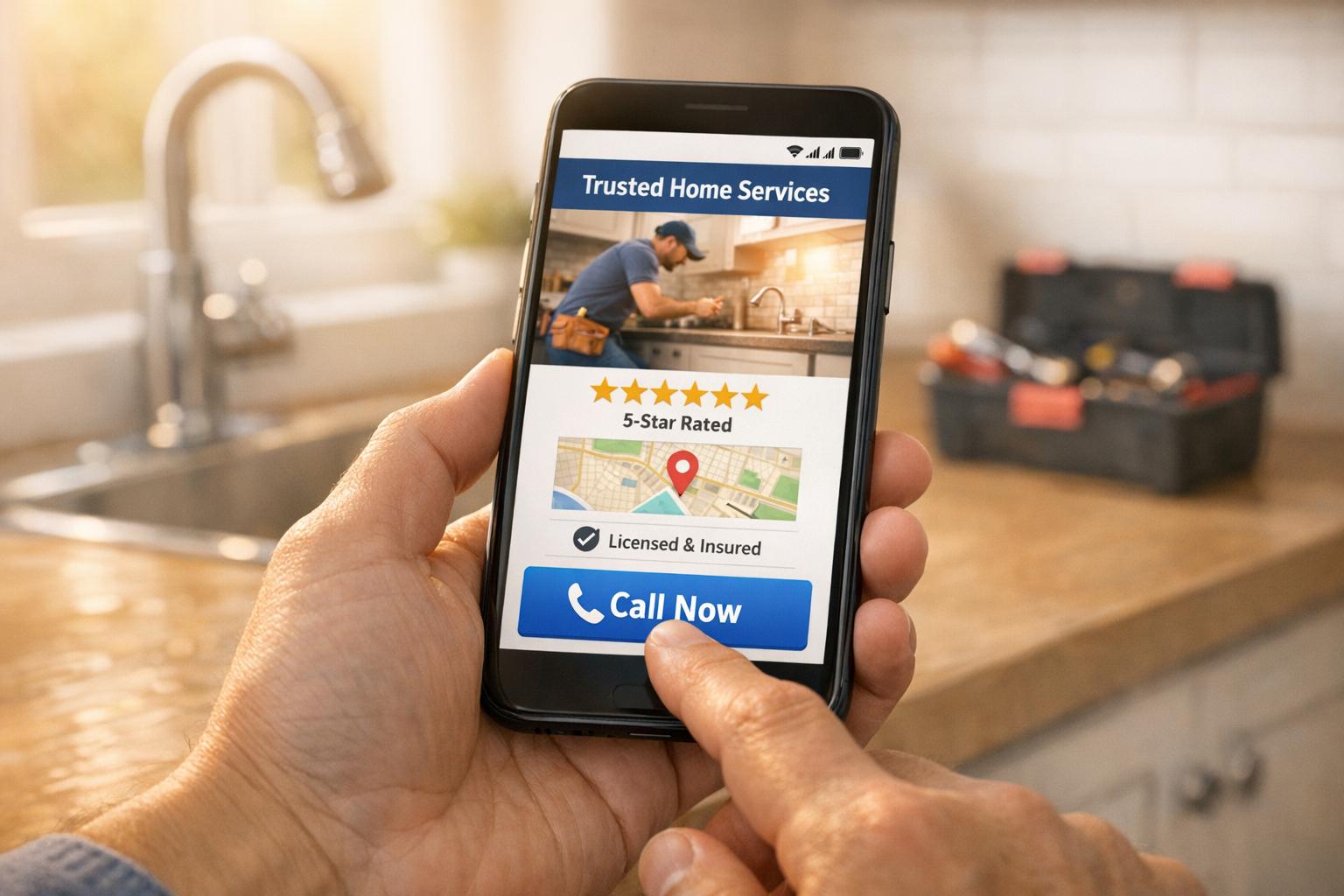
Your home service website isn't driving calls? Here's why:
- Mobile Issues: Over 60% of users search on their phones, especially during emergencies. If your site isn’t mobile-friendly, you’re losing out.
- Hard-to-Find Info: Visitors want quick answers - services, locations, and contact details. If they can’t find these in seconds, they’ll leave.
- Weak Local SEO: Without strong local search visibility, your site won’t appear where it matters - Google’s Map Pack.
- Unclear CTAs: Generic or poorly placed calls-to-action fail to guide users effectively. Strong, direct prompts like “Call Now for a Free Estimate” work better.
- Lack of Trust Signals: Missing reviews, certifications, or proof of reliability can push potential customers to competitors.
Fix it by focusing on these steps: Optimize your site for mobile, improve local SEO (Google Business Profile is key), simplify navigation, add clear CTAs, and display trust-building elements like reviews and credentials. Small changes can make a big difference in generating more calls.

5 Reasons Your Home Service Website Isn't Getting Calls - Key Statistics
How To Setup Your Website for Maximum Conversion
sbb-itb-2aa0348
Why Your Website Isn't Getting Calls
Your website might look impressive on a desktop, but if it’s not driving calls, there’s likely something in the user experience creating obstacles. The problem often isn’t your services or pricing - it’s the way your site interacts with visitors. If your website doesn’t communicate its value instantly, potential customers will hesitate. And when homeowners are dealing with urgent issues, they won’t waste time digging around for your contact details. Let’s break down the common reasons your site might be falling short in generating calls.
1. Your Site Isn't Mobile-Friendly
Most people searching for home services are on their phones - often during an emergency. Whether it’s a flooded basement or a broken AC unit, they’re not waiting to get to a computer. If your site is difficult to use on mobile, you’re losing business. A clunky mobile interface doesn’t just frustrate users - it sends the message that your business might not prioritize quality.
2. Visitors Struggle to Find Key Information
If your site’s navigation feels like a scavenger hunt, visitors will leave. Your website needs to answer three critical questions right away: What services do you offer? Where do you operate? How can I contact you immediately? If people have to dig for these answers, they’re likely to move on to a competitor.
3. Your Site Lacks Local Search Visibility
If your website doesn’t show up in local searches, it’s practically invisible. In 2026, Google heavily relies on your Google Business Profile to determine local visibility. If your profile is incomplete or disconnected from your site, your business might not even appear in search results. Inconsistent information across directories, unclear service areas, or poorly chosen categories can all hurt your rankings. Tim Brown of Hook Agency explains:
"If your Google Business Profile is weak, your service areas are unclear, or your website sends mixed signals, you are invisible at the exact moment intent peaks".
Since the Google Map Pack drives most tap-to-call decisions, not appearing there means missing out on customers who are ready to hire. Even the best call-to-action won’t help if your site isn’t visible.
4. Your Call-to-Action Isn’t Clear
A vague or poorly placed "Contact Us" button won’t cut it - especially when someone needs help fast. Generic phrases like "Call us today" don’t offer enough direction or urgency. A strong call-to-action should be bold, specific, and benefit-focused. For example, try something like "Call Now for a Free Estimate" or "Emergency Service in Under 60 Minutes." These types of prompts make it clear what visitors should do and why they should do it.
5. Your Site Doesn’t Inspire Trust
Trust is often the final barrier before someone decides to pick up the phone. If your site doesn’t showcase trust signals like reviews, certifications, or project examples, potential customers may hesitate. Homeowners need to feel confident that you’re reliable and capable - especially when they’re considering letting you into their homes. This is even more critical in emergencies. Without visible proof of your credibility, such as positive reviews or before-and-after photos, your site might come across as too risky, pushing visitors to look elsewhere.
How to Get More Calls from Your Website
Want your website to become a magnet for leads? These proven strategies have helped countless home service businesses increase their call volume by addressing key issues step by step. Let’s dive in.
1. Make Your Site Work on Phones
Did you know that over 60% of home service searches happen on mobile devices? When someone’s dealing with a plumbing emergency or a broken HVAC system, they’re likely to grab their phone and search for help. If your site isn’t mobile-friendly, you’re missing out on valuable calls.
Here’s what you need to do: Make sure your site loads in under three seconds. A delay of just 1 to 3 seconds can lead to a 32% drop in conversions, and waiting over 5 seconds? That could cost you up to 90% of potential leads. Compress your images to a maximum of 2,000 pixels [5,14] and ensure your hosting can handle traffic spikes.
Don’t stop there. Add click-to-call buttons by turning your phone number into a clickable link using “tel:” formatting. Place these buttons in a sticky header so they’re always within reach, and use large, tappable elements for effortless navigation. Test your site on a smartphone to catch any usability issues, like overlapping buttons or hard-to-read text. A font size of at least 16px works best.
Need help? Estatehub offers web development services that ensure your site meets Google’s mobile-first indexing standards. Once your site is mobile-friendly, it’s time to simplify the layout.
2. Simplify Your Site's Layout
A cluttered website can drive visitors away before they even consider calling. The solution? Simplify.
Create dedicated landing pages for each service you offer. For instance, instead of grouping all your plumbing services on one page, break it down into specific pages like “Water Heater Repair,” “Drain Cleaning,” and “Emergency Plumbing.” This not only helps visitors find what they need but also makes it easier for search engines to understand your offerings [7,14].
Keep your navigation menu simple and intuitive. Limit top-level menu items and use dropdowns sparingly. Place important details - like your phone number, service area, and a quick description of your services - above the fold where they’re immediately visible.
3. Improve Your Local Search Rankings
Your Google Business Profile (GBP) is a game-changer for local visibility. It accounts for about 32% of the ranking factors for Google’s Map Pack. When someone’s ready to call, they often rely on this digital storefront.
Start by fully completing and verifying your GBP. Choose the most accurate category for your business, upload high-quality photos, update your hours, and ensure your contact details are correct. Consistency is key - your business name, address, and phone number (NAP) should match across your website and all online directories. Even minor inconsistencies can confuse search engines.
Take it a step further with location-specific pages. Instead of just listing cities in your footer, create detailed pages for each area you serve. Mention local landmarks, highlight response times, and explain your services to emphasize your local expertise [7,14].
Here’s an example: Young Construction partnered with Hook Agency to align their website with their Google Business Profile. Over 19 months, they saw a 200% jump in local first-page rankings and generated 176 confirmed leads from 333 calls and form submissions. Estatehub’s SEO services can handle the technical side of local optimization, so you can focus on what you do best.
4. Add Clear Calls-to-Action
Even the best-designed site won’t generate calls without strong calls-to-action (CTAs). A generic “Contact Us” button isn’t enough - especially in emergencies. Use action-oriented language like “Call Now for a Free Estimate” or “Get Emergency Service in Under 60 Minutes”.
Make sure your primary CTA is easy to spot. Place it above the fold on every page and use high-contrast colors to grab attention. Adding a sticky header or footer button can boost clicks by 15–30%.
For mobile users, click-to-call functionality is non-negotiable. Research shows 65% of people prefer contacting businesses by phone. If you’re using a contact form, keep it short - three to five fields is ideal and can increase completion rates by 20%. Include a reassuring message like, “We’ll call you back within 15 minutes,” to set clear expectations.
Trust signals like reviews or star ratings next to your CTAs can also make a big difference. They can reduce hesitation and increase conversions by 10–25% [11,5].
5. Display Reviews and Credentials
Trust is everything when it comes to turning website visitors into callers. Highlighting customer reviews and your professional credentials can make all the difference.
Feature testimonials prominently on your homepage and service pages. Include the customer’s name and location (with their permission) to add a personal touch. Show off any industry certifications or licenses to demonstrate your expertise. Recognizable badges, like the Google Guaranteed badge, can go a long way in building confidence [11,5].
How to Track Your Website's Performance
Once you've put effort into improving your website, the next step is tracking its performance. Without proper tracking, you're essentially working in the dark. Nick Pierno, Director of Custom Projects at Whitespark, emphasizes this point:
"If you're spending money or energy on SEO... and you're not measuring how many leads you get from each source, stop what you're doing right now and make setting up a solid tracking plan your next priority".
Here, we'll cover three essential areas to focus on: phone call tracking, website analytics, and local search performance.
1. Track Phone Calls from Your Website
Did you know phone calls are 10–15 times more likely to convert than web leads? If you’re not tracking which pages or campaigns generate these calls, you’re missing a huge opportunity to refine your marketing strategy.
Call tracking tools like CallRail can help by using Dynamic Number Insertion (DNI). This technology automatically swaps out the phone number on your site based on the visitor’s source - whether it’s from Google Ads, organic search, or social media. Each visitor is assigned a unique number from a "number pool", allowing you to trace calls back to specific keywords, campaigns, or user sessions.
For mobile users, make your phone number clickable using a "tel:" link. These clicks can be tracked as custom events in Google Analytics or through Google Tag Manager. Considering that 61% of mobile searches result in a phone call, tracking this data is vital.
To avoid cluttering your data with accidental calls, set a minimum call duration threshold - such as 60 seconds. DSL Extreme used this method to identify the call length that typically led to sales, helping them fine-tune their staffing and keyword bidding strategies.
CallRail, trusted by over 220,000 businesses and 7,000 marketing agencies, offers a 14-day free trial with no credit card required. If you’re using Google Ads, you can also track phone conversions for free with Google Forwarding Numbers.
2. Review Your Website Data
Understanding how visitors interact with your website is just as important as tracking calls. Google Analytics is a powerful tool for this, letting you monitor key goals like form submissions, quote requests, and phone calls. It also helps you identify which pages keep visitors engaged, where they drop off, and which traffic sources drive the most qualified leads.
Metrics like bounce rates and page load times should be on your radar. For example, a page that takes more than three seconds to load can cause a 32% drop in conversions. Use tools like Google Analytics and Search Console to keep an eye on these metrics. To streamline your tracking efforts, consolidate scripts with Google Tag Manager and create live dashboards in Data Studio for real-time insights.
3. Check Your Local Search Position
If you’ve worked on improving your local SEO, keeping tabs on your Map Pack ranking is crucial. About 32% of local ranking factors depend on your performance in Google’s Map Pack. Tools like Moz Local Rank Tracker can help you monitor how well you rank for local keywords.
Here’s a tip: add UTM parameters to your Google Business Profile website link (e.g., source=google, medium=organic, campaign=gmb-listing). This makes it easier to distinguish Map Pack traffic from standard organic search traffic in Google Analytics.
You should also track behavioral signals - Google takes note of how users interact with your listing, such as clicks for directions, photo views, and direct calls. These interactions influence your rankings. For instance, Young Construction worked with Hook Agency over a 19-month period, aligning their website with their Google Business Profile. The result? A 200% increase in local first-page rankings and 176 confirmed leads from 333 total calls and form submissions.
If you’re using call tracking on your Google Business Profile, set the tracking number as your "primary" number while keeping your real local number as the "additional" number. This ensures NAP consistency while still capturing valuable tracking data.
Conclusion
A well-optimized website acts as your around-the-clock lead generator, bringing in calls and inquiries even while you sleep. To boost calls from your home service website, prioritize mobile optimization, local SEO, clear calls-to-action (CTAs), and building trust with your audience.
Start with mobile. With over 60% of searches happening on mobile devices, your site’s mobile performance is critical. If your pages take more than three seconds to load, you risk losing nearly half of your visitors. Make sure your phone number is both visible and clickable right in the header - don’t make users hunt for it.
Once your site is mobile-friendly, focus on improving your local search presence. Your Google Business Profile plays a significant role here, accounting for about 32% of Map Pack ranking factors. To stand out, create dedicated service and location pages, use real photos of your team and vehicles, and highlight customer reviews. As Tim Brown from Hook Agency wisely notes:
"Visibility opens the door. Trust closes the deal".
Finally, guide visitors to take action. Replace vague "Contact Us" buttons with specific CTAs like "Call for a Free Estimate" - these personalized prompts convert 42% more visitors than generic ones. And since 65% of people prefer calling over filling out forms, make reaching you as easy as tapping a button.
If you want to see results fast, Estatehub specializes in building websites designed to convert. Don’t let missed calls slip through the cracks - start optimizing today.
FAQs
How can I make my home service website work better on mobile devices?
To make sure your home service website works well on mobile devices, start by testing how it performs on smartphones and tablets. Tools like Google's Mobile-Friendly Test can help spot any issues. Your site should be responsive, meaning it adjusts smoothly to fit different screen sizes. Focus on key areas like improving page load speed, simplifying navigation, and ensuring buttons and contact details are easy to tap without needing to zoom in.
It's also a good idea to regularly check your site on a variety of mobile devices to catch and fix any problems. A mobile-friendly website isn't just a nice-to-have - it's a must for connecting with users on the go and encouraging more calls or inquiries.
How can I improve my local SEO to get more customer calls?
To draw in more customer calls and improve your local SEO, start by giving your Google Business Profile some attention. Ensure it’s filled out completely and accurately with details like your services, business hours, and current contact information. This makes it easier for your business to appear in local searches and on Google Maps.
Another key step is creating localized content for your website. Incorporate keywords that mention your city or service area to attract people looking for services nearby. Also, double-check that your NAP (Name, Address, Phone Number) is consistent across your website and any online directories. This consistency helps search engines trust your business.
Lastly, don’t underestimate the power of reviews and local connections. Ask happy customers to leave positive reviews, and try to earn local backlinks by collaborating with community organizations or nearby businesses. These efforts can help boost your local search rankings and bring in more qualified leads.
How do trust signals help my website get more calls?
Trust signals are essential for making your website feel reliable and credible, which influences how many visitors decide to reach out to your business. When someone lands on your site, they need to feel assured that your services are professional and trustworthy. Elements like customer testimonials, well-known brand logos, security badges, and a polished design work to ease their concerns and build that confidence.
The key is to place these trust signals thoughtfully - on your homepage, near contact details, or in other high-visibility areas. This strategic placement amplifies their impact, giving visitors the nudge they need to take action. By instilling confidence, trust signals transform casual visitors into callers and, ultimately, potential customers. Adding these elements is a straightforward but highly effective way to boost your site’s lead-generation potential.
Related Blog Posts

Sign up for the newsletter and be the first to read our articles.