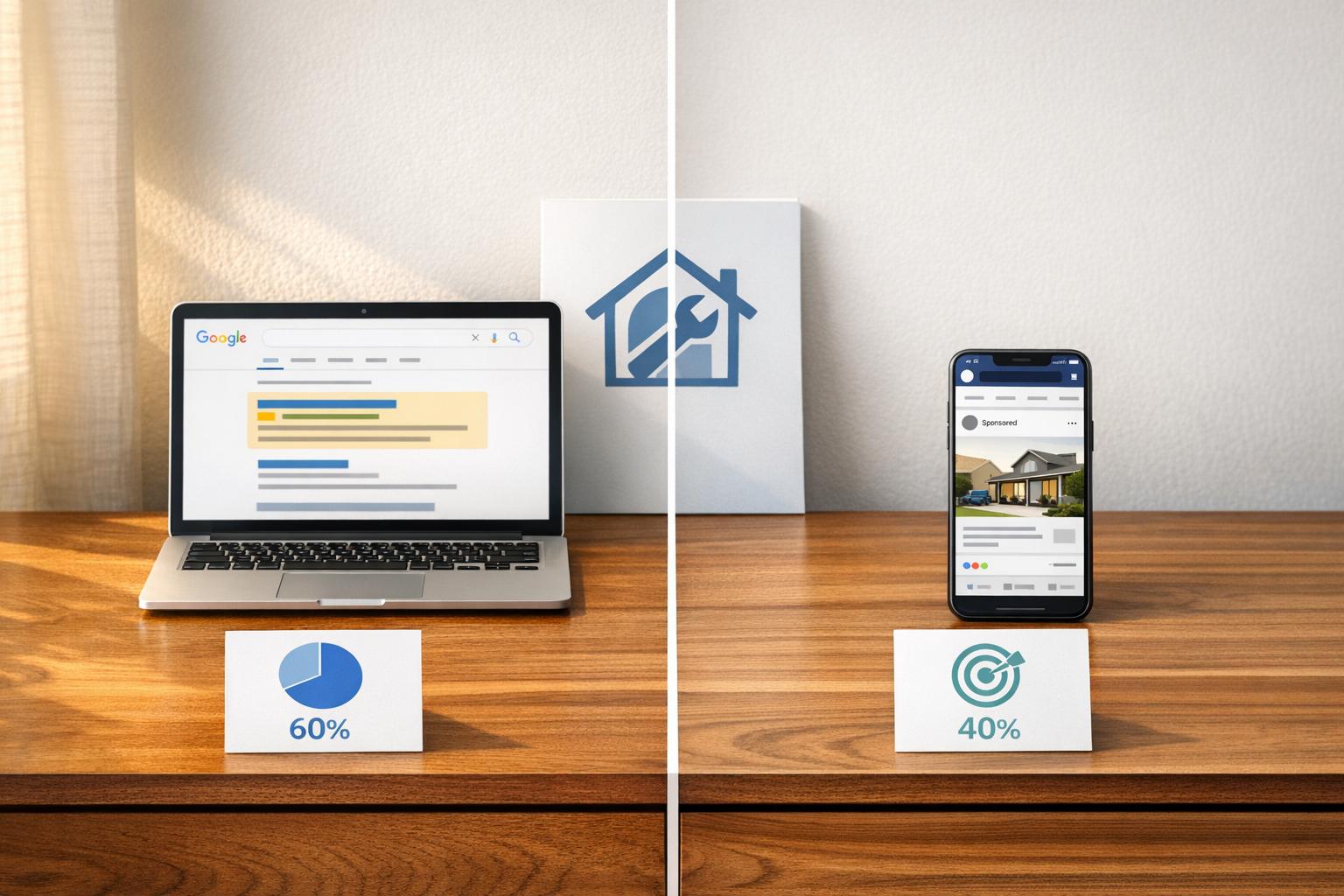
When it comes to retargeting for home services, both Google and Facebook have unique strengths. Google focuses on high-intent users actively searching for solutions, while Facebook targets users passively browsing their feeds. Here's a quick breakdown to help you decide:
Key Takeaways:
- Google Retargeting: Best for urgent services like plumbing or HVAC repairs. Ads appear across Google’s Display Network, YouTube, and search results, targeting users already familiar with your business. It delivers higher conversion rates (25–45%) but at a higher cost per lead ($60–$250).
- Facebook Retargeting: Ideal for project-based or recurring services like landscaping or lawn care. Ads leverage visuals (videos, carousels) to re-engage users on Facebook, Instagram, and Reels. Leads are cheaper ($35–$120) but require more nurturing due to lower conversion rates (10–25%).
Quick Comparison:
| Factor | Google Retargeting | Facebook Retargeting |
|---|---|---|
| Audience Intent | High (active search) | Low-to-mid (browsing) |
| Lead Close Rate | 25–45% | 10–25% |
| Cost Per Lead | $60–$250 | $35–$120 |
| Best Ad Format | Text, display banners | Video, carousels, images |
| Best Use Case | Emergency repairs | Visual upgrades, seasonal offers |
| Setup Complexity | Higher | Lower |
Recommendations:
- Use Google for emergency services where customers need immediate solutions.
- Use Facebook for long-term projects or recurring services, leveraging visual storytelling.
- For the best results, combine both platforms: Google to drive traffic and Facebook to nurture leads.
By tailoring your strategy to your service type and customer behavior, you can maximize your ad budget and generate more conversions.

Google vs. Facebook Retargeting for Home Services: Side-by-Side Comparison
Google Ads vs. Facebook Ads (Which Is Better For Leads)
sbb-itb-2aa0348
How Google Retargeting Works for Home Services
Google retargeting helps you reconnect with people who’ve already visited your site by displaying your ads across the web. It leverages the Google Display Network (GDN), which reaches about 90% of internet users worldwide. With access to over 2 million partner sites, apps, and Google platforms like Gmail, this system ensures your business stays visible even after potential customers leave your website. Here’s a closer look at the ad formats that make this possible.
Google Retargeting Ad Formats
Responsive Display Ads (RDAs) are a great way to showcase your work or team. Google tests different combinations of your images, headlines, and descriptions to find what resonates most with your audience. Remarketing Lists for Search Ads (RLSA) allow you to bid on broad terms like "plumber" or "HVAC repair", but only for users who’ve already visited your site. This means you’re focusing your budget on people already familiar with your business. Then there’s YouTube remarketing, which uses short, attention-grabbing bumper ads (6–15 seconds) to re-engage past visitors while they watch videos. Keep in mind, though, that YouTube remarketing requires at least 1,000 active users in your audience list before campaigns can run. Together, these formats give you multiple ways to stay in front of potential customers.
Benefits of Google Retargeting for Home Services
The numbers speak for themselves. For HVAC companies, adding retargeting to a search campaign can boost brand recall from 15% to 72% in just two weeks. Visitor-to-lead rates can jump from a modest 3–5% to 9–14%, and retargeting often lowers cost-per-lead by 35–55% compared to standard search campaigns. These results show how a well-structured retargeting campaign can significantly improve performance.
"A homeowner whose AC is struggling might search today but wait until it fully fails next week to book a repair. If they visited your site today and you are invisible next week, the competitor who stayed in front of them gets the call." - BestPPC
This is especially critical for big-ticket services like roof replacements or HVAC installations. With consideration cycles averaging 14 to 45 days, retargeting ensures your business remains top of mind during that decision-making period.
Technical Setup for Google Retargeting
To get started, you’ll need a Google Ads account and the Google Tag installed on every page of your website. Using Google Tag Manager (GTM) makes this process smoother and ensures the tags fire correctly. Linking your account to Google Analytics 4 (GA4) opens up advanced audience-building options, like targeting users based on specific pages they visited or the time they spent on your site.
Audience segmentation is key to making your campaigns effective. The table below outlines different visitor segments and how to tailor your messaging for each:
| Audience Segment | Intent Level | Lookback Window | Recommended Message |
|---|---|---|---|
| Quote/Pricing Page Visitors | Highest | 30 days | "Get your free estimate today" |
| Specific Service Page Visitors | High | 30–45 days | Service-specific reviews + same-day availability |
| Blog/Resource Readers | Medium | 60 days | Educational content, buying guides |
| Homepage Bouncers | Low | 14 days | General brand trust, local reputation |
| Past Customers | Medium-High | 90–180 days | "Prepare your home for winter with a furnace check" |
Once your campaigns are live, follow two golden rules: exclude users who’ve already converted (like those who’ve called or submitted a form) to avoid wasting your budget, and limit impressions to 3–5 per user per day to prevent ad fatigue. Also, remember that Google Display requires at least 100 active users in your audience list over the past 30 days for ads to run. If your site traffic is below 1,000 monthly visitors, focus on increasing that first.
How Facebook Retargeting Works for Home Services
Facebook takes a different approach from Google's search-based advertising. Instead of waiting for users to search for a service, it places your ad directly in their feed while they're scrolling through Facebook, Instagram, or Reels. For home service providers, creating ads that are both visually appealing and personalized is key to grabbing attention.
Facebook Retargeting Ad Formats
Facebook offers several retargeting options based on audience type. Here's a breakdown of the main ones:
- Website Custom Audiences: These are built using Meta Pixel and Conversions API (CAPI) to re-engage users who visited a specific page, like your water heater repair page, or abandoned a quote form midway through.
- Engagement Audiences: This targets users who have interacted with your content, such as watching 50–75% of a project video or liking a post on Facebook or Instagram.
- Customer List Audiences: By using hashed first-party data, you can re-engage previous customers with campaigns like seasonal reminders - think furnace tune-ups before winter.
When it comes to creative content, Facebook thrives on visual storytelling. Formats like before-and-after photos, short video walkthroughs (15–30 seconds), carousels showing project progress, and vertical Reels work particularly well for home service businesses. Lead Ads (Instant Forms) are especially effective on mobile, as they allow users to submit their contact details without leaving the app. This streamlined process often reduces lead costs by 20–30% compared to directing users to a landing page.
These diverse ad formats not only capture attention but also improve the likelihood of turning viewers into customers.
Benefits of Facebook Retargeting for Home Services
Facebook retargeting can deliver impressive results when combined with the right creative strategies. Retargeting audiences are 2–3 times more likely to convert compared to cold audiences, and users who see retargeting ads are 70% more likely to take action. For home service providers, the cost per lead on Facebook typically ranges from $20–$45. However, in highly competitive industries like roofing, costs can climb to $50–$150.
Real-world examples highlight these benefits. A Miami-based HVAC company transitioned from direct mail to Facebook Lead Ads, generating 127 qualified leads in their first month at just $18 per lead. Similarly, LawnValue, a lawn care business in Tennessee, used visually engaging Facebook ads to achieve 3.3 million impressions and over 1,000 conversions, enabling them to expand into Florida within a year.
"Meta Ads reaches the homeowner who has not thought about their lawn yet but responds to a photo of a well-maintained yard in their neighborhood." - Peterson Rainey, Founder, Creekside Marketing
Technical Setup for Facebook Retargeting
To set up Facebook retargeting, you’ll need to implement both the Meta Pixel and the Conversions API (CAPI). By 2026, relying solely on the Pixel may not be enough due to browser privacy restrictions like Apple's ITP, which can reduce retargeting audience sizes by 30–60%. Integrating CAPI helps bypass these limitations, sending event data directly from your server to Meta and increasing audience sizes by 25–45%.
Once tracking is in place, segment your audiences based on their intent:
| Audience Type | Retention Window | Creative Approach |
|---|---|---|
| Quote Page Abandoners | 7–30 days | Direct "Book Now" offers or free estimate deals |
| Service Page Visitors | 30 days | Project photos, reviews, and same-day availability |
| General Website Visitors | 90–180 days | Before/after photos, customer testimonials |
| Social Engagers | 90 days | Educational tips, FAQs, or lighter content |
| Past Customers | 180 days | Seasonal upsells or maintenance reminders |
Be sure to exclude users who have already converted to avoid wasting your budget. Also, to prevent ad fatigue, limit ad frequency to 2–4 impressions per week. Finally, Meta's algorithm needs at least 50 conversion events per ad set to optimize effectively, so plan for a budget of at least $20 per day per campaign.
Key Differences Between Google and Facebook Retargeting
Audience Intent and Behavior
The biggest distinction lies in intent. Google retargeting focuses on individuals actively searching for a solution, while Facebook retargeting targets users who may not be actively looking for your service. Each platform aligns with different customer readiness stages.
"A homeowner with a burst pipe searches Google. A homeowner with a 15-year-old HVAC system scrolls Facebook. Both are potential customers. They just need different messages at different times." - Matt Watson, Founder, Watson & Co. Marketing
This difference shapes how campaigns are run. Google is ideal for urgent services - like fixing a burst pipe or a broken HVAC system - where immediate action is needed. On the flip side, Facebook is better suited for long-term or visual projects like landscaping or kitchen remodeling, where homeowners are browsing for ideas well before making a decision. This divergence impacts everything from lead quality to budget efficiency and ad strategy.
Lead Quality vs. Lead Volume
Google leads tend to close at a rate of 25–45%, while Facebook leads convert at a lower rate of 10–25%. The reason? Google users are already in a problem-solving mindset - they’ve searched, clicked, and are ready to act.
Facebook, however, can generate a larger volume of leads at a lower cost, but those leads typically require more nurturing. Timing is critical: companies that respond to inquiries within 5 minutes are 21 times more likely to qualify a lead compared to those who wait 30 minutes. Delays in follow-up can lead to cold leads, making quick responses essential.
Cost and Budget Considerations
The cost per lead also varies significantly. Google leads typically range from $60–$250, reflecting the higher cost of clicks and conversions. Facebook leads, on the other hand, usually fall between $35–$120. While Google’s higher conversion rates justify the expense, Facebook offers a cost-effective way to retarget visitors.
For example, retargeting with Facebook to re-engage visitors initially driven by Google can cost as little as $2–$5 per impression, compared to paying $45 or more for a fresh Google click.
"A $5 click from Google that converts at 8% is cheaper per lead than a $1 click from Facebook that converts at 1%." - Sep Gaspari, Founder, Zio Advertising
These cost differences highlight how the platforms complement each other when used strategically.
Ad Formats and Creative Fit
The type of ad each platform supports also sets them apart. Google retargeting primarily relies on text ads and display banners, designed to grab attention during a search. Here, success hinges on the strength of your headline, offer, and landing page.
Facebook, by contrast, thrives on visual content. Its ad formats - like videos, carousels, and images - are perfect for showcasing projects or lifestyle upgrades. For trades like roofing or bathroom remodeling, Facebook’s visual nature is a better fit. Meanwhile, for urgent needs like plumbing or HVAC repairs, Google’s straightforward text ads are the better option. On Facebook, authentic visuals, such as phone-shot videos, often outperform polished stock images.
Ease of Use and Technical Setup
Facebook’s Meta Ads Manager is easier to navigate, making it a good starting point for beginners. Features like Lead Ads even let you collect contact information without needing a separate landing page. Google, however, requires more hands-on management, involving keyword research, audience targeting, and bid adjustments.
Both platforms demand ongoing effort to stay effective - like excluding certain audiences, monitoring ad frequency, and refreshing creative. For businesses just starting out with a limited budget (under $5,000/month), it’s often smarter to focus on mastering one platform rather than spreading resources too thin.
| Factor | Google Retargeting | Facebook Retargeting |
|---|---|---|
| Audience Intent | High (active search) | Low-to-mid (browsing) |
| Lead Close Rate | 25–45% | 10–25% |
| Avg. Cost Per Lead | $60–$250 | $35–$120 |
| Best Ad Format | Text, display banners | Video, carousels, images |
| Best Use Case | Emergency repairs | Visual upgrades, seasonal offers |
| Setup Complexity | Higher | Lower |
Choosing the Right Retargeting Platform for Your Home Services Business
Platform Recommendations by Service Type
Selecting the right platform for retargeting depends heavily on how homeowners typically discover and hire your services. For emergency services - like plumbing, HVAC repair, and electrical work - Google should dominate your spending. Why? Because when a pipe bursts or the AC fails, homeowners head straight to Google for immediate solutions. Meanwhile, Facebook plays a supporting role, reinforcing brand recall and targeting those who’ve visited your site but haven’t taken action.
For project-based services such as roofing, remodeling, or landscaping, a balanced strategy is key. Homeowners researching these services often take their time, sometimes months, before making a decision. Facebook’s visual ad formats, like before-and-after photos or short video tours, can spark interest early on. Google, on the other hand, captures intent when they’re ready to request quotes.
With recurring services like lawn care or pest control, the game changes. Many homeowners aren’t actively searching unless a problem arises. That’s why Facebook-led campaigns (taking up 60–70% of your budget) work better to build awareness and create demand for these services.
| Service Type | Recommended Split | Primary Platform |
|---|---|---|
| Emergency (Plumbing, HVAC) | 70–80% Google / 20–30% Facebook | |
| Project-Based (Roofing, Remodeling) | 50–60% Google / 40–50% Facebook | Both |
| Recurring (Pest Control, Lawn Care) | 30–40% Google / 60–70% Facebook |
Once you’ve identified the right platform for your service type, the next step is making the most of your budget.
How to Allocate Your Retargeting Budget
After choosing the primary platform, the way you allocate your budget can make or break your campaign. For businesses just starting out with a budget of $1,500 to $3,000 per month, it’s wise to allocate 80% to Google and 20% to Facebook. This approach focuses on capturing existing demand. As your budget grows to $3,000–$7,000 per month, a 60/40 split becomes more effective. If you’re working with $7,000–$15,000 monthly, consider dividing your spend as follows: 50% Google Search, 30% Facebook prospecting, and 20% Facebook retargeting.
For retargeting specifically, set aside 10–20% of your monthly ad budget. If you’re a smaller contractor, that could mean starting with just $10–$25 per day - enough to keep your brand visible without stretching your resources too thin. However, if your website draws fewer than 1,000 unique visitors each month, prioritize search ads first to grow an audience that can later be retargeted.
"Retargeting is a multiplier, not an engine. It multiplies traffic that's already coming in." - Ruud ten Have, Marketing & AI Strategy, Searchlab
Using Both Platforms Together for Better Results
To get the best results, it’s not about choosing between Google and Facebook - it’s about using them together. Google excels at capturing high-intent visitors, while Facebook re-engages those same visitors later in their decision-making process.
Take this example: In early 2026, a roofing company in Mesa, Arizona shifted from relying solely on Facebook to a split-budget strategy. They allocated $5,000 per month - $2,000 to Google Search, $2,500 to Facebook, and $500 to Local Service Ads. Over 60 days, this adjustment led to 47 booked estimates and 11 closed jobs, generating $94,000 in revenue. That’s an 11× increase in closed revenue compared to their previous single-channel approach.
Even a modest retargeting budget can yield impressive results. For instance, a $300 monthly Facebook retargeting spend paired with a $3,000 Google Ads campaign could deliver up to an 83× return. Google drives traffic, while Facebook nurtures those leads into conversions.
"Google captures demand. Facebook creates demand. Get this right and 80% of the 'which channel?' debate disappears." - Mitchell Wolfert, Founder, M.Wolf Media
To make the most of your campaigns, segment your retargeting audiences based on their behavior. For instance, someone who visited your quote page should see a different ad than someone who only browsed your homepage. Tailoring your approach this way ensures your ads stay relevant and effective.
Conclusion: Picking the Right Retargeting Mix for Your Home Services Business
Key Takeaways
Successful retargeting is all about combining the strengths of Google and Facebook. While no single platform is perfect for every situation, the right mix depends on your business needs. Google is ideal for capturing customers who are ready to act, while Facebook shines at re-engaging those who visited but didn’t convert. Together, they create a comprehensive strategy that covers the entire decision-making process, especially during the crucial 2–3 days when homeowners are comparing contractors.
The key is understanding how each platform fits into your marketing funnel. Google is your closer, helping seal the deal at the bottom of the funnel. Facebook, on the other hand, keeps your brand front and center in the mid-funnel stage. By applying strategies like audience segmentation and conversion tracking, you can maximize the effectiveness of your campaigns.
Here are a few quick tips:
- Exclude converted leads from retargeting pools to avoid wasted ad spend.
- Segment audiences based on the specific service pages they visited.
- Respond to inquiries within five minutes - businesses that do this are 21× more likely to qualify a lead.
"The platform that looks more expensive per lead is often cheaper per revenue dollar." - Mitchell Wolfert, Founder, M.Wolf Media
These practices lay the groundwork for managing campaigns efficiently and effectively.
How Estatehub Can Help
Managing multi-channel retargeting campaigns can get complicated fast. That’s where Estatehub steps in to simplify the process. From landing pages to audience segmentation and conversion tracking, Estatehub handles the technical details so you can focus on running your business.
With over $7M in ad spend and more than 11 years of experience, Estatehub’s approach prioritizes revenue outcomes - not just lead counts. The goal is simple: deliver booked jobs instead of empty clicks.
"With Facebook you can aggressively get in front of ALL homeowners/demographics in your area and sell your services. We fill calendars this way, at a way better cost per." - Will Palmer, Co-Founder, Estatehub
From launching campaigns within just 3–4 days to delivering measurable lead improvements in the first month, Estatehub takes care of everything, including setup, audience strategy, and ongoing optimization. They make it easier for you to focus on what matters most - growing your business.
FAQs
How do I know if my service is “emergency” or “project-based” for retargeting?
To figure out whether your service falls under emergency or project-based categories, think about how urgently customers need help and how they search for solutions.
Emergency services cater to urgent problems like a burst pipe or a broken HVAC system - situations where customers need same-day fixes. On the other hand, project-based services cover planned work, such as landscaping or installing a generator, where people take their time researching options.
With Estatehub, you can fine-tune your retargeting strategies to match these specific customer needs, ensuring you capture both quick-turnaround and long-term opportunities.
What’s the minimum website traffic I need before retargeting will work?
Retargeting doesn’t require a specific minimum traffic level, but its effectiveness hinges on having a sizable audience. If your site traffic is too low for precise targeting, consider grouping related service pages into a broader audience. This approach helps the platform gather enough data to optimize your campaigns. While traffic volume plays a role, the real key is focusing on warm leads - visitors who’ve already interacted with your site - since they’re more likely to convert.
How should I track calls and booked jobs from retargeting ads?
To monitor calls and booked jobs efficiently, pair server-side tracking with standard pixel events. Use the Meta Pixel to capture browser-side events and the Conversions API (CAPI) to overcome ad blockers and privacy limitations. Track key actions such as click-to-call, form submissions, and appointment scheduling. Implement an event ID to prevent duplicate data, and connect your CRM to track job closures, ensuring precise ROI tracking.
Related Blog Posts

Sign up for the newsletter and be the first to read our articles.