


Overview of Common Stains
Full overview of the most common stains, including how to identify them and treat them
Managing leads manually is a losing game - 80% of sales require five follow-ups, yet only 8% of people follow through. A CRM can fix this by automating follow-ups, tracking leads, and centralizing communication. For every $1 spent on a CRM, businesses see an average return of $8.71. Whether you’re running a plumbing, HVAC, or roofing business, the right CRM can help you save time, close more deals, and improve productivity.
Here’s a quick look at five CRM options:
| CRM Tool | Starting Price | Key Feature | Best For |
|---|---|---|---|
| monday CRM | $12/user/month | No-code workflows, lead scoring | Teams needing flexibility |
| HubSpot | Free (paid from $9/mo) | Strong free plan, inbound marketing | Small businesses |
| Salesforce | $25/user/month | AI-driven insights, predictive scoring | Enterprises |
| Pipedrive | $14/user/month | Visual pipelines, easy to use | Sales teams |
| Zoho CRM | $14/user/month | Budget-friendly, AI tools | Cost-conscious teams |
Each tool has its strengths, so pick based on your team’s size, budget, and specific needs. Most platforms offer free trials, making it easy to test before committing.

CRM Tools Comparison: Features, Pricing & Best Use Cases
monday CRM stands out as a top choice for automating lead nurturing. Its no-code builder operates on straightforward if/then logic, making it easy for home service businesses to handle lead generation marketing, follow-ups, and deal stage updates - all without needing technical skills. This helps businesses streamline communication with customers while focusing on delivering top-notch service.
monday CRM uses trigger-based workflows to automate actions based on lead behaviors like opening an email, clicking a link, or visiting a pricing page. You can create multi-step email sequences with personalized dynamic fields, set up automated tasks, and schedule phone call reminders. The platform also offers AI-driven tools such as email composition assistance, sentiment detection (categorizing text as Positive, Negative, or Neutral), and AI Timeline Summaries, which provide context for follow-up calls.
Kyle Dorman, Department Manager at Ray White, shared, "There's probably about a 70% increase in efficiency in regards to the admin tasks that were removed and automated, which is a huge win for us".
Additionally, monday CRM's lead scoring system ensures your team focuses on the most promising opportunities.
The platform assigns scores to leads using both explicit data (e.g., adding 15 points for VP-level job titles) and implicit signals (e.g., adding 25 points for demo requests). These scores are updated in real time as new data becomes available, helping you prioritize leads with the highest potential for conversion. It also integrates seamlessly with Crunchbase to enrich lead profiles with additional data.
With over 200 native integrations, monday CRM works smoothly with tools like Gmail, Outlook, Mailchimp, and WhatsApp. It can also pull in leads from Facebook, Instagram, and LinkedIn ad campaigns. Additionally, it integrates with Zoom to log meetings, transcribe conversations, and add meeting summaries directly to the CRM timeline. For tools without native integrations, Zapier and API access allow for custom workflow automation.
monday CRM is designed to scale with your team, whether you're a small business or a large enterprise. Pricing starts at $12 per user per month, with a minimum of three users required for paid plans. Annual billing offers an 18% discount. Automation capacity ranges from 250 actions per month on the Standard plan to 250,000 actions on the Enterprise plan. The platform has earned a 4.6/5 rating on G2 and was recognized by Forbes as the 2025 Best CRM for Solopreneurs and Small Teams.
For detailed pricing comparisons, check out the Feature and Pricing Comparison section below.
HubSpot CRM offers home service providers a feature-rich platform that combines automation, lead scoring, and extensive integrations. Its free forever version includes basic CRM tools, while paid plans start at just $9/month per seat, making it accessible for businesses of various sizes.
HubSpot Workflows take care of repetitive tasks like sending personalized emails, updating customer records, and assigning tasks to team members. Automated lead routing ensures new leads are directed to the right technician based on factors like territory, service type, or deal size - keeping every inquiry on track. For teams needing to scale quickly, aggressive lead generation can ensure a steady flow of new opportunities while these automation tools handle the follow-up. Sales Sequences handle follow-up emails and reminders to maintain engagement with prospects.
The system also includes an automated ticketing feature that converts "Emergency Repair" form submissions into high-priority support tickets. After services are completed, triggered CSAT surveys collect feedback via text or email. Additionally, HubSpot's Breeze AI supports reps by drafting emails, logging calls, and suggesting the "next best action" to convert leads.
"Using a unified CRM system results in much less context switching, synchronization problems, reporting issues, and consequent focus shifting to other activities, allowing the team to focus on selling." - Mircea Dima, Founder and CEO of AlgoCademy
Data shows that leads nurtured through automated sequences have a 23% shorter sales cycle compared to those without such engagement. Plus, 75% of B2B buyers expect marketing content to feel personalized.
Beyond task automation, HubSpot enhances lead engagement with its dynamic scoring system.
HubSpot's lead scoring system ranks prospects based on "Fit" criteria (like location, property type, or revenue) and "Engagement" signals (such as clicking on a quote link or visiting a pricing page). Leads are sorted into high, medium, or low-priority tiers, enabling teams to focus on the most promising prospects while nurturing lower-priority leads over time.
The score decay feature adjusts a lead's score if they haven't interacted with your business within specified timeframes (1, 3, 6, or 12 months). When a lead reaches a certain score, HubSpot can assign them to a technician or sales rep based on location or expertise. For larger teams, AI leverages historical data to fine-tune scoring automatically.
This scoring system works seamlessly with HubSpot's extensive integration options to maintain a smooth workflow.
HubSpot integrates with over 1,500 apps and services, simplifying work processes. Tools like WPForms, Typeform, and OptinMonster sync website inquiries directly into the CRM, while scheduling apps like Calendly, Acuity Scheduling, and Zoho Bookings keep contact records updated when appointments are booked. CallRail tracks marketing campaign calls, and transcription tools like Fathom and tl;dv add call notes and AI-generated summaries to contact profiles.
Real-time notifications via Slack or Microsoft Teams ensure faster responses. For tools without native integrations, Zapier connects HubSpot to over 8,000 applications, enabling workflows like managing quote approvals in Slack or syncing data with Google Sheets. Direct integrations with Facebook Lead Ads, Google Ads, and LinkedIn Lead Gen Forms ensure leads from social media and search campaigns are imported instantly.
HubSpot's pricing adjusts to fit your business needs. The Starter plan, priced at $9/month per seat, includes basic ad and form automation. The Professional plan starts at $1,300/month (with 6 seats) and offers up to 5–10 lead scores, AI recommendations, and up to 300 workflows. The Enterprise plan begins at $4,700/month (with 8 seats) and includes up to 25–50 lead scores, advanced predictive scoring, and up to 1,000 workflows.
"The beautiful thing about a unified platform is that automation stops feeling robotic and starts feeling personal." - Chris Sorensen, CEO of ARMOR Dial and PhoneBurner
For a detailed breakdown of pricing and features across all five CRM tools, refer to the Feature and Pricing Comparison section below.
For home service providers aiming to streamline lead nurturing, Salesforce stands out with its advanced automation and integration capabilities. Its AI-driven platform offers tools for both manual and predictive lead scoring, along with AI agents that handle outreach and follow-ups. Available in Enterprise, Performance, and Unlimited editions, Salesforce also provides a 30-day free trial that doesn't require a credit card.
Salesforce simplifies lead scoring with two main options. Manual scoring allows you to assign points (1–100) for specific actions, like opening an email, submitting a form, or visiting a high-value page such as "Emergency Repair." On the other hand, predictive scoring, powered by Einstein AI, uses historical data to predict a lead's likelihood of conversion - no manual setup needed.
The platform also supports unique scoring categories for different service lines. Features like score decay reduce points for inactive leads, while negative scoring deducts points for less desirable actions, such as visiting a "Jobs" page instead of service-related pages.
Salesforce's Agentforce Lead Nurturing (formerly Agentforce SDR) acts as an AI assistant, handling tasks like personalized outreach, follow-up emails, and answering questions using your company’s data. When a lead expresses interest, it can book meetings directly on your team's calendar and seamlessly transition the lead to a human rep. This automation addresses a common issue: sales reps often spend only 30% of their time selling, with the rest consumed by tasks like data entry and lead prioritization.
The platform also supports multichannel engagement across email, SMS, social media, and push notifications. AI chatbots manage routine requests and route more complex cases to the right agent. For home service providers, this means automating appointment reminders, service call scheduling, and SMS notifications for upcoming visits.
Real-world examples highlight the impact of Salesforce's automation. Holmes Murphy, an insurance brokerage, saved 44,000 hours and $6.9 million by streamlining its renewal process and identifying at-risk accounts. Similarly, Wiley, a publishing company, saved $230,000 annually and cut temporary agent onboarding time by half.
To complement these features, Salesforce integrates seamlessly with other tools, ensuring data flows smoothly across platforms.
Salesforce enhances its automation capabilities with an extensive array of integrations. Through AppExchange, it connects with over 2,500 third-party apps, and Zapier expands this to more than 8,000 additional tools. Native integrations include Slack for collaboration, DocuSign for contract management, and Mailchimp for email campaigns.
Other key integrations cover accounting tools (NetSuite, Stripe, QuickBooks), communication platforms (Slack, Outlook, Gmail), and marketing automation systems (ActiveCampaign, Marketo). Additionally, Einstein Activity Capture ensures seamless synchronization between Salesforce and external email or calendar apps, keeping lead engagement data up-to-date. This is particularly valuable given that most organizations use over 900 applications, yet only 28%–29% are typically integrated. Salesforce's API-led approach helps unify these systems.
"CRM integration is the foundation for building a truly connected business. By breaking down data silos and unifying your applications, you enable AI-powered automation, deliver exceptional customer experiences, and empower your teams to work smarter." - Salesforce
Salesforce offers flexible pricing based on the number of user seats and selected features, making it accessible for small teams managing large workloads. Many customers report impressive results, including a 30% boost in sales revenue and a 32% increase in ROI after adopting the platform. Plus, the 30-day free trial is a low-risk way to explore its features - no credit card or installation required.
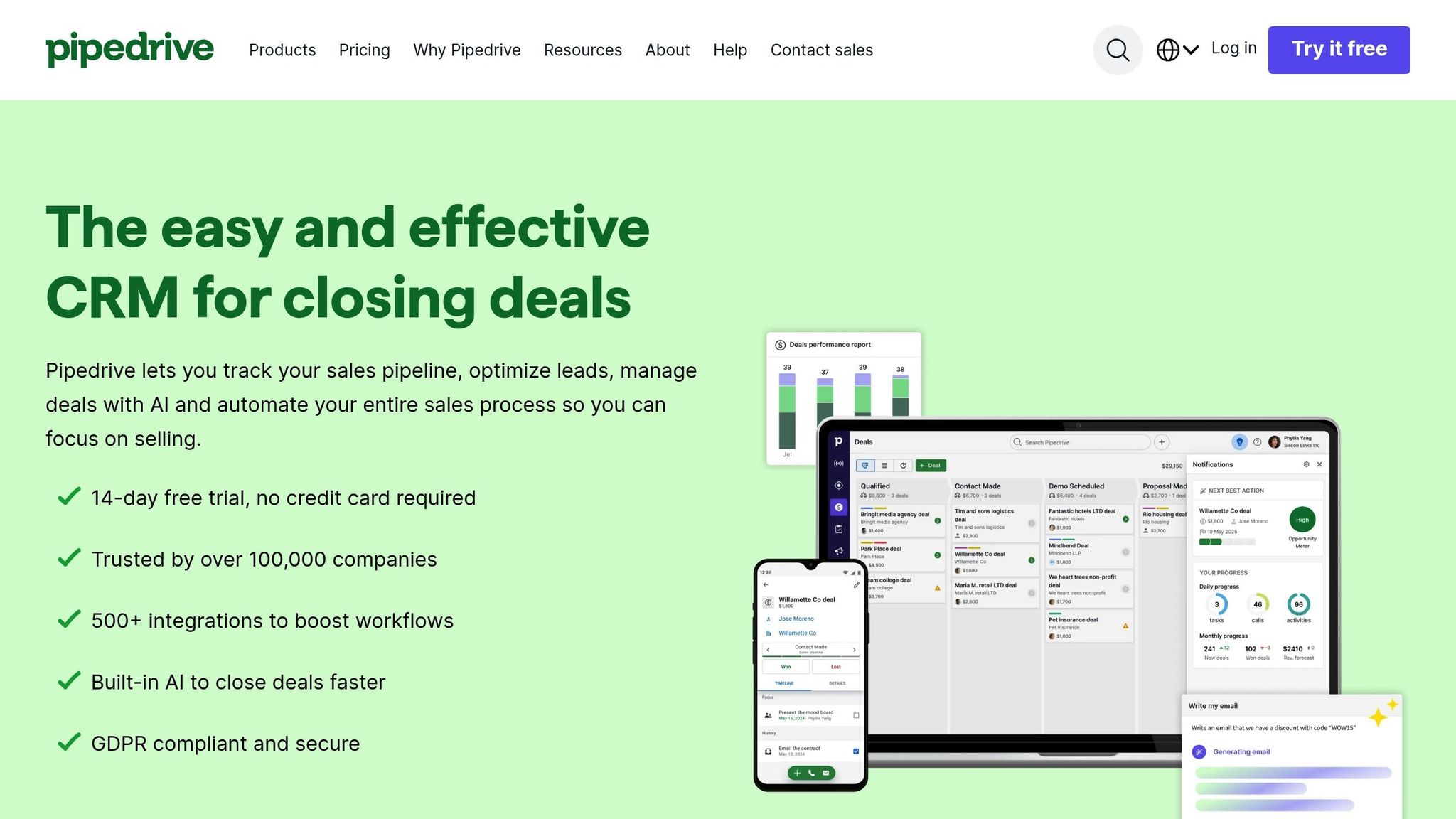
Pipedrive offers a fast and user-friendly way to manage and nurture leads. With over 100,000 companies in 179 countries using the platform, its visual pipeline view and trigger-based automation make tracking customer interactions straightforward. Plus, the 14-day free trial - no credit card required - lets you try it out risk-free.
Pipedrive's Pulse toolkit includes custom lead scoring, allowing you to rank prospects based on factors like service type, budget, or engagement level. This helps teams focus on high-priority leads and ensures timely follow-ups for key opportunities.
Automation is at the heart of Pipedrive. Its "if-then" triggers simplify repetitive tasks like assigning leads, creating deals, and scheduling activities [40,46]. The Sequences feature blends automated emails with manual actions, such as calls or site visits, and even allows for time delays and conditional waits.
Add-ons like LeadBooster streamline lead capture through chat and forms, while AICraft writes personalized emails and uses sentiment analysis to measure engagement [41,45].
Real-world examples show the impact of Pipedrive's automation:
"Using Pipedrive made it possible to handle [...] four times the amount of inbound business with the same human resources." - Intrnz
These automation tools easily integrate with other essential systems.
Pipedrive supports over 500 native integrations to enhance its workflows. These include accounting tools like QuickBooks and Xero, scheduling platforms such as Calendly and Acuity Scheduling, and communication apps like WhatsApp, Slack, and Microsoft Teams [47,48,38]. The open API allows for custom connections, while Zapier expands compatibility to thousands of additional tools, including Facebook Lead Ads and Google Ads [42,38].
Calendar syncing with Google and Microsoft ensures appointments are always up-to-date in your CRM. For lead generation, integrations with Typeform, Mailchimp, and ActiveCampaign keep contact information consistent across platforms [42,48].
"One of the favorite features within Pipedrive is the email integration. It pulls all of the client's details in, so that we don't have to think about it." - Erin and Drew, Founders, Pro Arts
Pipedrive offers five pricing tiers to suit different needs. The Lite plan starts at $14 per user per month (billed annually) and includes basic pipeline management and access to 500+ integrations [52,53]. The Growth plan, at $39 per user per month, adds features like email sync and 30 workflow automations - key for managing leads effectively [52,53]. Higher tiers increase automation limits, with the Ultimate plan ($79 per user per month) offering 24/7 phone support.
Optional add-ons enhance functionality. LeadBooster (starting at $32.50 per month) improves lead capture through chatbots and forms, while Campaigns (from $13.33 per month) supports email marketing automation. The mobile CRM app, designed for fieldwork, lets users update statuses and notes on-site - even offline.
Service-based businesses have seen tangible results with Pipedrive. For example:
"Pipedrive is significantly better value than other CRMs but still has an easy-to-use interface. It became apparent that it was a great fit for our team at a cost we could afford." - Oliver Lee, Sales Director, CreativeRace
Zoho CRM is trusted by over 300,000 businesses globally and offers a 15-day free trial to help users get started. Designed as a comprehensive sales and operations hub, it’s especially useful for home service providers, allowing them to handle everything from initial customer inquiries to final invoices. Zoho also streamlines lead nurturing, automating key processes to save time and improve efficiency.
Zoho CRM excels at prioritizing leads by analyzing demographic and engagement data. Its AI assistant, Zia, even suggests the best times for follow-ups. Depending on the plan, the platform supports scoring based on up to 50 criteria, with advanced AI-powered scoring available in higher-tier options.
Zoho CRM simplifies customer interactions with automation tools like cadences that manage follow-up sequences. For example, if a homeowner hasn’t responded to a service quote within 48 hours, the system can automatically schedule a follow-up call. Workflow Rules enable immediate or scheduled actions, such as sending thank-you emails, while "Workflow Insight" reports track thousands of daily activities. The Blueprint feature ensures your team follows a structured sales process, delivering a consistent experience. Field technicians can also use the mobile card scanner to import contacts on the go, enabling quick follow-ups. Communication is unified across multiple channels, including email, phone, social media, and live chat.
"We've molded the CRM and made it not only our sales and marketing CRM, but also our operational CRM. Zoho has become our central data repository and source of truth of our data." - Carlos Perez, CFO, Southern Cross Protection
Zoho CRM connects seamlessly with over 1,000 third-party apps, such as social media ad platforms, scheduling tools, form builders, and financial software. These integrations automate tasks like importing leads and managing appointments. Financial workflows are streamlined with two-way syncing through Zoho Billing and Zoho Invoice, while Zoho Sign simplifies contract management. Teams can also receive real-time updates via Slack or Microsoft Teams, keeping everyone informed about new leads or deal progress.
Zoho CRM offers flexible, pay-as-you-go pricing with no long-term commitments. The Free Edition supports up to three users, including basic lead management and mobile access. For very small businesses, Zoho’s lightweight Bigin product starts at $7 per user per month (billed annually). Paid plans range from Standard at $14 per user per month to Ultimate at $52 per user per month (annual billing). The Standard plan covers essential automation, while Professional adds features like inventory management and AI tools. Enterprise and Ultimate tiers provide advanced analytics and multi-user portals. Local taxes apply to all pricing.
Users report impressive results, such as a 27% boost in productivity, 71% savings on licensing fees, and up to 50% faster implementation. The platform is also available in 28 languages.
"With our complete business under control, our productivity is up by 80% in the last year that we have been using Zoho." - Thomas John, Managing Director, Agappe
When choosing a CRM, it's important to balance features, budget, and team size. Pricing varies based on the platform's functionality and intended audience.
Here's a quick comparison of pricing and key features to help you decide. monday CRM starts at $9 per user per month, but with a three-user minimum, the actual starting cost is $27 per month. HubSpot offers a free plan, great for startups, but costs rise sharply as your contact list expands - its Professional plan reaches $800 per month. Salesforce begins at $25 per user per month for basic features, but enterprise-level automation requires custom pricing that can climb into the thousands. Pipedrive keeps pricing straightforward, ranging from $14 to $79 per user per month. Meanwhile, Zoho CRM provides the most affordable paid entry point at $14 per user per month. The table below outlines pricing, strengths, and drawbacks for each option.
| CRM Tool | Starting Price | Key Strength | Key Drawback | Best For |
|---|---|---|---|---|
| monday CRM | $9/user/mo (3-user minimum) | Visual no-code automation; highly customizable | Automation limits on lower tiers (250 actions/month on Standard plan) | Teams needing flexible, visual workflows |
| HubSpot CRM | Free (paid plans from $20/mo) | Strong free tier with trigger-based workflows | High costs as contact list grows | Small businesses focused on inbound marketing |
| Salesforce | $25/user/mo | Einstein AI insights; multi-channel Journey Builder | Steep learning curve; expensive setup | Enterprises needing advanced customization |
| Pipedrive | $14/user/mo | Sales-focused interface; activity tracking | Limited marketing automation; add-ons needed | Sales teams prioritizing pipeline management |
| Zoho CRM | $14/user/mo | Budget-friendly; Blueprint process enforcement; Zia AI timing | Complex interface; overwhelming settings | Cost-conscious teams using Zoho tools |
Using a CRM can boost lead conversion rates by up to 300%, making it a smart investment even for smaller teams. Consider a plan that can grow alongside your business. Note that all pricing reflects annual billing, which typically saves 15-18% compared to monthly plans.
CRM automation takes the hassle out of manual tasks and ensures you don’t miss out on valuable lead opportunities. On average, businesses see a return of $8.71 for every dollar spent on a CRM. Plus, studies show that implementing a CRM can increase sales by 29% and improve productivity by 34%.
Choosing the right CRM boils down to matching its features to your business needs. Think about your team size, budget, and specific challenges. For example, if you’re struggling with missed follow-ups, automation triggers might be your top priority. If billing is chaotic, look for accounting integrations like QuickBooks. And for teams working on the go, a CRM with strong mobile access is essential - especially since mobile CRM access can increase team productivity by over 25%. Most platforms offer 14-day free trials, so you can test their functionality with your team before committing.
A well-selected CRM doesn’t just keep your data organized; it actively prevents leads from slipping through the cracks while you’re busy in the field. With the home services industry expected to surpass $1 trillion by 2025, having a system that nurtures leads and simplifies communication is no longer a luxury - it’s a necessity. By automating these processes, the right CRM becomes a critical tool for driving growth in a rapidly expanding market.
When choosing a CRM tool for your small business, it's important to align the software with your unique needs, budget, and the features that can simplify lead management and communication with customers. Prioritize tools that provide automation, have a simple-to-use interface, and can integrate seamlessly with your current systems.
Some key aspects to consider are how well the CRM can grow alongside your business, its cost-effectiveness, and whether it includes must-have features like lead tracking, automated follow-ups, and email marketing capabilities. If you're in the home services sector, look for options that include features tailored to your industry, making it easier to manage customer relationships and streamline lead handling. Taking advantage of free trials from a few providers can help you identify the tool that best suits your business.
AI-powered lead scoring uses advanced algorithms to evaluate and rank leads automatically. It analyzes factors like engagement levels and predictive behaviors, ensuring leads are prioritized in real-time. This method shines when lead volumes grow, offering faster and more accurate results without the risk of human error.
Manual lead scoring, by contrast, relies on human analysis to rank leads. While it allows for a personal touch, it can be slow, inconsistent, and error-prone - especially when dealing with large datasets. For businesses looking to improve lead quality and boost conversion rates, AI-driven scoring often proves to be the more efficient and reliable choice.
CRM integration takes your team's productivity up a notch by automating those time-consuming tasks like capturing leads, sending follow-ups, and managing reminders. This automation means your team can spend less time on manual work and more time building meaningful relationships and closing deals. Plus, it ensures no lead slips through the cracks, keeping workflows smooth and efficient.
With tools like automated communication triggers (think appointment reminders or follow-up emails), centralized contact management, and scheduling features, a CRM helps your team stay on top of things. These streamlined processes make it easier to handle more leads, deliver quicker responses, and offer better customer service - all of which contribute to driving higher revenue.
Sign up for the newsletter and be the first to read our articles.


Every single person on our agency team has spent a lot of time in the field either running their own business or working for larger marketing agencies. We have all put in the time responding to leads, helping customers, scheduling and doing services. This gives us a massive advantage when making decisions.
One thing that has always been very special to us, is the fact that (excluding spam / people that never used our services) we do not have any bad reviews. This absolutely does not mean we have never had unhappy clients, but if it happens, we make it right, and stand behind our promises.
We have seen, time and time again, other agencies using strategies and structuring campaigns the way that they are technically supposed to. Most of these "best practices" that are taught in our industry, simply do not transfer into local lead gen. This is partially because we do have a much different target audience, and are typically spending less, however optimizing for website traffic does not work here.
We have been there, jumping into starting a home service business, struggling, and doing everything wrong. It's humbling. Our team has all felt the highs and lows, which is why we get so excited for our clients to win, we know how good it feels.

Estatehub is not a normal agency, we know "clicks" don't get you sales. Let us show you how lead gen experts do it.

