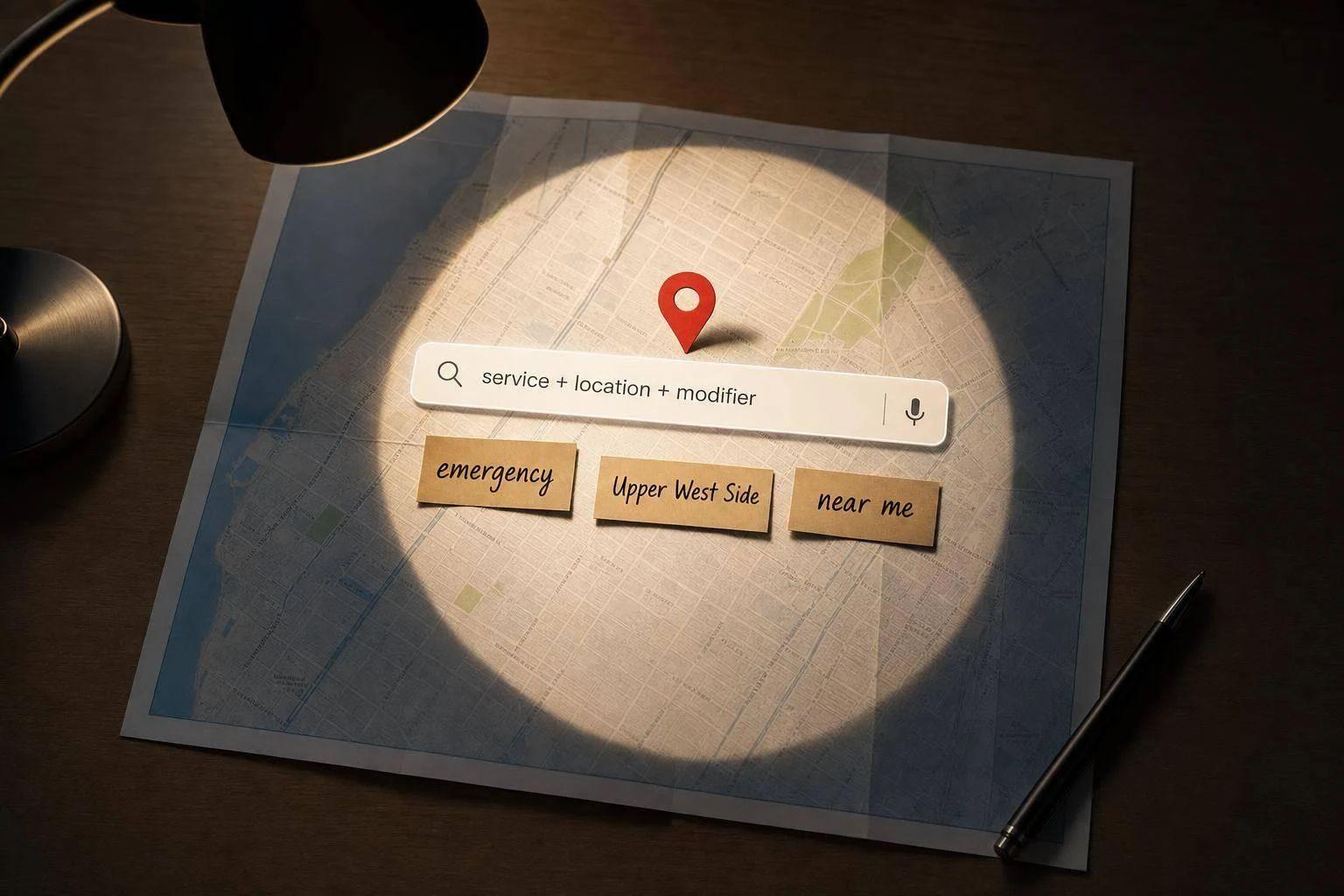
Most local keyword tools miss the terms that drive calls because they favor search volume over booking intent.
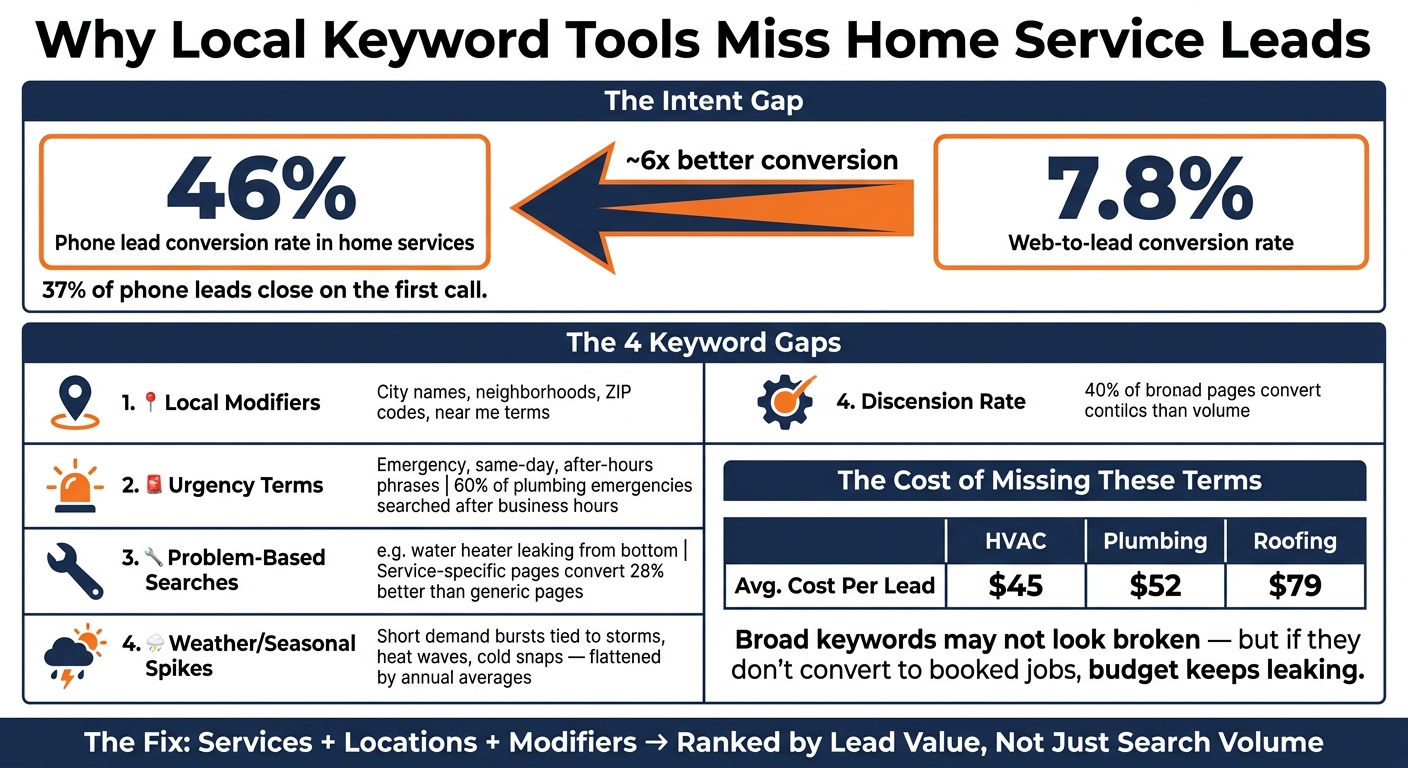
If you work in home services, the terms that lead to jobs often include location, urgency, and specific problems. That means a phrase with 0 reported searches can still bring in leads, while a broad term with more traffic may bring fewer booked jobs. This matters because phone leads in home services convert at 46%, and 37% close on the first call.
Here’s the short answer:
- Local modifiers get missed: city names, neighborhoods, ZIP codes, and near me terms
- Urgent searches get missed: emergency, same-day, and after-hours phrases
- Problem searches get missed: terms like water heater leaking from bottom or breaker keeps tripping
- Weather spikes get missed: short bursts tied to storms, heat waves, or cold snaps
That gap can lead to:
- more traffic but fewer booked jobs
- thin coverage in parts of your service area
- ad spend wasted on broad, lower-intent terms
The fix is simple. Build keyword lists from your services + locations + modifiers, then check them against Search Console, autocomplete, local SERPs, call logs, chats, and intake notes. After that, sort terms by lead value, not just monthly volume, and track which ones turn into calls and bookings. To accelerate this process, some providers use guaranteed lead generation to see results in days.
That’s the core point of this article: local keyword research works better when it follows how people ask for help, not just what keyword tools report.
Why Local Keyword Tools Miss Home Service Leads: Key Stats
How to Do Local Keyword Research
sbb-itb-2aa0348
Four gaps in keyword tools that hide local lead terms
These misses tend to show up in four spots.
City, neighborhood, ZIP code, and near me modifiers
Keyword tools usually do a decent job at the national or regional level. But once you zoom into neighborhoods, ZIP codes, and near me searches, the data gets shaky.
A phrase like "Plumber [ZIP Code]" or "[Neighborhood] AC repair" can look weak in a tool built around broad demand. In practice, though, homeowners using those terms are often ready to book fast.
That’s the core problem: tools underreport exact local modifiers even when the searcher has clear intent. So you miss searches coming from smaller suburban pockets and scattered service areas.
Emergency, same-day, and after-hours phrases
Urgency terms are some of the easiest for keyword tools to miss. Searches like "emergency drain cleaning" or "same-day furnace repair" often come in short, intense bursts, and historical averages don’t measure those spikes well.
That miss can cost you. Phone leads in home services convert at about 46%, while web-to-lead conversion sits near 7.8%. In plumbing, 60% of emergencies are searched after business hours. If your keyword list leaves out emergency and after-hours phrases, you’re skipping some of the most bookable jobs.
Service variants and problem-based search terms
Tools also tend to bury specific problem searches under broad service labels. In other words, the tool shows the category, not the exact problem the homeowner typed in.
That gap matters. Problem-based searches like "water heater leaking from bottom" or "breaker keeps tripping" point to a clear issue, not casual research. Service-specific pages can convert 28% better than a single generic services page, and people searching with that level of detail are usually much closer to booking.
Seasonal and weather-driven local search demand
Weather spikes create short demand windows that annual averages flatten out. A phrase like "sump pump failure after heavy rain" may show close to zero annual volume in a tool. But during a storm or cold snap, that same term can drive a burst of calls in just a few days.
For home service providers, these windows can make or break a month. Yet keyword tools often underreport the scattered demand that shows up during weather extremes.
When those terms don’t show up in your research, lead volume looks smaller than it is, and service-area gaps are easy to miss.
What missed keyword gaps cost home service businesses
Incomplete keyword research costs revenue, not just rankings.
Leave out the lead terms that drive calls, and the pattern is pretty simple: more traffic, fewer booked jobs.
Broad terms bring traffic but fewer booked jobs
Broad terms like "plumbing" or "HVAC repair" can pull in a big audience. The problem is that many of those people are still comparing prices or deciding if they even need help. That’s a very different search from someone typing "emergency plumber."
Phone leads from high-intent, specific searches convert at 46%, and 37% of those close on the first call. So when your keyword list skips the terms that trigger those calls, you end up paying for clicks from people who aren’t ready to book.
Looking only at cost per lead can hide the problem. In home services, average CPL runs $45 for HVAC, $52 for plumbing, and $79 for roofing. On paper, a campaign built around broad terms might not look broken. But if those keywords don’t turn into booked jobs, the budget keeps leaking little by little.
And the damage doesn’t stop at conversion rates. It can also leave your service-area coverage patchy.
Missed terms create blind spots across service areas
Keyword gaps can weaken your local reach, too. A contractor may rank well in their main city but barely show up in nearby areas. Miss neighborhood terms, and high-value pockets stay undercovered. At the same time, you may still spend money trying to reach places with long drive times and lower-ticket jobs.
The same issue can hit paid ads hard. Without service-specific and location-specific keywords, campaigns start mixing very different types of buyers into the same ad group. Someone looking into a full repipe gets lumped in with someone whose drain is backing up right now. That mismatch hurts relevance and increases acquisition cost.
How to find the local lead terms your tools are missing
The fix is a better starting point, not a better tool. Begin with your services, your service area, and the words people use when they need help.
Build keyword lists from services, locations, and modifiers
Build three lists: core services, locations, and modifiers.
Your core services should be specific. Think water heater replacement or slab leak repair, not just plumbing. For locations, go past the main city. Add neighborhoods, ZIP codes, and nearby suburbs. And modifiers? That's where intent shows up. Terms like emergency, same-day, broken, leaking, cost, near me, and residential tell you what the searcher wants.
Put those three lists together and patterns start to show up. That's often where tools fall short.
Use Search Console, autocomplete, SERPs, and customer language
Google Search Console shows the exact terms people already used to find your site. That's a strong place to start. Then run those terms through Google Autocomplete and Related Searches. Both can show you the natural phrasing homeowners use.
Next, check local SERPs in your service area. Look at the results Google shows for local intent. This gives you a clearer view of what Google sees as relevant in each location.
Then go straight to the source: your customers. Pull language from intake forms, call transcripts, chat logs, and other customer messages. Phrases like my AC keeps shutting off or pipe burst under the sink often signal strong buying intent. They're also the kinds of searches many keyword platforms miss.
Use those terms to shape your pages and campaigns.
Rank keywords by lead value, then track calls and bookings
Once you have the list, don't treat every keyword the same. Emergency pipe repair in [city] is much closer to a booked job than plumbing tips. Rank keywords by intent level - how close the searcher is to making contact - not by monthly search volume alone.
Then assign each keyword to the right place, such as:
- a service page
- a city page
- a campaign theme
After that, tracking matters more than the list itself. Tie form fills, inbound calls, and booked appointments back to the keywords that led people in. A CRM can help connect that path from the first search to the booked job.
Conclusion: Better local keyword research starts where the tools stop
Keyword tools help, but search volume by itself doesn't fill the calendar. The searches that lead to booked jobs often come from neighborhood names, urgent needs, or specific problems. In home services, phone leads convert at 46%, which is why the terms tied to missed calls and missed leads matter.
The fix is simple: use keyword tools as the starting point, not the whole playbook. Then check that data against Search Console, autocomplete, local SERPs, and the exact words customers use. This is the same layered process Estatehub runs when building out local keyword lists for clients, since raw volume rarely tells the full story.
After you find those terms, sort them by lead value. Not every keyword should get the same amount of effort. An emergency search in a high-value service area can be worth more than a broad keyword with higher volume. Match terms to intent, map them to the right pages and campaigns, and track calls and booked jobs back to the search.
When your process is built around service area, customer language, and conversion data, you surface more high-intent demand. Local keyword research only works when it picks up the intent that tools leave out.
FAQs
Why do low-volume local keywords still bring leads?
Low-volume local keywords can still drive leads because they signal high intent and immediate urgency. Search terms with city names, emergency wording like 24/7 or urgent, and service-based variations often reach people who are ready to hire right away.
They may bring in less traffic than broad keywords, but they often convert at a higher rate. Why? Because they reach nearby customers who care about speed and want the problem fixed now.
How can I find emergency and problem-based search terms?
Focus on keywords that signal immediate need and local intent, like emergency, urgent, 24/7, same day, or now, paired with “near me” or your city name.
Then tighten things up in Google Ads:
- Check search term reports on a regular basis
- Use exact and phrase match for these high-intent queries
- Filter out DIY traffic
- Keep these terms separate from informational searches
From there, track which keywords turn into actual bookings in your CRM. That’s the part that matters most. A term might bring clicks, but if it doesn’t lead to jobs, it’s just noise.
Which local keywords should I prioritize first?
Start with high-intent local keywords: your main service plus a city name and urgent modifiers like emergency, urgent, 24/7, or same-day. For example: emergency plumber in [City Name].
These searches usually convert better than broad keywords because the person searching often needs help NOW, not later.
It also helps to filter out DIY traffic with negative keywords. Exclude terms like how-to, fix, or free so you don't pay for clicks from people who aren't ready to hire a pro.
Related Blog Posts

Sign up for the newsletter and be the first to read our articles.