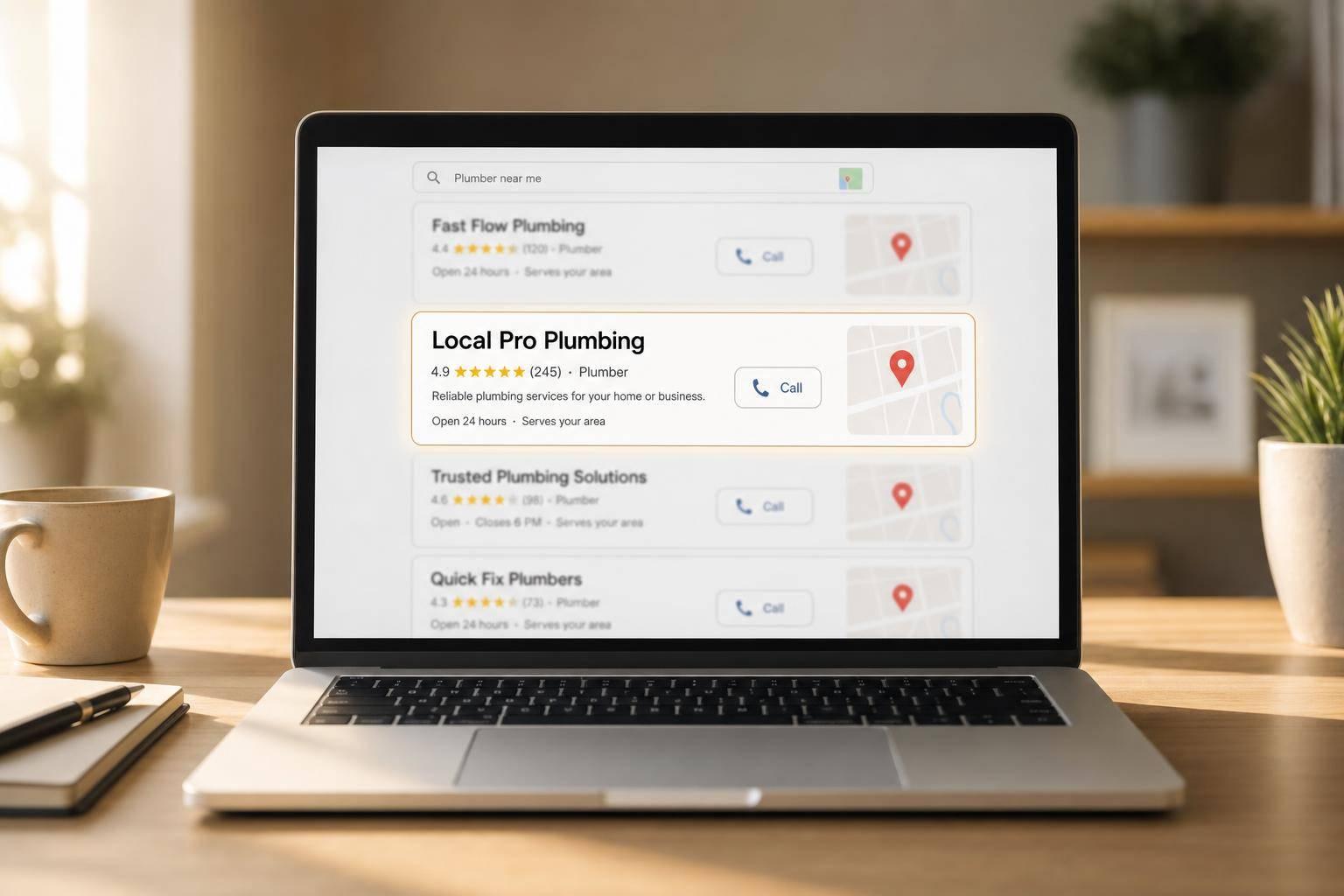
If I had to boil this down to one point, it’s this: better meta tags can help local service pages get more clicks, clearer search relevance, and more calls.
I’d focus on four things right away:
- Title tags should pair the service + city + brand
- Meta descriptions should give a clear reason to click
- Alt text should describe real local job photos
- Schema markup should help Google read the page with less guesswork
The article shows that this matters for both rankings and leads. It cites 15% of local pack ranking weight tied to on-page signals like title tags, and notes that pages with team and truck photos can get 42% more calls and direction requests. It also points out that urgency terms like “24/7” or “emergency” can convert 50% higher than broad service terms when those claims are true.
Here’s the short version of what I’d take from it:
- Match each page’s tags to a single service and single city
- Keep titles and descriptions within clean length ranges
- Don’t copy the same wording across city pages
- Make sure tags, H1s, and page copy say the same thing
- Track impressions, CTR, rankings, calls, and form fills
- Test one change at a time on weak pages
This is not about writing fancy tags. It’s about making the page easy for both Google and local searchers to understand at a glance.
The rest of the article walks through how to write those tags, how to scale them across many city pages, and how to measure whether the changes lead to more local leads.
How to Optimize Meta Titles and Descriptions for Local SEO [No B.S. Basic SEO Tutorial]
sbb-itb-2aa0348
The Core Meta Tags Every Local Service Page Needs
Three on-page elements do most of the heavy lifting on local service pages: the title tag, meta description, and alt text plus schema markup. Start with the title tag because it carries the most weight in search results.
According to the 2026 Whitespark/Advice Local Local Search Ranking Factors report, on-page signals like title tags account for 15% of local pack ranking weight.
Title tags that pair service, location, and brand
Use a simple "[Service] + [City] + [Brand]" formula to line up with local search intent. For example: "Water Heater Repair in Phoenix | Brand Name." Keep it between 50 and 60 characters so it stays readable in search results.
Each page should have its own title. If every service page uses the same wording, Google gets a muddy signal and searchers do too. Once the title is set, move to the description and give people a reason to click.
Meta descriptions that improve click-through rate
A solid meta description can help win the click. Keep it to 150 to 160 characters, name the service, mention the city, and include at least one clear benefit.
Good examples include details like:
- licensed and insured
- same-day service
- 24/7 emergency availability
Those details tell a searcher, fast, why your listing is worth attention. Then the page itself should back that up with images and schema that repeat the same local message.
Alt text and schema that reinforce local relevance
Don't leave an image labeled IMG_4823.jpg with no context. Write alt text that says what's in the photo, like "licensed plumber replacing water heater in Austin, TX." Use real jobsite photos and describe them in plain language.
Pages using team and truck photos get 42% more calls and direction requests than pages that rely on generic visuals. That's a big gap, and it makes sense. People want to see who they're hiring.
Schema helps search engines read the page with less guesswork. Use LocalBusiness, Service, and FAQ schema to add local context and support rich results. These tags back up the same service-and-city signals already set by the title and description.
The table below breaks down what each element does and how to handle it:
| Element | Purpose | Best Practice |
|---|---|---|
| Title Tag | Ranking & relevance | Use "[Service] in [City] | [Brand]" - 50–60 characters |
| Meta Description | Click-through rate | Mention a clear benefit and the city - 150–160 characters |
| Alt Text | Local context | Describe real job photos using service and location keywords |
| Schema Markup | Search engine clarity | Use LocalBusiness, Service, or FAQ schema for rich snippets |
How to Write Better Meta Tags for City-Specific Service Pages
Use a simple formula for local title tags and descriptions
Once your main tags are in place, tweak them for each city page. A clean format for title tags is [Service] in [City], [ST] | [Brand Name]. For meta descriptions, keep it simple: service + benefit + location + CTA.
Example: "Need fence installation in Nashville? XYZ Fencing offers same-day service and free estimates."
This setup makes the page easy to scan. The searcher can spot what you offer, where you offer it, and why your result is worth a click. It also gives you space to add intent signals like "same-day", "24/7," or "emergency" when those claims are accurate. Those urgency-based terms can convert at rates 50% higher than general service terms.
Match meta tags to the page's H1 and on-page content
Your meta tags and page copy should line up, but they shouldn't read like carbon copies. If your title tag says "Landscaping Services in Austin, TX | GreenEdge Lawn Co.," your H1 could say "Professional Lawn Care and Landscaping in Austin."
From there, the body copy should back up that local focus with neighborhood details or conditions that matter to homeowners in that area. If the title tag talks about fence installation but the H1 says "Outdoor Home Improvements", the message gets muddy. That weakens local relevance and sends a mixed signal to search engines.
It also makes city pages much easier to build at scale without drifting into off-target keyword use.
Scale the format across multiple service areas without duplication
Don't just swap out the city name. Change the local details too.
For example, a plumbing company serving both Phoenix and Scottsdale might talk about hard water problems on one page, then mention older homes or neighborhood-specific issues on the other. The formula stays the same, but the local substance changes.
A simple setup is to keep one main service page and then build separate city pages for each market. That keeps internal linking clean and helps spread ranking authority across the site.
The examples below show what that setup looks like in practice.
Examples and Tables: Weak vs. Strong Local Meta Tag Setups
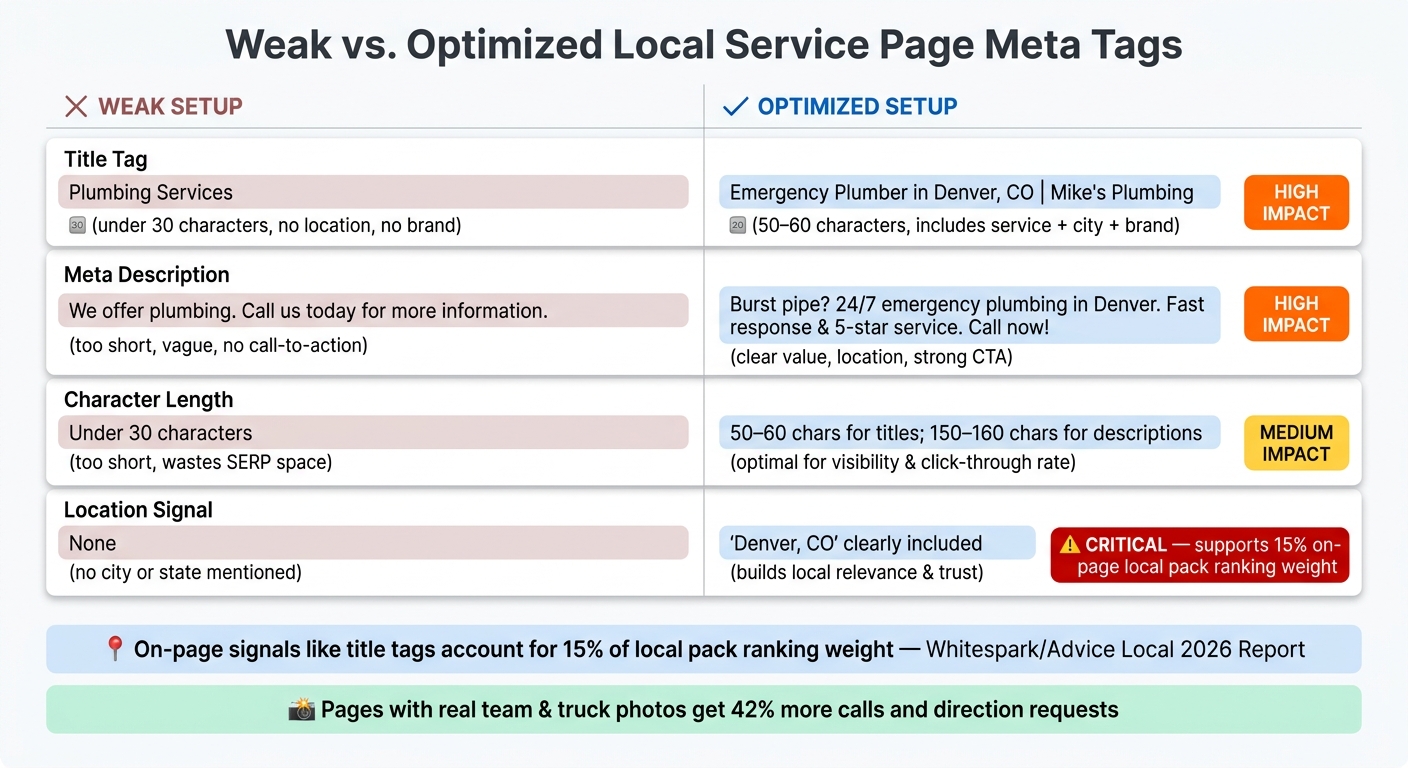
Weak vs. Optimized Local Service Page Meta Tags: Side-by-Side Comparison
Comparison table: weak vs. optimized title tags and meta descriptions
Weak and strong tags may differ by just a few words. But those small changes can shift both relevance and clicks.
The table below compares generic tags with local versions built for search, a key part of digital marketing for home service providers.
| Element | Weak Setup (Hypothetical) | Optimized Setup (Hypothetical) | Impact |
|---|---|---|---|
| Title Tag | Plumbing Services | Emergency Plumber in Denver, CO | Mike's Plumbing | High: Includes service, city, and brand |
| Meta Description | We offer plumbing. Call us today for more information. | Burst pipe? 24/7 emergency plumbing in Denver. Fast response & 5-star service. Call now! | High: Addresses pain point, includes CTA |
| Character Length | Under 30 characters (too short) | 50–60 characters for titles; 150–160 characters for descriptions | Medium: Helps avoid wasted SERP space or truncation |
| Location Signal | None | Denver, CO | Critical: Supports 15% on-page ranking weight |
A generic title like Plumbing Services doesn't say much. Add the service type, city, and brand, and the tag becomes far more specific. The same goes for meta descriptions. A plain line such as We offer plumbing doesn't give the searcher a reason to click, while a line built around urgency and service details does.
Implementation table for multi-city service pages
Use one template across city pages, then swap in the local details. That's the basic idea.
| City Page | Title Tag | Meta Description | Alt Text |
|---|---|---|---|
| Denver, CO | HVAC Repair Denver, CO | Arctic Air | Expert HVAC repair in Denver, CO. 24/7 emergency AC & furnace fixes. Book your Denver tech today! | HVAC technician repairing AC unit in Denver, CO |
| Aurora, CO | HVAC Repair Aurora, CO | Arctic Air | Reliable HVAC repair in Aurora, CO. Local techs for AC & heating. 5-star rated service in Aurora. | Licensed HVAC contractor servicing furnace in Aurora, CO |
| Lakewood, CO | HVAC Repair Lakewood, CO | Arctic Air | Fast HVAC repair in Lakewood, CO. We fix AC units and heaters quickly. Call Arctic Air Lakewood! | Arctic Air service truck parked in Lakewood, CO |
Notice how each description opens in a different way. That helps the pages avoid reading like copies of each other. You can use the same title, description, and alt text pattern for every new city page, as long as you swap in the right local terms and keep the wording varied.
How to Measure Results and Keep Improving
Track impressions, rankings, and click-through rate
Once your meta tags are live, the next step is simple: watch what happens. You want to see whether those changes improve visibility and bring in better leads.
For city-specific service pages, keep an eye on impressions, average position, and CTR for the local service terms that matter to your business. For home service companies, raw traffic isn't the main goal. Lead quality matters more. That’s why it helps to connect your reporting to form submissions and service calls, so you can see whether stronger meta tags are driving more qualified leads.
If a page ranks but doesn’t get many clicks, that’s often a sign the title tag or meta description needs work. Here’s a baseline for what progress can look like:
| Metric | Pre-Update (Baseline) | After 3–6 Months | Target |
|---|---|---|---|
| Avg. Position (City + Service) | Position 15–20 | Position 1–5 | Top 3 placement |
| Impression Volume | Low/Stagnant | Increasing | Higher local visibility |
| CTR | Below average | Improving | More clicks from relevant searches |
| Qualified Calls & Form Submissions | Baseline | Increasing | More qualified calls and form fills |
Use a simple testing process on underperforming pages
If a city-specific service page still isn’t ranking on page one after 3 to 6 months, go back and review the title tag and meta description. Don’t change everything at once. Adjust one element, wait several weeks, and then check the results again.
A smart way to tighten up meta descriptions is to borrow wording that already performs well in paid ads or comes up often in client feedback. If people respond to certain phrases in ads, there’s a good chance those same ideas can help your organic listings earn more clicks too.
Conclusion: Small on-page changes that can lift local SEO
Strong title tags help your pages match local searches more closely. Better meta descriptions give people a reason to click. At Estatehub, this kind of refinement runs through our broader local SEO service for home service businesses. From there, use performance data to refine both, then measure again.
This is a small-page, steady-progress kind of process. When you tie those changes back to actual leads, each city page gets a better shot at pulling in the right calls and form submissions over time.
FAQs
How often should I update meta tags?
Treat meta tags and your local SEO strategy as work you come back to, not something you set up once and leave alone.
For high-priority local service pages, review and refresh the content and metadata every 30 to 45 days. Blog posts or informational pages usually only need updates every 3 to 6 months unless traffic or rankings start to slip earlier.
Can meta tags help if my page content is weak?
Meta tags matter for technical optimization, but they can't cover up thin page content. On local service pages, Google tends to favor original, high-quality copy that includes specific local details and shows clear service knowledge.
Meta tags help search engines understand what a page is about. But if the page lacks original substance, it can still get filtered out. In practice, strong page copy, project photos, and testimonials do more to build trust and help support rankings.
What schema types matter most for local service pages?
For local service pages, the most important schema types are LocalBusiness and ServiceArea.
These structured data markups give search engines key details about your business and location. That helps confirm where you’re based, which areas you serve, and why your page matches high-intent local searches.
Related Blog Posts

Sign up for the newsletter and be the first to read our articles.