

Overview of Common Stains
Full overview of the most common stains, including how to identify them and treat them
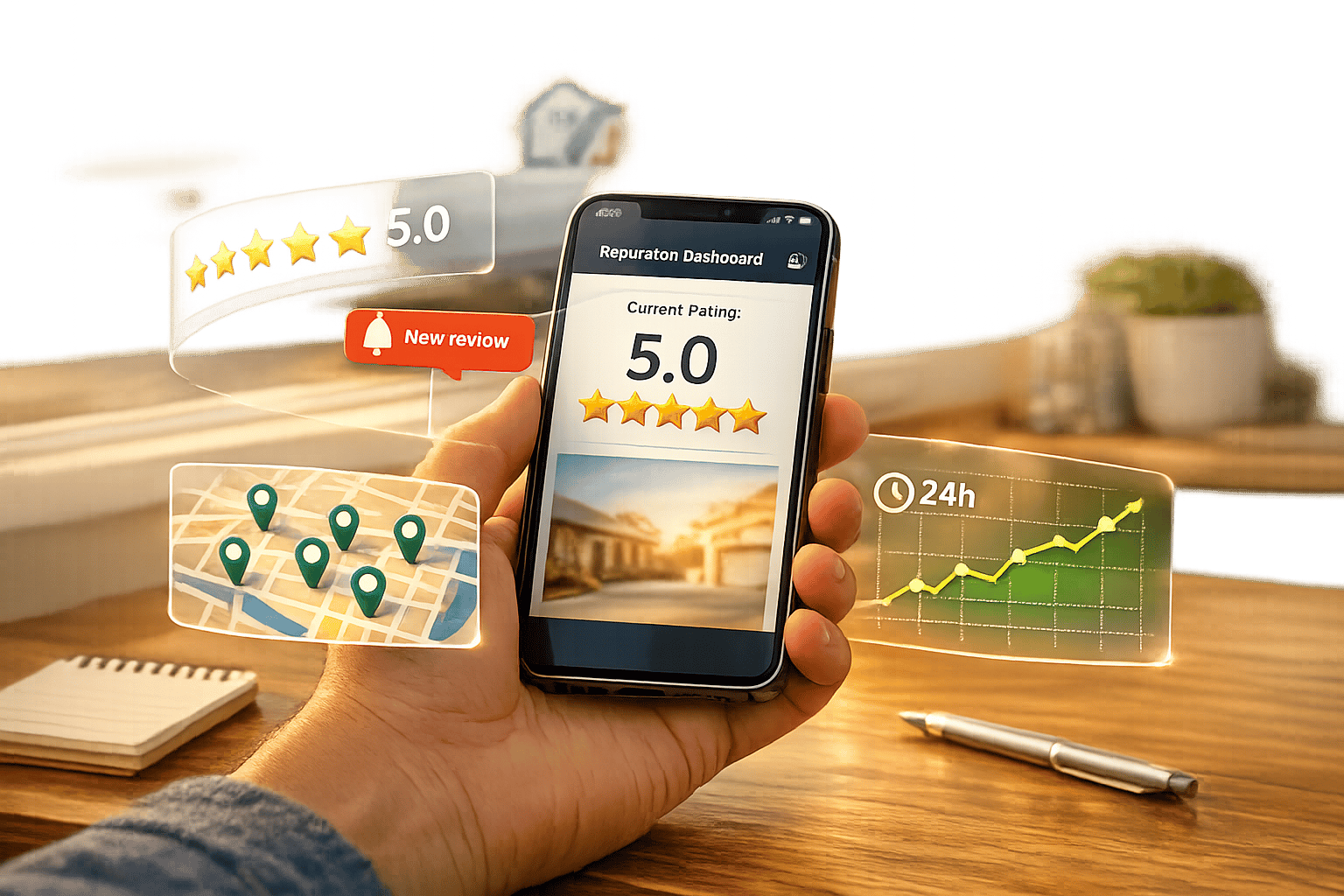
Real-time reputation monitoring tools help businesses manage online reviews, customer feedback, and brand mentions across multiple platforms in one place. These tools are vital for responding to reviews quickly, improving customer trust, and boosting visibility in search results. Key features include:
These tools streamline reputation management, helping businesses respond faster, improve customer satisfaction, and maintain a strong online presence.

10 Essential Features of Real-Time Reputation Monitoring Tools
The moment a customer leaves a review on platforms like Google, Yelp, Angi, or Thumbtack, you'll get an alert sent straight to your inbox, phone, or team chat. This real-time notification system acts as an early warning signal, helping you identify rating drops, negative feedback, or recurring issues before they spiral out of control. As one industry expert highlights:
"In today's feedback economy, speed and awareness are your greatest competitive advantages." – Eseospace Developer, Expert Reputation
For home service providers, this quick response capability can make all the difference. In fact, 88% of customers say they’re more likely to use a business that actively responds to all of its reviews.
Reputation monitoring tools today offer flexibility to tailor alerts based on what’s most important to your business. You can set triggers for specific star ratings (like flagging only 1-star or 2-star reviews), keywords ("unsafe", "scam", "fraud", "lawsuit"), or sentiment analysis to catch phrases like "angry" or "sarcastic" even when the star rating doesn’t fully reflect the issue. For businesses with multiple locations, you can filter notifications by geographic region, ensuring local managers only see reviews relevant to their branch.
These instant alerts become even more powerful when integrated into your existing workflow. Notifications can be routed through SMS, WhatsApp, Slack, or directly into your CRM system. For example, when a critical review comes in, the system can automatically pull up the customer’s job history, past interactions, and service details - making it easier to craft a thoughtful, personalized response. Additionally, reviews containing urgent keywords like "leak", "damage", or "legal" can be escalated automatically to senior management or legal teams. This level of integration not only streamlines your response process but also lays the groundwork for even more advanced features in reputation monitoring.
Multi-channel monitoring takes your feedback management to the next level by covering a wide range of platforms. Customers leave reviews on sites like Google Business Profile, Facebook, Yelp, Angi, Thumbtack, Houzz, and many others. A good reputation monitoring tool gathers all this data into a single dashboard, saving you from juggling multiple tabs. Some tools even track feedback on 30 to over 200 directories, including search engines like Google, Bing, and Apple Maps; social platforms like Facebook, Instagram, TikTok, and Reddit; and specialized sites where homeowners often look for contractors. Why does this matter? Because 92% of customers check reviews before reaching out to a contractor. If you’re only paying attention to one platform, you could miss critical feedback elsewhere - feedback that potential customers are definitely noticing.
With multi-channel monitoring, updates happen in real time across all platforms. Whether it’s a Google rating, a Facebook recommendation, or a comment on Instagram, your dashboard reflects it as soon as it’s posted. This gives you the chance to address negative feedback before it spirals out of control. For home service businesses, this feature also acts as a diagnostic tool. By monitoring reviews, you can quickly identify patterns, like whether a specific technician is receiving complaints or if one service location is underperforming. As Broadly emphasizes:
"Reputation monitoring is the linchpin for local service businesses navigating the digital landscape." – Broadly
This instant visibility helps you respond faster and adjust your strategy based on customer feedback.
Not all platforms carry the same weight for every business. For instance, plumbers might focus on Google and Angi, while remodelers may prioritize Houzz. Monitoring tools allow you to customize alerts and reporting. You can set high-priority notifications for 1-star reviews on your key platforms while less critical updates are grouped into daily summaries. This tailored approach reduces alert fatigue and ensures your team stays focused on the platforms that matter most to your customers.
Beyond notifications, integration features make managing reviews more efficient. Top-tier tools sync with your CRM and point-of-sale systems, automating review requests via email or SMS right after a service call. They also ensure your business details stay consistent across directories, which boosts your local SEO. Heather Schwenk from Missoula Property Management LLC highlights this advantage:
"We don't have time to monitor all the multiple platforms we use to engage with our customers, so Birdeye has been a valuable tool for monitoring reviews and sending review requests."
When search engines detect accurate and consistent information across platforms, they’re more likely to favor your business in local search results. This is key, especially since 68% of online experiences begin with a search engine.
Instant alerts and multi-channel monitoring might catch new reviews quickly, but sentiment analysis goes a step further - it interprets the emotions behind customer feedback.
Think of sentiment analysis as your emotional radar. It picks up on shifts in customer sentiment almost instantly, acting as an early-warning system. These tools process feedback in seconds, flagging sudden spikes in negativity through streaming pipelines. For example, if a customer posts about a "no-show" or being "overcharged", the system immediately notifies your team. This gives you a crucial opportunity to address the issue before it spirals into a larger PR problem. Natasha from 42Signals highlights this advantage:
"Real-time insight empowers support, product, and marketing teams to jump in proactively. Turn simmering dissatisfaction into a demonstration of responsiveness, converting potential critics into loyal advocates."
You can even tailor alerts to focus on specific emotional tones - like anger or frustration - helping your team know exactly when to step in. And because these insights are real-time, they extend across multiple platforms, ensuring no feedback slips through the cracks.
Sentiment analysis doesn’t just focus on one channel. It gathers emotional data from major review platforms and customer support logs, giving you a complete picture. This is critical since 93% of buyers say online reviews influence their purchasing decisions.
Beyond just flagging emotions, sentiment analysis tools allow for detailed customization. With aspect-based sentiment analysis, you can zero in on specific areas of your service - like punctuality, pricing, or technician professionalism - instead of lumping all feedback into "positive" or "negative" categories. For instance, you could tag reviews with labels like "Bug_Report" or "Scheduling_Issue" to track recurring challenges. Advanced tools can even measure the intensity of emotions, distinguishing between mild annoyance and outright anger. This level of detail helps you prioritize which issues need immediate attention.
When integrated with your existing systems, sentiment analysis can supercharge your customer service efforts. For example, linking it to your HighLevel CRM setup provides a full view of the customer’s history - past service calls, payments, and prior interactions - when a negative review pops up. Critical issues, such as mentions of "lawsuit" or "unsafe", can be routed straight to senior management for immediate action. Elie Y. Katz, a Forbes Council Member, explains the value of this integration:
"CRM analytics turns raw customer data into actionable business insights to help you understand customer behavior, preferences and trends."
This seamless connection ensures your team can respond quickly and effectively, keeping your reputation management efforts consistent and informed.
Custom alert filters take your feedback monitoring to the next level by letting you focus on the feedback that truly matters. Unlike sentiment analysis, these filters allow you to set specific rules to automatically flag high-risk feedback, ensuring your team prioritizes the most pressing issues.
Custom filters let you tailor alerts to your business's unique needs. For instance, you can set triggers for critical keywords like "scam", "unsafe", "lawsuit", or "fraud". If you’re in the home services industry, you can refine filters to focus on operational concerns like "delivery times", "staff attitude", or "service quality". You can even configure alerts to notify your team immediately about low-star reviews - such as 1-star or 2-star ratings.
As Monity.ai puts it:
"With customizable alert settings, you can choose to be notified only about specific types of feedback... saving you time and allowing you to focus on what really matters."
The key is finding the right balance. Overly sensitive filters can lead to alert fatigue, so it’s important to review analytics regularly and fine-tune your settings to focus on high-impact feedback.
Custom filters integrate seamlessly with your existing systems, making it easy to act on critical feedback. For example, reviews containing legal or safety-related keywords can be routed directly to senior management, bypassing standard support queues. Integration with your CRM provides additional customer context, enabling faster and more informed responses.
Expert Reputation highlights the benefits:
"Integrating alerts with your CRM can provide valuable customer context, while sending them to a dedicated Slack channel ensures rapid team-wide awareness and customer support automation."
For businesses with multiple locations, filters can be customized by region, ensuring local managers only receive alerts relevant to their area. This helps maintain focus while avoiding unnecessary notifications.
Custom filters are designed to work across all major review platforms, including Google Business Profile, Yelp, Facebook, and niche sites like Angie's List or Nextdoor. Given that 90% of customers avoid companies with poor reputations, capturing feedback from every relevant source is crucial.
Linking your reputation monitoring tool to your CRM can completely change the way you gather and respond to customer feedback. For instance, when a technician finishes a job, the system immediately sends out a review request. Timing is everything - 96% of consumers are open to providing reviews if asked, but the opportunity fades quickly.
CRM integration shines when it comes to handling negative feedback. As soon as a job is marked complete, the system not only sends out a review request but also creates a problem resolution pipeline if it detects a low-star review. This pipeline tracks the issue from start to finish. A great example of this is MedLink Georgia, which paired Birdeye with their AthenaHealth CRM in November 2025. The result? Their review count skyrocketed from 52 to 807, and their average rating improved from 4.1 to 4.7 stars. This setup doesn’t just speed up the review process - it also ensures quick action on issues, giving your team the customer context they need to respond effectively.
Today’s integrations often include bi-directional data flow, meaning review sentiment and ratings can be directly added to CRM records. For example, VanDyk Mortgage used an integration with Encompass to trigger review requests after loan closings. This led to 1,600 reviews and a 92.3 NPS in just six months. If your setup is more complex, look for tools that offer REST APIs and webhooks to meet custom needs. Platforms with pre-built connectors for popular CRMs like Salesforce or HubSpot can also save your IT team a lot of work.
CRM integration pulls feedback from all major platforms - Google, Yelp, Facebook, as well as niche sites like Angi or Nextdoor - into a single dashboard. Given that 83% of consumers rely on Google reviews and 27% check only one site before making a decision, maintaining visibility across platforms is critical. Quick Care Med is a great example: their integration between Birdeye and eClinicalWorks helped them manage 15,300 reviews with a 4.6-star average, all while cutting down on manual work for their team. As Forbes Council Member Elie Y. Katz explains:
"CRM analytics turns raw customer data into actionable business insights to help you understand customer behavior, preferences and trends."
This kind of integration not only ensures real-time feedback management but also consolidates insights from multiple platforms, setting the stage for enhanced dashboard visualization in the next section.
A thoughtfully designed dashboard turns raw feedback into actionable insights. By bringing together data from multiple platforms into one unified view, it simplifies decision-making for businesses. Many consumers rely on a single source when making choices, so having everything consolidated ensures no critical feedback is overlooked. With features like real-time alerts and multi-channel integration, a unified dashboard helps businesses respond quickly to customer feedback. This builds on CRM integration benefits, linking reviews to job records for a complete picture.
Real-time dashboards help you catch and address issues before they spiral. For instance, a 1-star review can appear instantly, giving you the chance to respond promptly. Olivia Doboaca, Growth Marketing Manager at AppFollow, highlights the importance of this:
"Real-time monitoring means you can jump on a 1-star review before it blows up. That's a big deal for app stores [and service businesses], where fast responses boost rankings and user trust."
Negative reviews left unanswered can drive away 87% of potential customers. On the flip side, businesses with an 88% share of positive reviews can experience up to a 148% boost in ROI. One property management company, for example, generated an additional $108,000 in value per location through effective review management.
Top-tier dashboards pull feedback from over 30 platforms into a single screen. For home service businesses, this means you can monitor Google reviews alongside comments on social media. Additionally, reviews can be linked to job records, enabling the creation of technician scorecards to measure individual performance in the field.
Dashboards offer flexibility to tailor layouts to your preferences. You can rearrange widgets, include map views with color-coded star ratings, and use filters to compare your performance against industry benchmarks. Key metrics such as response time or work quality can be tracked through customizable widgets. Some platforms even allow automated exports of reports in PDF or CSV formats, delivered daily, weekly, or monthly.
Automated review requests take CRM integration to the next level by fine-tuning the timing, personalization, and delivery of feedback requests. While your CRM handles the initial outreach, automation ensures requests are sent at just the right moment - right after a job is marked complete or an invoice is paid. This approach captures feedback when it's fresh, which is crucial since 96% of consumers are open to writing reviews but often forget or find it inconvenient without a reminder.
The best systems send review requests within 2–4 hours of job completion, increasing response rates by as much as 80%. Greenshire Handyman in Schertz, TX, highlights this benefit:
"The 'ask-for-review' feature has been a game-changer for my handyman business. It automatically sends out review requests after invoices are paid, making it easy for me to collect customer feedback."
SMS requests are particularly effective, boasting a 98% open rate compared to email. This makes them ideal for reaching mobile-first customers. Plus, since 81% of people turn to Google Reviews when researching local contractors, timely prompts can make a big difference.
Smart routing directs customers to the platforms where your business presence matters most, such as Google, Facebook, Nextdoor, Yelp, or the BBB. Some tools even allow for private feedback collection, letting you address negative experiences before they turn into public reviews. Given that 91% of consumers read reviews for local businesses, having a strong presence across multiple platforms is critical.
Personalized messages make a big impact. Adding customer names, technician details, or job specifics can help establish trust. You can also include seasonal tips or maintenance advice to make your messages more engaging. Automated reminders - sent a few days after the initial request - ensure you don’t miss out on potential reviews.
These tools seamlessly sync with field service management software like ServiceTitan, Housecall Pro, and Jobber, eliminating the need for manual data entry. They pull customer details directly from your CRM, send tailored review requests at the right time, and notify you when new reviews are posted so you can respond promptly. To prevent overloading customers, frequency caps ensure requests are sent no more than once every six months per customer.
Keeping an eye on competitors in real time allows you to adapt quickly and stay relevant in a constantly changing market. By tracking competitors' moves, you can spot changes in pricing, new services, or shifts in customer sentiment before they impact your business. For example, if a competing HVAC company reduces its rates or a local plumber starts offering same-day service, you'll know right away and can tweak your strategy to stay competitive. This approach works hand-in-hand with reputation monitoring to help you stay ahead of market trends.
Real-time alerts are a game-changer, notifying you instantly when competitors make notable updates. Tools like Visualping can monitor changes on competitor websites, such as updates to promotional banners or new service announcements. With alerts that can be set as frequently as every two minutes, you can stay informed about high-priority pages.
Competitors don’t just operate on one platform - they’re active across multiple channels. Modern monitoring tools track mentions on platforms like Yelp, Facebook, and even niche industry forums. This gives you a broader perspective, helping you understand where competitors are thriving and where they might be struggling. This "share of voice" analysis can reveal valuable insights.
Advanced tools let you tailor alerts and filters to zero in on what matters most. For example, you can set keyword alerts for competitor names, filter feedback by sentiment, and even compare performance by region or service type. If you run multiple locations, you can track competitors at a local level, comparing how each branch measures up. For home service providers, this might mean monitoring local pricing trends or new service innovations. These features also allow you to analyze specific areas, like customer service or pricing, to identify where competitors might be falling short.
The insights you gather can be seamlessly integrated into your daily operations. Competitor data can sync with CRM platforms like Salesforce or Pipedrive, or be routed directly to communication tools like Slack or email. This ensures that the right team members are updated immediately, turning raw data into actionable strategies. By embedding competitor insights into your workflow, you can make quicker, smarter decisions to maintain your edge in the market.
For home service professionals, staying connected while on the move is non-negotiable. Whether you're driving to job sites, meeting with clients, or managing your team remotely, mobile app notifications ensure you're always in the loop. These tools let you respond quickly to critical updates, whether you're at your desk or on the road. It builds on earlier integrations to make sure you never miss an important alert.
Mobile notifications deliver updates straight to your phone in seconds. If a customer leaves a 1-star review, you'll know about it immediately - not hours later. This kind of instant awareness matters, especially since 53% of customers expect businesses to respond to negative reviews within a week. The faster you can act, the better your chances of addressing concerns effectively.
No matter what device your team uses - iPhone or Android - these reputation tools have you covered. Push notifications make sure critical messages are delivered seamlessly across platforms, so you can stay connected no matter where you are.
Not every alert requires your immediate attention, and that's where customization comes in. You can filter notifications based on star ratings, focusing on 1-star or 2-star reviews, or set up alerts for specific keywords like "leak" or "damage." You can also route certain notifications to specific team members, ensuring the right person handles the situation. This approach minimizes unnecessary distractions while keeping your response times sharp and efficient.
Mobile notifications work hand-in-hand with tools you already use, like your CRM or messaging platforms. For example, alerts can sync with Salesforce or Slack, providing valuable context with every notification. After a job is completed, integrations can even trigger SMS review requests automatically, helping you gather fresh feedback without lifting a finger. These seamless integrations make managing your reputation easier and more effective.
Building on the earlier discussion about real-time monitoring and integration, reporting and analytics take raw customer feedback and turn it into actionable insights for your business. Instead of relying on guesswork, these tools provide clear metrics that show where you're excelling and where there's room for improvement. By analyzing reviews, comments, and mentions, you can make smarter, data-driven decisions that directly impact your business.
Real-time analytics give you an instant snapshot of your business's reputation. For instance, sentiment analysis automatically categorizes feedback as positive, negative, or neutral, saving you from manually sifting through every review. This allows you to quickly understand customer sentiment at a glance. Metrics like response time help track how efficiently your team handles reviews and social media messages, ensuring accountability. Trend tracking is another powerful feature - it highlights changes in customer opinions over time. For example, if complaints about a particular service or technician suddenly increase, you can address the issue before it spirals. Considering that 94% of customers avoid businesses with bad reviews, catching these trends early can protect your revenue. Additionally, customizable reports help you zero in on operational challenges specific to your business.
Standard reports often fall short when it comes to delivering specific insights. Custom filters and role-based dashboards solve this by letting you focus on the details that matter most - whether it’s ratings, dates, locations, or keywords like "pricing" or "technician." This tailored approach ensures that every team member, from field staff to executives, gets the insights relevant to their role. Internal tagging further refines this process by categorizing conversations into topics like customer service, scheduling, or quality of work. This makes it easier to identify patterns and provide targeted training. For businesses with multiple locations, benchmarking helps you compare performance across branches, revealing what’s working and what needs improvement.
The most effective analytics tools seamlessly integrate with the platforms you already use. For example, CRM integration connects customer feedback with their service history, helping you identify patterns between specific interactions and overall sentiment. Multi-channel notification routing ensures critical updates reach the right team members through Slack, email, or SMS. A great example of this in action is Eye Hospital Denmark, which reduced patient no-shows by 50% within a year by centralizing patient data and automating follow-ups through CRM integration. These features enable you to act quickly and confidently, turning customer feedback into meaningful business improvements.
Real-time reputation monitoring tools have become a game-changer for home service businesses looking to stay ahead in a competitive market. With 93% of consumers reading online reviews before hiring and 94% avoiding businesses with negative feedback, the ability to track and respond to reviews instantly is no longer optional - it’s essential. These tools streamline review management, allowing you to focus on delivering exceptional service while safeguarding your reputation.
By addressing feedback quickly, you’re not just avoiding potential crises - you’re actively driving growth. A boost of just one star in your average rating can increase revenue by 5–9%, and businesses with glowing reviews can see customers spend up to 31% more. Features like automated review requests, timely responses, and sentiment analysis help you build trust and uncover areas for improvement, turning feedback into actionable insights.
"When you respond swiftly to a customer complaint, you are telling that customer and everyone else who's watching, 'We hear you, we care, and we are on it.'" – Statusbrew
The tools discussed - such as instant alerts and mobile notifications - empower businesses to address concerns within hours rather than days. This responsiveness makes a difference: 53% of customers expect a reply within a week, and 92% are more likely to hire a provider after reading positive reviews.
For home service businesses aiming to grow, these tools are a key investment. They not only improve local SEO rankings but also generate the kind of social proof that converts leads into loyal customers. Whether you’re a solo entrepreneur or managing multiple branches, incorporating real-time reputation monitoring into your strategy builds trust, boosts visibility, and sets the stage for long-term success.
Responding to a bad review within 48 hours is crucial. This quick action shows that you're paying attention and care about resolving the issue. Most customers appreciate a prompt reply, and it can go a long way in calming a tense situation. Plus, it signals to others that your business values feedback and is committed to making things right.
To kick off real-time reputation monitoring for your home service business, start by prioritizing review sites that directly affect local search rankings and customer trust. Google Reviews should be at the top of your list since they play a key role in influencing SEO rankings, visibility in the Google Map Pack, and consumer decision-making.
Beyond Google, keep an eye on platforms specific to your industry, such as Yelp, Angie's List, and the Better Business Bureau. Staying active on these sites helps you maintain credibility and strengthen your local reputation.
Automating tasks such as sending review requests and setting up real-time alerts can save time and improve efficiency. For example, sending review requests immediately after a service increases the chances of receiving responses and often leads to more positive feedback. Real-time alerts are also incredibly useful - they notify you instantly when a new review or mention pops up, especially if it's negative. This gives you the opportunity to address issues promptly.
That said, while automation is helpful, responding to reviews should always be done manually. A thoughtful, personal response goes a long way in maintaining genuine connections with customers and strengthening your reputation.
Sign up for the newsletter and be the first to read our articles.


Every single person on our agency team has spent a lot of time in the field either running their own business or working for larger marketing agencies. We have all put in the time responding to leads, helping customers, scheduling and doing services. This gives us a massive advantage when making decisions.
One thing that has always been very special to us, is the fact that (excluding spam / people that never used our services) we do not have any bad reviews. This absolutely does not mean we have never had unhappy clients, but if it happens, we make it right, and stand behind our promises.
We have seen, time and time again, other agencies using strategies and structuring campaigns the way that they are technically supposed to. Most of these "best practices" that are taught in our industry, simply do not transfer into local lead gen. This is partially because we do have a much different target audience, and are typically spending less, however optimizing for website traffic does not work here.
We have been there, jumping into starting a home service business, struggling, and doing everything wrong. It's humbling. Our team has all felt the highs and lows, which is why we get so excited for our clients to win, we know how good it feels.

Estatehub is not a normal agency, we know "clicks" don't get you sales. Let us show you how lead gen experts do it.

