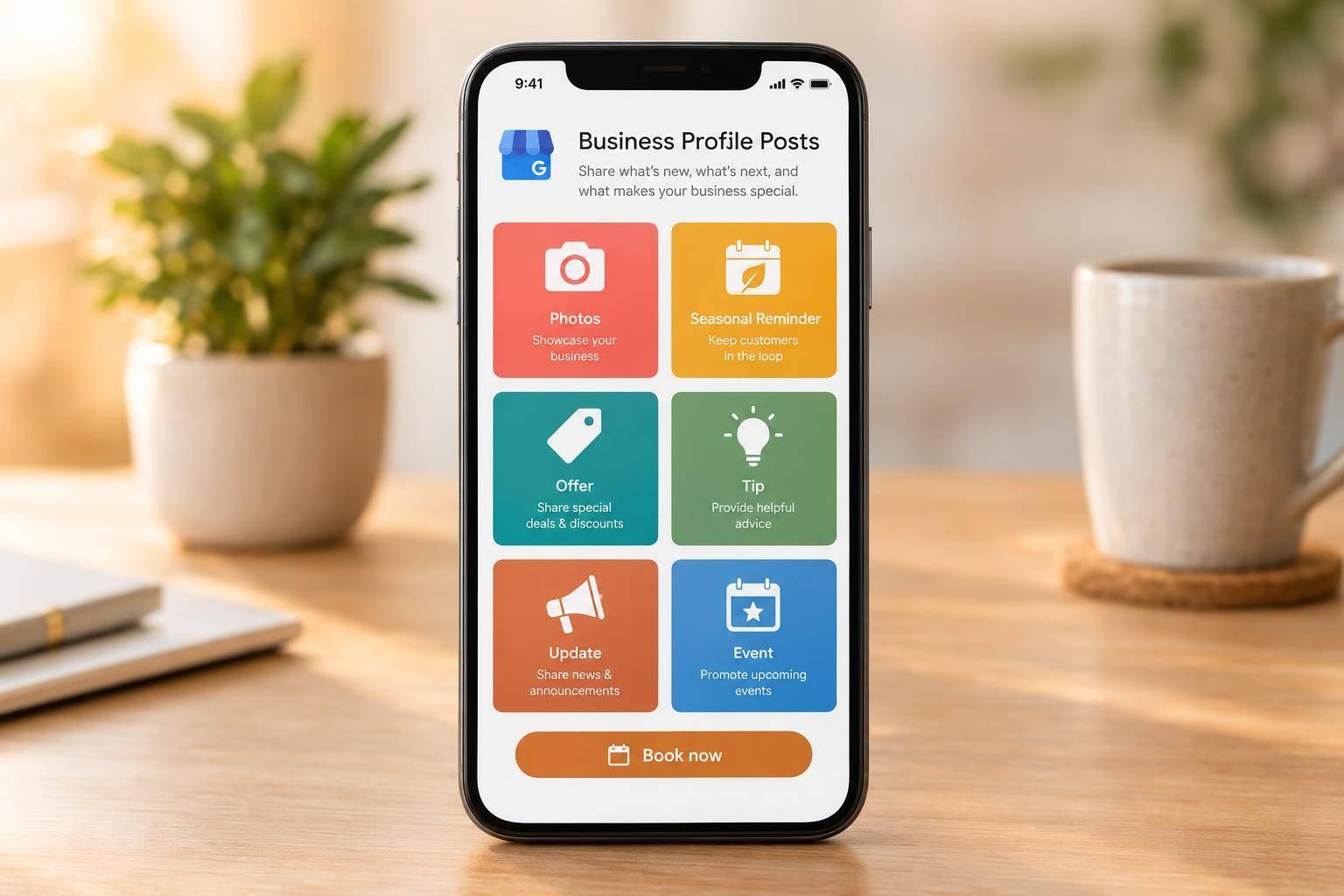
Post what helps homeowners decide: your completed work, seasonal reminders, offers, maintenance tips, business updates, and community events. Start with a recent job photo, a short caption, and a link to your estimate form.
Choose from three post formats, which Google’s guidelines for Business Profile posts also lay out:
- Update: work photos, tips, reminders, and schedule changes
- Offer: discounts
- Event: scheduled activities
Plan seasonal reminders 6-8 weeks before local peak demand, and keep your profile’s hours current separately. A quick review of Google Business Profile mistakes to avoid helps catch outdated details before a post goes live.
Your posting calendar can cover these six topics:
- Project completion photos: Show the service and result, with customer permission.
- Seasonal service reminders: Help homeowners book before busy periods.
- Limited-time offers: State the discount, deadline, and terms.
- Homeowner maintenance tips: Share one task and a clear next step.
- Service availability and business updates: Explain what changed and when.
- Events and community activities: Include dates, location, and how to participate.
Keep every post accurate and timely. Track booked jobs, not just clicks, because posts don’t guarantee higher rankings or more leads. First-touch and last-touch attribution shows which channels get credit for a booked job. Posts also work best alongside broader local SEO services rather than on their own.

Google Business Profile Posts: What to Post and When
Google My Business Posts Examples & How To Create Your Own
sbb-itb-2aa0348
Understand the Three Google Business Profile Post Formats
Update, Offer, and Event are the three Google Business Profile post formats. All six ideas in this guide fit within them.
Update gives you the most flexibility. Use it to share project completion photos, seasonal service reminders, homeowner maintenance tips, service availability, and business updates.
Offer is for promotions and discounts, while Event is for scheduled activities. Both need a title and specific start and end dates and times.
All three formats support text, photos, or videos.
Posts don’t replace your core profile details. Keep your services, service areas, and hours current in the profile itself.
Start with project completion photos - the easiest Update post to put together from recent jobs.
1. Project Completion Photos
Post a well-lit, original photo right after you finish the job. When appropriate, pair before-and-after photos taken from similar angles, and skip heavy filters.
Keep the caption to one or two sentences that name the service, city, and result. Link the button to your estimate form.
Before publishing photos from a homeowner’s property, get written customer permission. Crop out address numbers, license plates, and personal documents.
2. Seasonal Service Reminders
Use Update posts to remind homeowners about seasonal services based on local weather and demand.
- Post a seasonal reminder. Post 6 to 8 weeks before peak season, adjusted for local weather. For AC tune-ups, post in April and May. Name the service, explain the homeowner benefit, and end with “Get Started”.
3. Limited-Time Offers
Use Offer posts to fill your schedule before peak demand or bring back inactive customers.
Post a pre-season maintenance special or reactivation offer 6 to 8 weeks before peak demand. Target past customers or homeowners with older systems so they can book early. Clearly state the discount, expiration date, eligibility, and how to redeem the offer.
If an offer isn’t the right fit, use the next post type to educate homeowners and stay visible.
4. Homeowner Maintenance Tips
To stay visible without promoting a sale, share one practical maintenance tip in an Update post with a short, action-led headline to help homeowners prevent damage and avoid last-minute repairs - for example, explain how to replace an HVAC filter per the manufacturer’s instructions and check it monthly during heavy use.
Include one clear photo of the task. Add a direct CTA, such as Book an inspection, and link it to the matching booking page.
5. Service Availability and Business Updates
When your schedule changes, use an Update post to keep customers informed between promotions and project posts.
Announce appointment openings, expanded service areas, temporary closures, holiday hours, new services, or delayed openings. Include what changed, the date range, and how to book.
Update your profile’s hours separately - the post won’t change them. Use Special hours for closures lasting 6 consecutive days or fewer. Use Temporarily closed for closures lasting 7 days or more, or when you don’t know how long you’ll be closed. Remove expired announcements promptly.
For public-facing activities, use Event posts.
6. Events and Community Service Activities
Use Event posts for activities with a fixed date that are open to public participation, such as a local cleanup, donation drive, or free workshop.
Start with the event’s purpose. Then include the exact date, start and end times, location, who can attend, and a registration or donation link. Add one local photo.
Publish 1–2 weeks ahead, and update the date, time, or location if anything changes. After the event, share an Update post with a photo and confirmed results, such as volunteer hours or donations collected. Track registrations and turnout - not just views - to measure success.
Follow the same pattern for any date-based post: announce it, remind people, then share the results.
Turn the Ideas Into a Practical Content Calendar
Turn the six post ideas above into a calendar you can reuse. Plan seasonal content 3–4 months ahead, then schedule reminders and offers closer to demand.
Treat this schedule as a posting rhythm, not a fixed rule.
| Content category | Recommended timing | Google post format | Details to include |
|---|---|---|---|
| Project completion photos | Weekly | Update | Before-and-after photos; service area. |
| Seasonal service reminders | 6–8 weeks before local peak demand | Update | Service, season, booking CTA. |
| Limited-time offers | Pre-season or during slower periods | Offer | Seasonal or reactivation offer. |
| Homeowner maintenance tips | Weekly or monthly | Update | One task and one CTA. |
| Service availability and business updates | Monthly or as needed | Update | Change, date range, booking path. |
| Events and community service activities | As needed | Event | Date-based public activities. |
Copy these fields into your calendar, with one entry per post:
Post title:
Content category:
Format: Update / Offer / Event:
Post date:
Service or service area:
Key message:
Asset: photo or video
Offer/event dates and times:
Before publishing, check contact information, links, service availability, offer terms, and dates. Review live, time-sensitive posts regularly. When an offer ends or your hours change, remove or update outdated claims.
Track booked jobs, not just clicks, so next month’s calendar reflects the posts that brought in work.
Conclusion
Use posts to show your work, promote seasonal services at the right time, share helpful tips, and communicate offers, updates, and community activity. Each one gives a homeowner a reason to trust you before they ever pick up the phone.
Choose the post type that fits your goal: Update for work photos and tips, Offer for discounts, and Event for scheduled activities. Then keep posts timely. Google archives posts after six months unless a date range is set, so older content stops working for you on its own.
Match themes to local demand and promotions to your team’s capacity. An offer that fills the calendar only helps if someone answers fast, and slow response times cost you jobs no matter how good the post was. Set expectations your team can meet, so the homeowner who reads your post gets the same experience when they call.
At Estatehub, Business Profile posting sits inside a wider plan of local SEO services, not on its own. Track which posts lead to booked jobs, then adjust what you publish based on what brings work in.
FAQs
What should I post if I have no new project photos?
Share recent customer reviews to build trust and help people find your business in local searches. Publish educational posts that answer common customer questions or explain problems and how to solve them.
You can also update existing website pages with new data, clearer service descriptions, or FAQs drawn from your experience. These updates keep your profile active and engaging without requiring new photos.
Can I turn customer questions into posts?
Yes, turn customer questions into Google Business Profile posts. Questions you hear from customers often reflect what other homeowners are searching for online.
Use your posts to answer recurring questions about financing, warranties, or service concerns. These answers help homeowners, build trust, and position your business as a local source of advice.
Posting Q&A content regularly keeps your profile active and addresses your audience’s needs at each stage of their journey.
How can I track bookings from my posts?
Connect your marketing sources to your CRM to track leads from first contact to booked jobs. Add UTM parameters to every Google Business Profile post link so Google Analytics 4 (GA4) can identify the source, medium, and campaign.
For phone bookings, use call tracking software with Dynamic Number Insertion (DNI) to tie calls to specific posts. Make sure your CRM records those sources and keeps them linked to each lead through the final booked job stage.
Related Blog Posts

Sign up for the newsletter and be the first to read our articles.