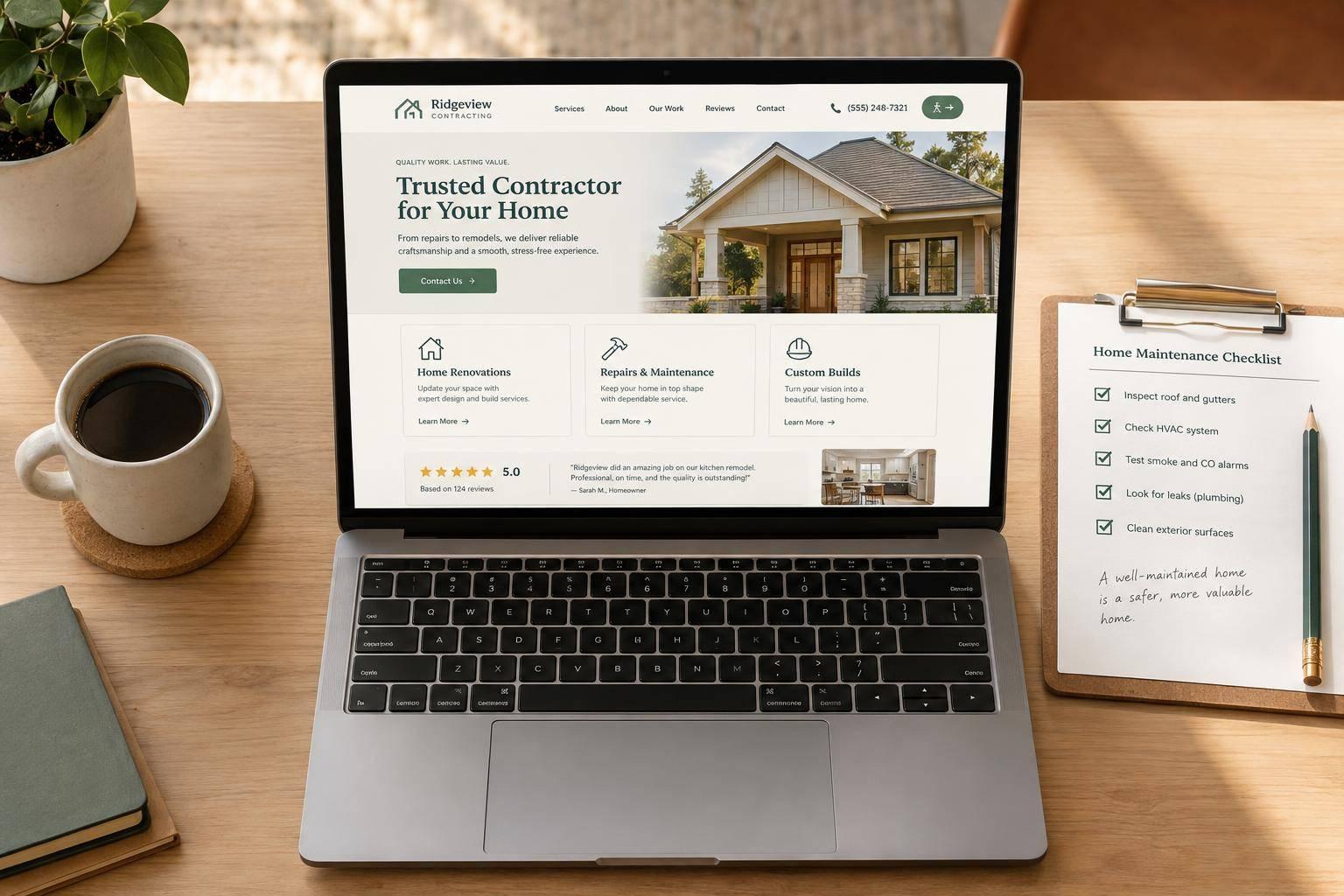
A good contractor website tells homeowners what you do, where you work, and how to contact you within seconds. Put your services, coverage area, clickable phone number, and contact button at the top of the page.
Your site also needs clear service pages, documented projects, customer reviews that follow the FTC’s rule on fake reviews and testimonials, and checked business details, not just a polished layout. Use WCAG 2.2 Level AA as your accessibility benchmark, and test forms, links, and page speed on mobile.
- Make information easy to find: Include services, coverage, projects, reviews, About, and Contact pages. The home service website UX guide shows how to lay them out.
- Back up your claims: Check licenses, insurance, project details, warranties, and privacy policies.
- Make every visit work: Use readable text, labeled forms, keyboard-friendly controls, and reliable contact links.
- Keep the site current: Assign one person to review it every 3 months and test it after updates.
Use the checks below to focus on clear information, working contact tools, and accurate details before adding more design elements. If the site fails several of them, website design for home service contractors is usually a better starting point than another template tweak.

Contractor Website Design: Build, Test, and Maintain
Check Website Pages and Layout
Homepage, Services, and Service Areas
Your homepage should tell visitors who you are, what you do, and where you work above the fold. Add service cards that link to pages with more detail.
Give each major service its own page. Explain the work, the problem it solves, what’s included, and how the process works. Include accurate price ranges when available.
Service-area pages need more than a city name swap. Link from a central coverage page to city pages only when they offer specific local details, evidence of local projects, or local reviews.
Support these pages with proof of your work, contact details, and reviews.
About, Projects, Reviews, and Contact Pages
Show visitors who does the work, what you’ve done, and how to reach you. Give them ways to check the details for themselves.
- About: Show who runs the business. Include real team and truck photos, relevant experience, license numbers, and certifications.
- Projects: Pair before-and-after images with a short explanation of the original problem, the work completed, and the finished result.
- Reviews: Embed Google Reviews directly or link to the original review. Readers should be able to see the star rating, date, and reviewer name in context.
- Contact: Include a clickable phone number, email, hours, coverage area, emergency availability, and a physical address when applicable.
- Contact form: Ask only for a name, phone number, and brief project description. Label every field clearly.
Navigation, Page Layout, and Mobile Display
With the pages in place, make them easy to find and use on any screen.
Use clear navigation labels such as Services, Projects, About, and Contact. Give each page one main H1 heading, followed by descriptive subheadings and short text blocks that readers can scan.
Mobile touch targets should measure at least 44 × 44 CSS pixels. Check menu buttons and other key controls, and leave enough space between them to prevent accidental taps.
Text, images, menus, and forms should fit within the mobile screen width. Check for horizontal scrolling and overlapping content.
sbb-itb-2aa0348
Building a Contractor Website? Use This Layout
Check Business Details and Trust Signals
Once the layout is set, check every fact the site publishes.
Business Information and Credentials
Match business details to current records. Check the header, footer, contact page, and About page for conflicting names, addresses, phone numbers, hours, or service areas. Confirm emergency availability with the staff who answer calls.
Check applicable license numbers against state or local records. Link to verification pages when available, and verify insurance and certifications before displaying them. Don’t suggest the business holds qualifications or coverage it doesn’t have.
Next, check the proof presented on review and project pages.
Customer Reviews and Project Evidence
Use real testimonials with attribution and permission. Follow FTC rules on deceptive consumer reviews and testimonials.
For each completed project, compare the service, property type, general location, and outcome with job records. Publish only documented results. Before posting photos and captions, check for customer names, house numbers, and other private details.
Privacy, Warranties, and Service Policies
Explain how form data is used. Link to privacy information from the footer. Explain what each form collects and how the business uses that information.
Show warranty limits alongside the promise. On the relevant service pages, state the warranty duration, labor and material coverage, exclusions, and steps for requesting service. List applicable terms, emergency fees, and service-area boundaries. Verify all warranties and guarantees before publishing them.
Check Accessibility and Site Reliability
With the site structure and trust signals in place, check that visitors can use every page, form, and contact method. Use WCAG 2.2 Level AA as your benchmark for a contractor site that’s readable, easy to use, and works with assistive technology.
Images, Contrast, and Accessible Controls
- ☐ Give meaningful project photos useful text alternatives.
- ☐ Make sure service text has enough contrast against its background.
- ☐ Check that menus and all other controls work with a keyboard.
- ☐ Keep mobile tap targets easy to activate.
Clear Content, Forms, and Semantic Markup
Write service descriptions in plain language. Group related form fields logically, give each field an explicit label, and make sure every error message explains how to fix the entry.
Use headings that match the page’s structure. Add semantic HTML and LocalBusiness schema to help search engines and assistive technology read the site.
When these basics fail, homeowners won’t reach the contact step.
Page Speed and Working Features
- ☐ Compress project images; WebP is one option.
- ☐ Remove unnecessary plugins.
- ☐ Check that pages load reliably on mobile data. Use PageSpeed Insights to find performance issues, and aim for a mobile score above 80.
- ☐ Confirm navigation links lead to the intended pages.
- ☐ Send test form submissions and check that they reach the intended inbox.
-
☐ Make sure phone links use
tel:and open the dialer. - ☐ Check that email links open a message with the correct recipient.
- ☐ Verify that maps show the intended location.
Run these checks on common devices and browsers. After each update, confirm that HTTPS works without warnings and that all interactive features still work.
Final Checklist: Launch and Maintain Your Website
Review Content and Test Contact Methods
Once the site passes structure, trust, and accessibility checks, give it one final review before launch.
Confirm that all core pages are in place: homepage, service pages, location pages, reviews, gallery, About, FAQ, and Contact. Keep navigation and contact info placement consistent across pages. Each page should show the phone number in its header, hero section, and footer. The sticky call button should stay visible as visitors scroll. Remove placeholders, generic stock photos, and broken links.
Fact-check all business details, then test every form and phone link again. Record the results on desktop, tablet, and mobile. Finish with a mobile walkthrough using cellular data.
Assign a Website Maintenance Owner
After launch, put one person in charge of keeping the site accurate. Have them review content, reviews, policies, and credentials every three months, and track credential renewal dates. Schedule function checks after updates, along with security-update and backup checks.
Include content accuracy, site speed, and contact routing in that person’s maintenance responsibilities.
Conclusion: Fix Clarity Before You Add Design
A contractor website works when a homeowner can tell, within seconds, what you do, where you work, and how to reach you. Everything else, from galleries to animations, comes second.
Start with the fundamentals from the checklist: clear service pages, a coverage area that’s easy to find, and a clickable phone number and contact button near the top. Back up every claim with real licenses, insurance, and project details, and meet WCAG 2.2 Level AA so text, forms, and controls work for more visitors. Then test on a phone. A contractor website speed checker catches slow pages, and a few test submissions catch forms that don’t send.
Keep it current after launch. Assign one person to review the site every 3 months and re-test after every update. A dead phone link or a broken form can cost you calls for weeks before anyone notices.
Estatehub builds lead-generating websites for home service contractors on the same premise: a good-looking site doesn’t convert on its own, and clear information and working contact paths do.
Get the basics right first, then add design.
FAQs
What should my website show if I have few completed projects?
Show your work, even if you only have a few photos. Use clear, high-quality images of completed jobs. A simple phone photo of a task you’ve finished works better than a generic stock image.
Feature customer testimonials, industry certifications, licenses, and professional team headshots. While you build your portfolio, a detailed FAQ can show what you know and answer common customer concerns.
Should I publish my address if I work from home?
If you run a service-area business, keep your home address hidden on your website and Google Business Profile. Google’s guidelines call for a central office location and a defined service area, with the address kept private.
Consistent NAP (Name, Address, Phone Number) information matters for local SEO. Use LocalBusiness structured data to define your service area without displaying your home address publicly on your website.
When should related services have separate pages?
Create separate pages when demand and supporting proof justify them. Dedicated pages convert 28% better than a single list. Start with your highest-revenue services, then add more pages as your business grows.
Target a specific keyword, such as a service plus a city name, to match what people are searching for. Give each page its own value with pricing, before-and-after photos, and relevant reviews - not just content meant to manipulate search rankings.
Related Blog Posts

Sign up for the newsletter and be the first to read our articles.